
Plant and machinery
Book the machine onto the site, and see when it is due off.
- Area
- Work and programme
- Works on
- Browser, Phone and tablet
- How to use it
- Help Centre guide
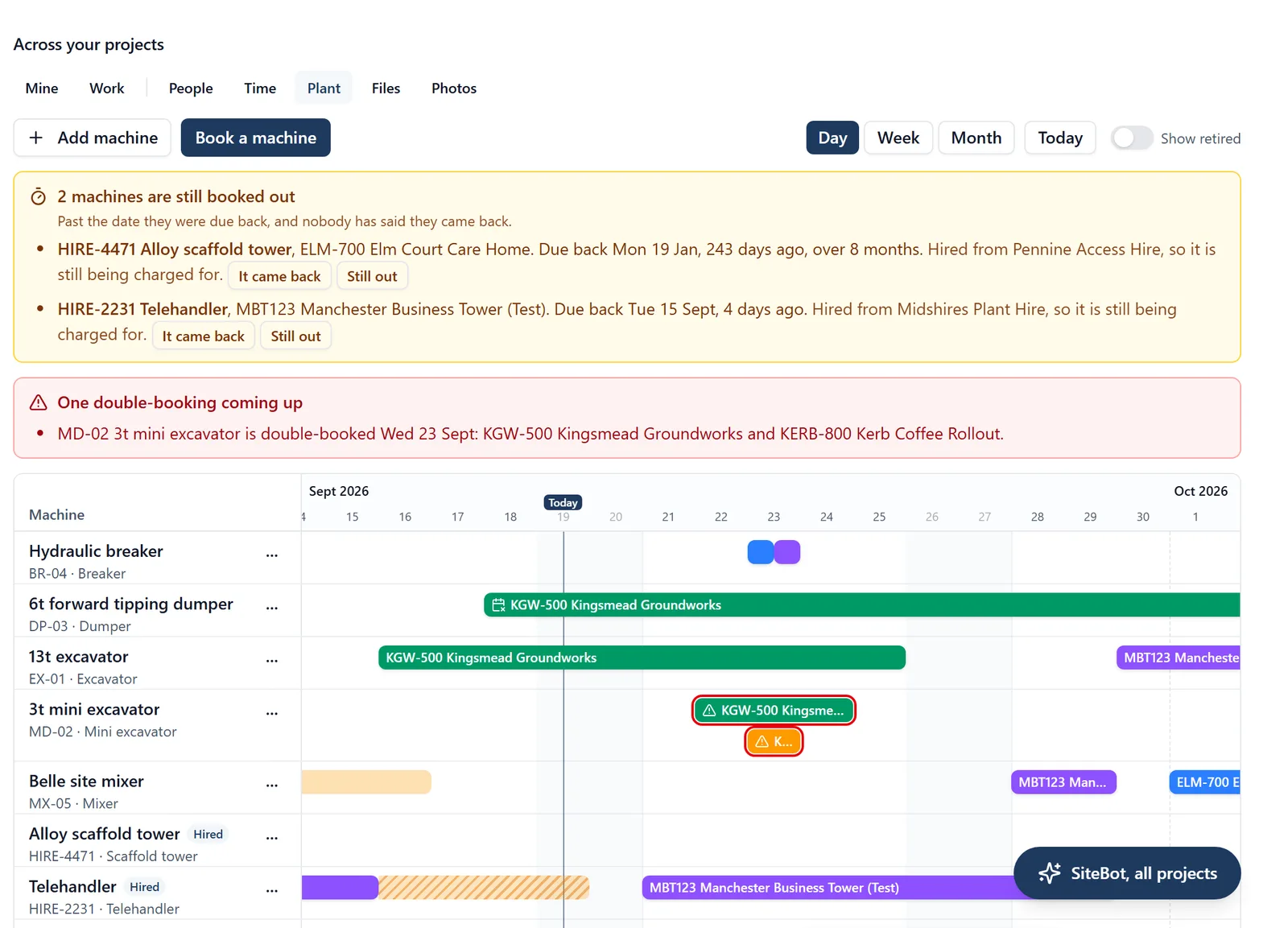
Plant sat on the wrong site is the most visible money a builder wastes, and the easiest to lose track of across several jobs.
What it does
- Book a machine onto a job for a period
- See what is on which site, and what is free
- Catch a machine still booked out past the day it was due back
- The board in a browser or on a tablet, and a list of the machines on a phone, for the people who administer the jobs
Why it matters on site
Hire is charged by the day whether the machine is working or standing in a corner. Knowing which it is doing is the whole feature.
- Which plan
- This is included in every plan, from £149 a month. Plans differ by how many people they seat, not by what the software does. See pricing.
- How to use it
- The manual page for this is in the Help Centre, and it is the same guide SiteBot reads inside the app. Read the guide.
Work and programme 03 more
Also in work and programme
| Feature |
|---|
| Boards The whole job on one board, in whichever view answers the question you have. |
| Tasks, issues and reminders Raise it in ten seconds from where you are standing, with a photo attached. |
| Snag sign-off A snag is closed by the person entitled to close it, not by whoever fixed it. |