Request a demo, get a 14-day free trial. →
BuildersAI
Log in

A dated record of every job your crew does.

Dated photos and ticked-off tasks, so you get paid for the work you did. Priced by team size, never per site.

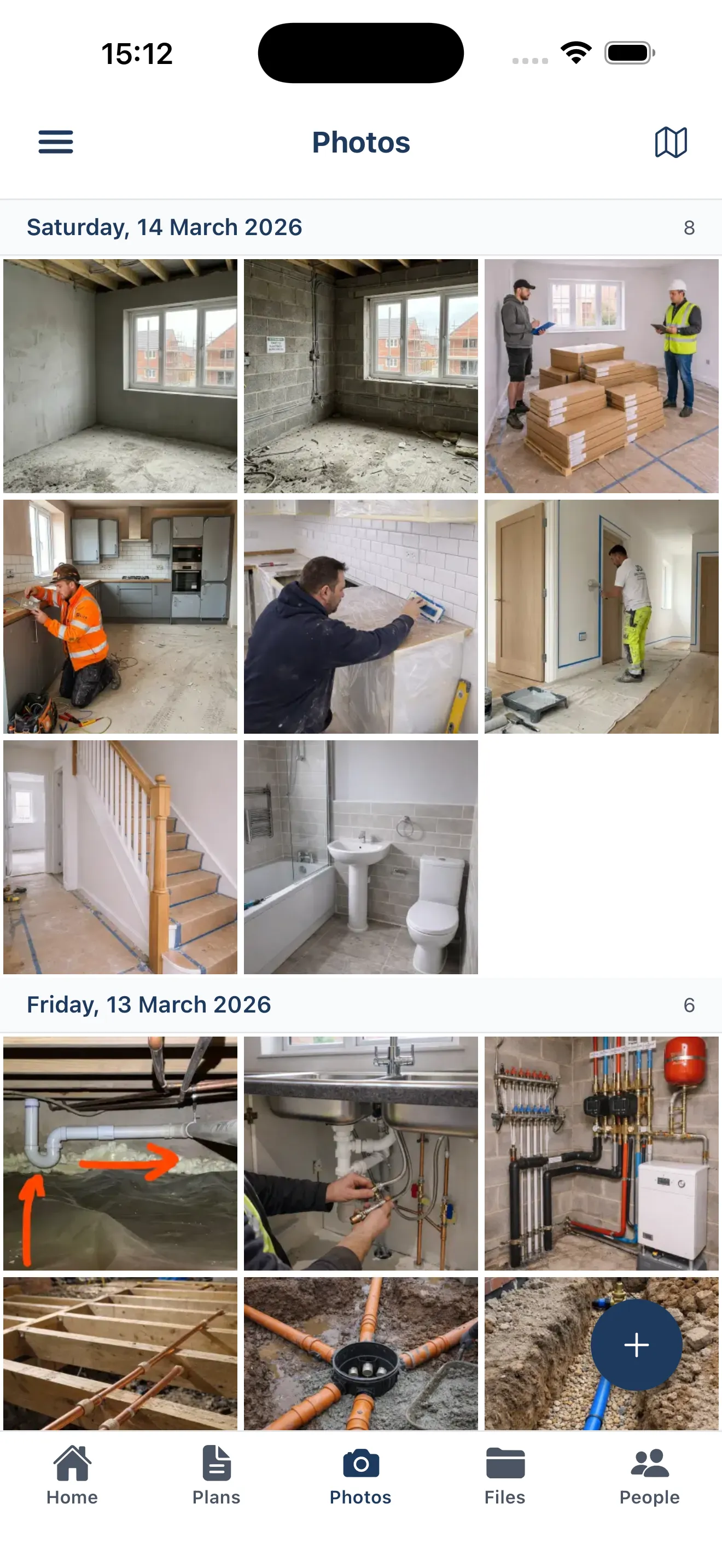
The photos screen on a phone, with site photographs grouped under the day they were taken, Saturday 14 March and Friday 13 March 2026
Fig. 1 Site photos on the phone, filed by the day they were taken Phone
Free trial
14 days, every feature, no card
Per-user fees
None
Your data
UK GDPR, ICO registered
The problem 03

Without a record of the work, the risk sits with you.

Every dispute you lose starts the same way: no record.

  1. 01

    Disputes at invoice time.

    Was that first fix done on the 14th or the 17th? Without a timestamped record, it's your word against theirs, and it is your money that is at risk.

  2. 02

    Three sites, one crew, no overview.

    Who's on the Swindon job today? What's left on Bristol? Running a crew across main contractors on WhatsApp is a job in itself.

  3. 03

    Spec changed and nobody told you.

    You installed to the drawing you had. The drawing changed six weeks ago. The main contractor knew. You didn't. Now that rework is somehow your cost to carry.

How it works 03

Built for the way trades actually work.

Your record, your crew and your money in one app.

01

Photo evidence that holds up.

Every photo has the time and place on it, and AI tags it so you can find it again. Every photo your crew takes is logged against the task and the date. When a dispute lands, you pull up the record.

More on site photos
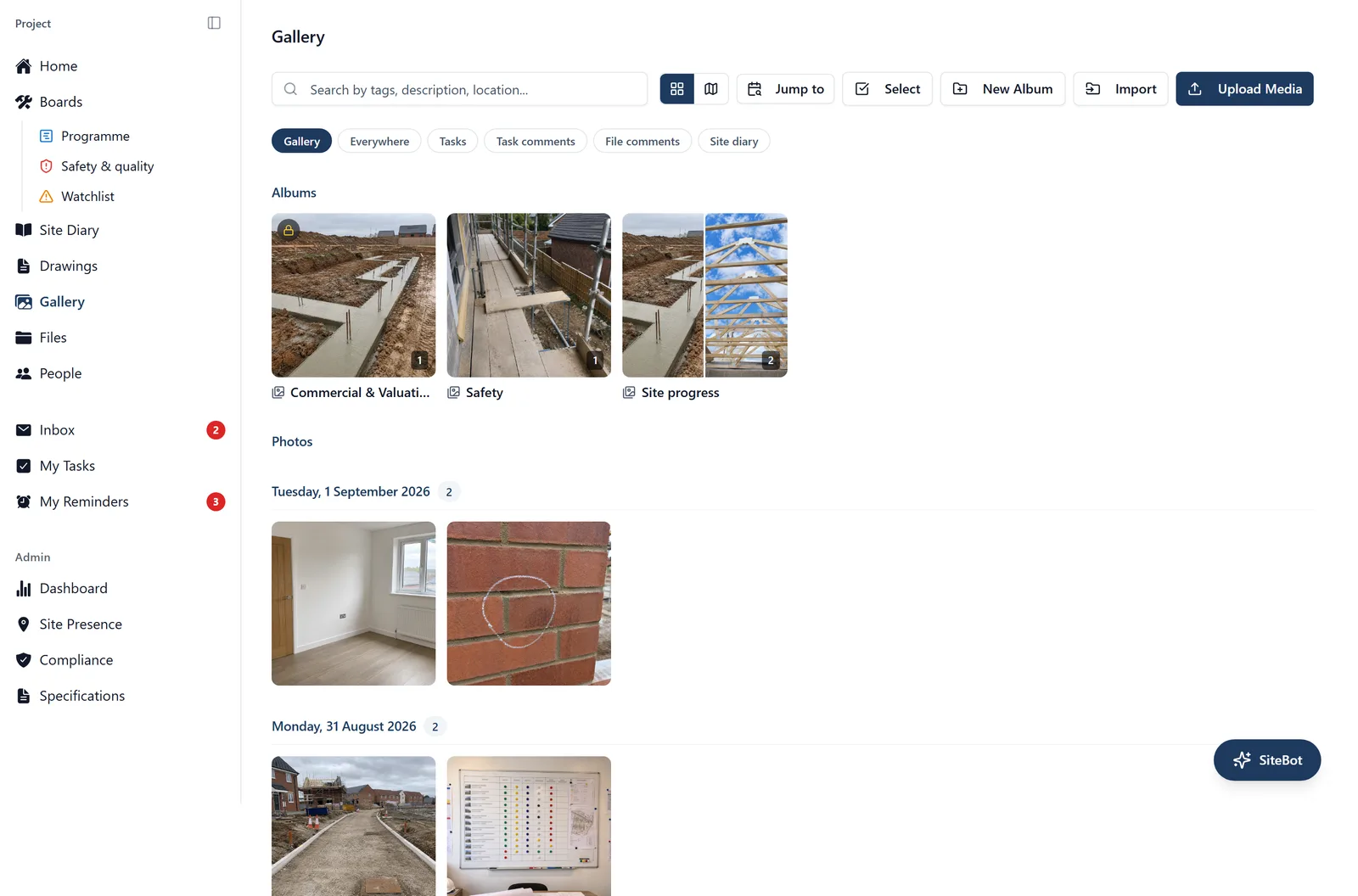
The BuildersAI Gallery in a browser, with albums for commercial work, safety and site progress, and site photographs grouped under date headings below a search box.
Fig. 2 Every photo filed by job and date Web app
02

Tasks ticked, work paid.

Your crew ticks the task done and the time is recorded. At invoice time you have a dated record of the work, not a WhatsApp thread.

More on tasks and snags
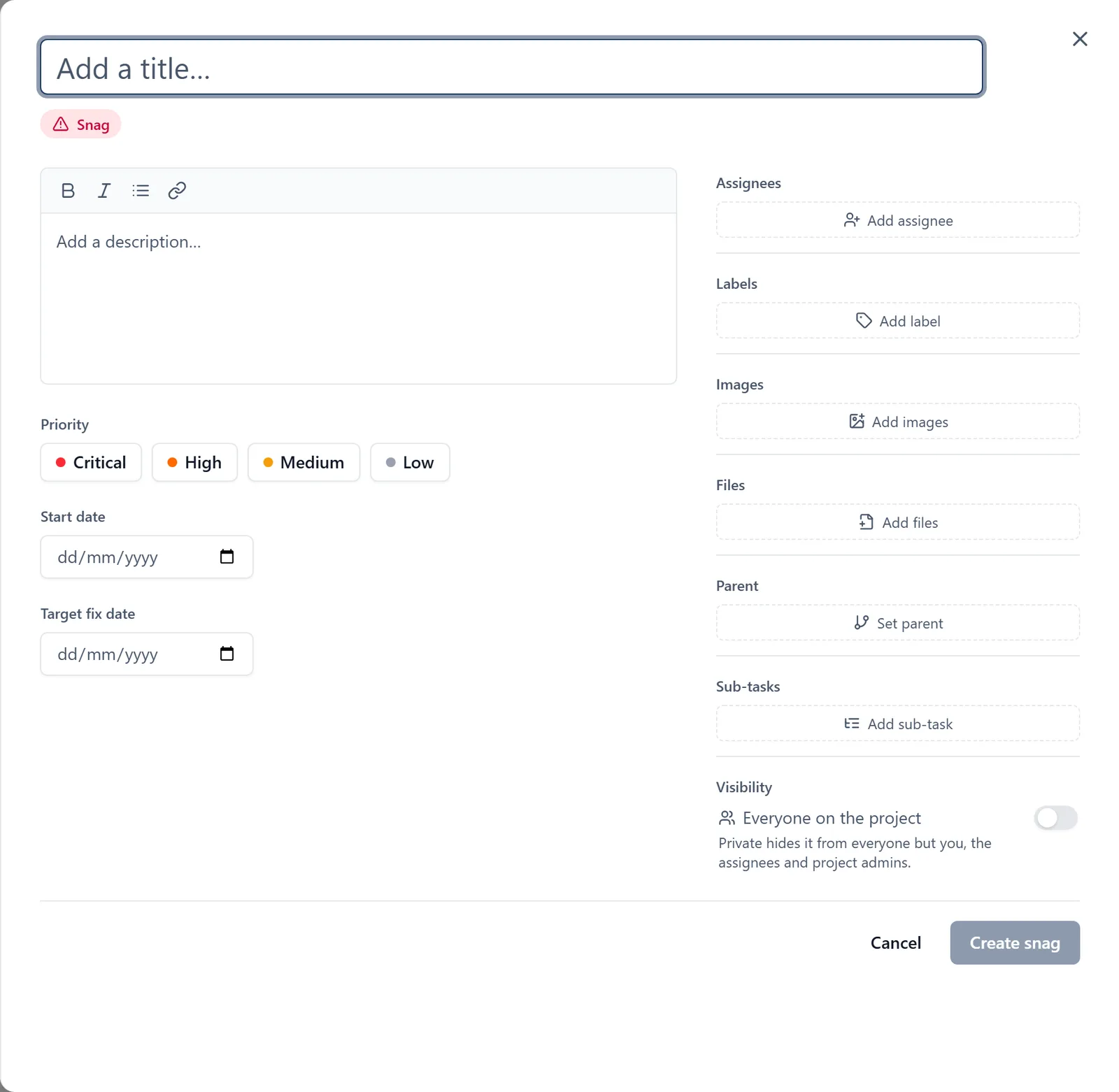
A form for raising a snag, with a title, a description, four priority buttons reading Critical, High, Medium and Low, start and target fix dates, and options to add an assignee, a label, images and files.
Fig. 3 A task with who it is for, its dates and its photos Web app
03

Your whole crew, every site, one app.

Coordinate 5 to 15 people across two or three main-contractor projects. See who is on which site, what is outstanding and what has been completed, in one place, on every phone.

More on the people planner
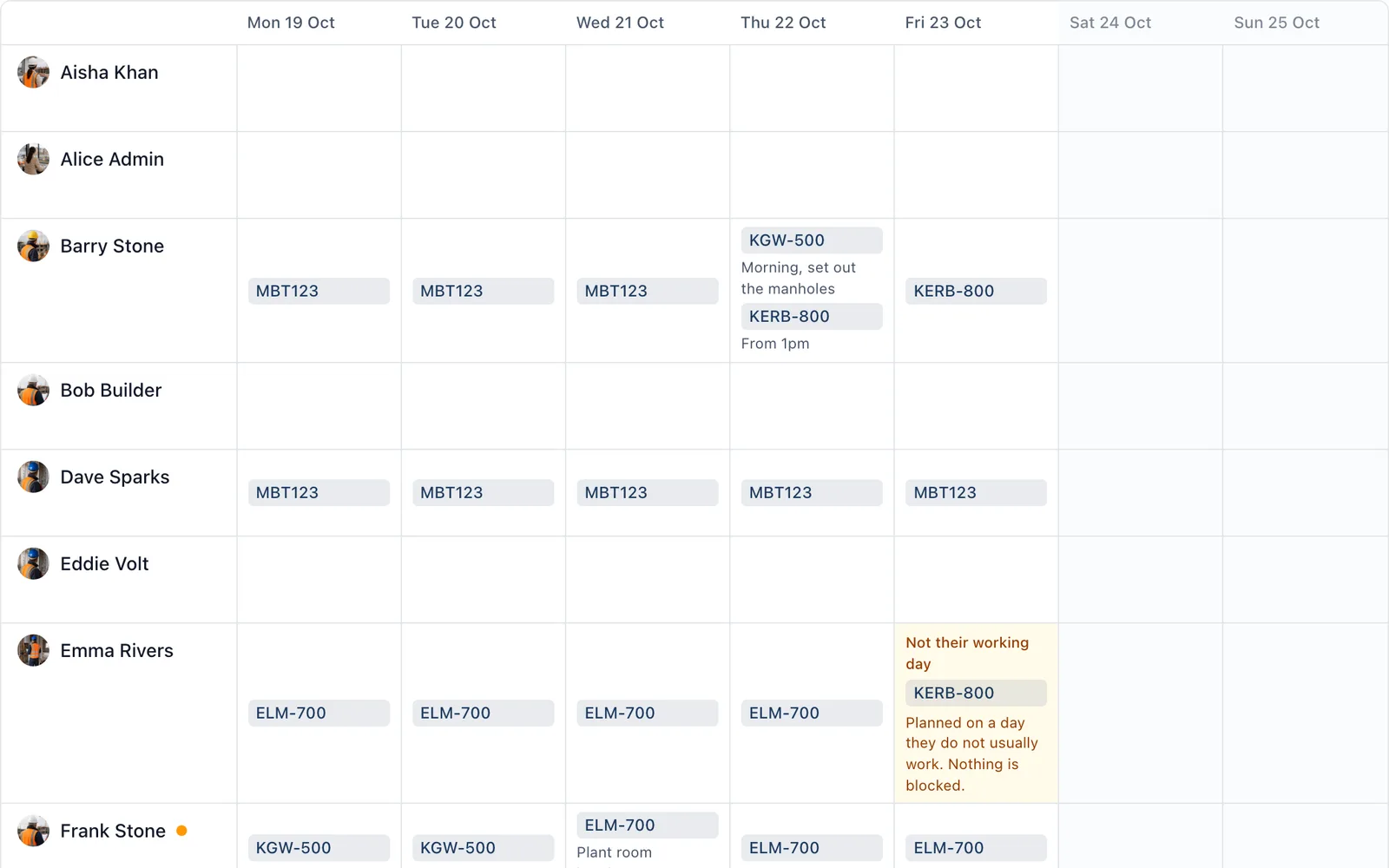
The planner for next week: people down the side, Monday to Sunday across, each day showing the sites that person is going to, with days off shaded.
Fig. 4 Who is on which site, a week at a time Web app
Pricing No per-user fees

By team size. Never per site.

Got a crew of 8 covering 3 main-contractor sites? You count 8 people, not 24. The same team works across every project they're on, for one fixed price.

BuildersAI plans, one flat fee a month for the organisation
Plan Team Price
Free trial Up to 10 users 14 days, every feature, no card
Starter Up to 10 users £149/month + VAT
Professional 11 to 50 users £299/month + VAT
Business 51 to 100 users £599/month + VAT

See full pricing details

Built for the field

Works on site with no signal.

Photos, ticked tasks and check-ins wait on your phone and go up when you are back in signal.

Basements, plant rooms and rural sites: the phone app keeps working. The web app needs a connection.

More on working with no signal
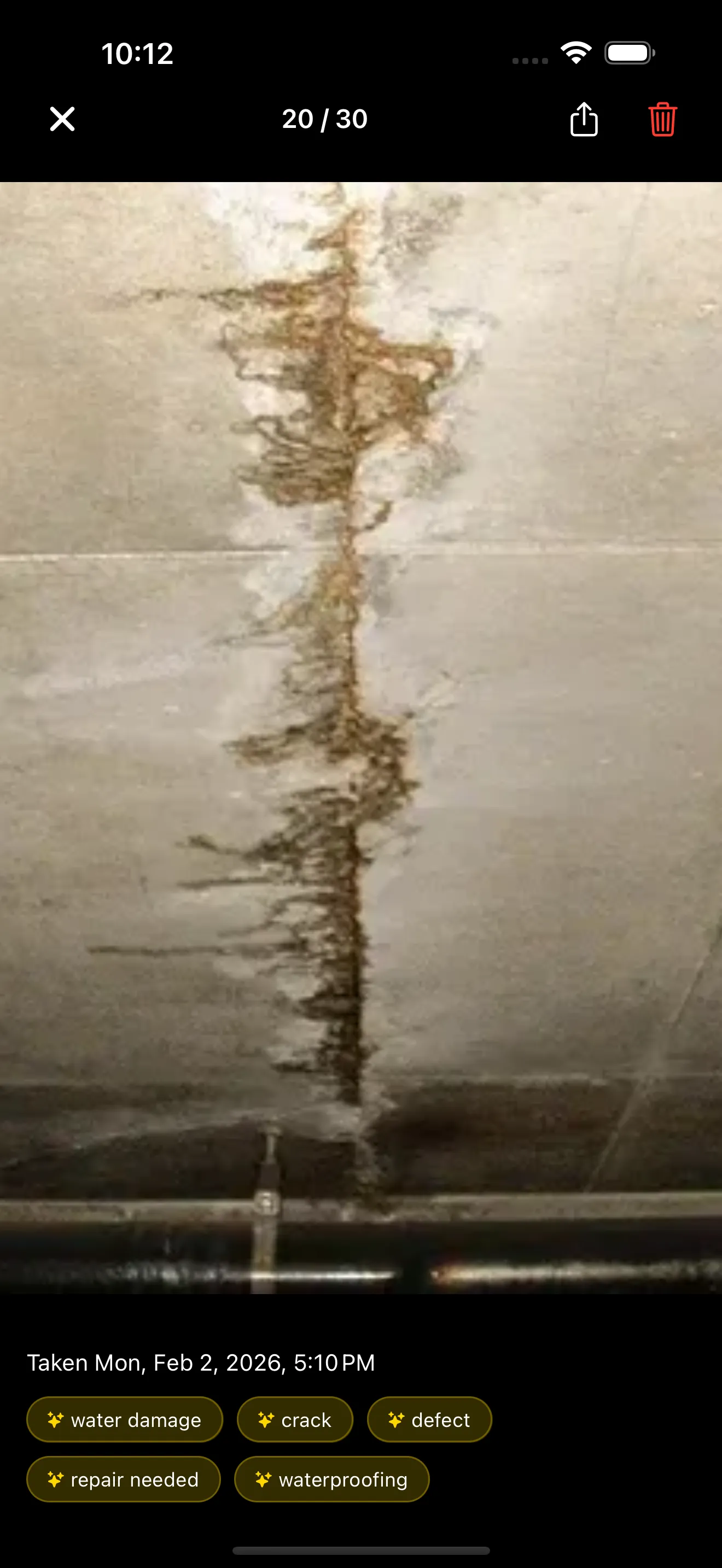
A site photograph open on a phone, showing water staining down a wall, taken on Monday 2 February 2026, with tags under it reading water damage, crack, defect, repair needed and waterproofing
Fig. 5 A photo with its date and the tags added to it Phone

FAQ 06

Questions we hear.

Quick answers for trades and subcontractors. If yours isn't here, email our team and you'll get a real reply the same day.

01

What if I'm working on a main contractor's BuildersAI site? Do I need my own account?

Not for their job. If the main contractor invites your crew, they use it on that job at no cost to you. To run your own crew across several jobs, you need your own account, starting with a 14-day free trial.

02

How does pricing work for my crew across multiple projects?

One flat monthly fee for your whole organisation, with unlimited sites included. Your plan is set by how many people are on your team. Each person counts once, however many sites they work across. A sparky on your crew counts once whether they're working one project or five. A 8-person crew is on Starter at £149/month + VAT, covering every project they're on. You never pay extra because a project is on a different site.

03

Does it work with no signal?

Yes. Photos, ticked tasks and check-ins save on the phone and go up when signal returns. The web app needs a connection; the phone app does not.

04

Can I keep my crew's records private from the main contractor?

Yes. Your company's data is yours. The main contractor sees only the work on their own job. Your company and your other jobs stay private.

05

What if my main contractor uses a different system?

Yes. Use it for your own crew, photos and tasks whatever the main contractor uses, and keep your own dated record for invoicing and disputes.

06

My crew move between jobs all day. Do they have to check in and out of each one?

No. They can keep a timesheet instead: a few lines a day saying what they did, which job it was for and the hours, without checking in and out. It is on the phone and saves with no signal. Each timesheet is seen only by the person who keeps it and the people who run their jobs.

More on timesheets and site attendance

Get started

Keep your own record of the work, on every site.

14-day free trial with every feature and no card needed. Get your crew logging photos and tasks on site today.