
Compliance and cards
Know whose card expired last week before they turn up on Monday.
- Area
- Safety and compliance
- Works on
- Browser, Phone and tablet
- How to use it
- Help Centre guide
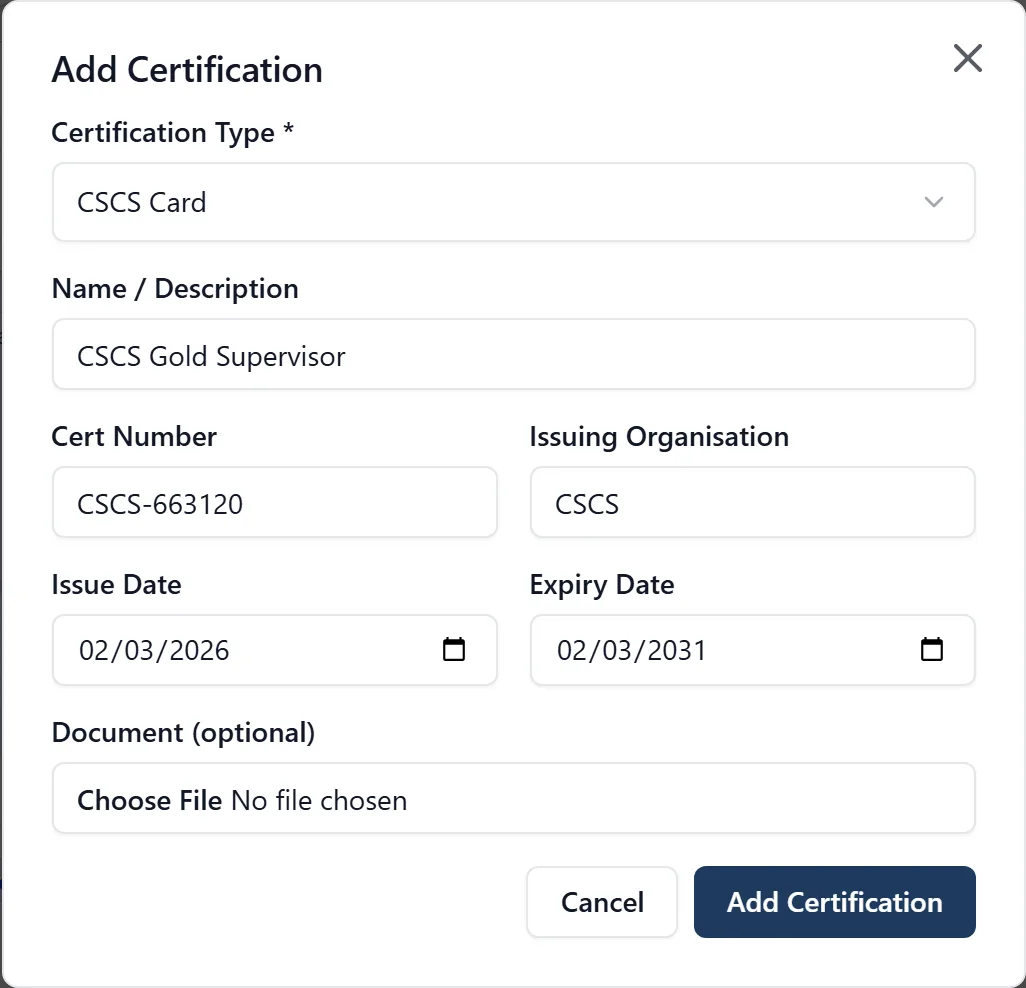
Cards expire quietly. The first anyone hears is usually an inspector asking to see one.
What it does
- Record every card and qualification a person holds
- On the phone, photograph a card and the type, number, issuer and expiry are filled in from the photo, for you to check and save
- See what is expiring, and when
- A replacement card supersedes the old one automatically
- Print the whole register for the job from a browser when somebody asks
Why it matters on site
Being able to hand over a current register in a minute is worth more than any amount of filing, and it is the one thing a shoebox of photocopies cannot do.
- Which plan
- This is included in every plan, from £149 a month. Plans differ by how many people they seat, not by what the software does. See pricing.
- How to use it
- The manual page for this is in the Help Centre, and it is the same guide SiteBot reads inside the app. Read the guide.
Safety and compliance 03 more
Also in safety and compliance
| Feature |
|---|
| RAMS signed on site Risk assessments and method statements, read and signed on the phone, before work starts. |
| Compliance register The paperwork an inspector asks for, already assembled. |
| UK building regulations Ask about Part B or the CDM Regulations and get an answer with the source. |