
People planner
Who goes to which site each day, planned once a week and sent to every phone.
- Browser
- Phone and tablet
- For directors and owners
- For site managers
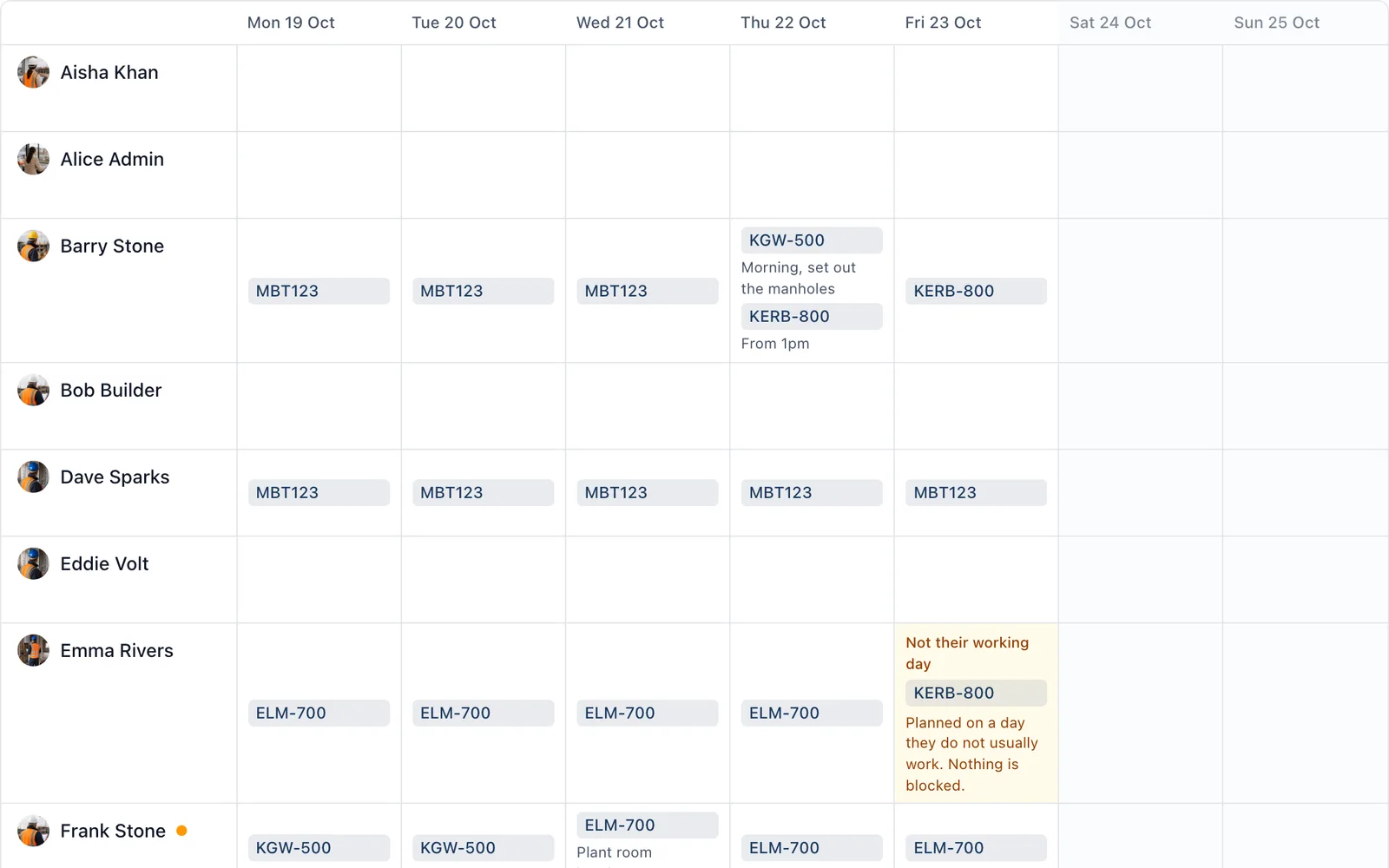
Spreading the crew across the jobs is the Sunday night job: a notebook, then a round of texts, then a phone call on Monday when somebody went to the wrong site. The planner does it once, and everybody is told their own week.
What it does
- People down the side, Monday to Sunday across, and each day holds the sites that person is on, in the order they visit them
- Add a note to a day, such as “from 1pm” or “bring the core drill”
- Copy last week in one go, because most weeks look like the last
- Holidays, sickness and days somebody does not work are shaded before you plan them. It warns and never blocks
- Nothing is sent while you arrange it. Send the week and each person gets their own week as a push on their phone, or by email if their phone cannot be reached
- Change it after sending and only the people whose week changed are told
- Everybody sees their week in the app, and today’s and tomorrow’s site on their project’s home, even with no signal
Who uses it
The company’s owners and admins plan and send the week. People are only planned onto sites they are already on, so the planner never gives anybody access to a job.
Which plan
This is included in every plan, from £149 a month. Plans differ by how many people they seat, not by what the software does. See pricing.
How to use it
The manual page for this is in the Help Centre, and it is the same guide SiteBot reads inside the app. Read the guide.
Also in people and access
- People and contacts One directory of everybody on the job, whether they use the app or not.
- Roles and permissions Let a subcontractor see their work and nothing else, without a conversation about it.
- Organisation and seats One company account, every project under it, and a clear count of who is using it.