
What changed on a reissued drawing
When a drawing is reissued, see what changed without comparing the sheets by eye.
- Browser
- Phone and tablet
- For site managers
- For directors and owners
- For subcontractors
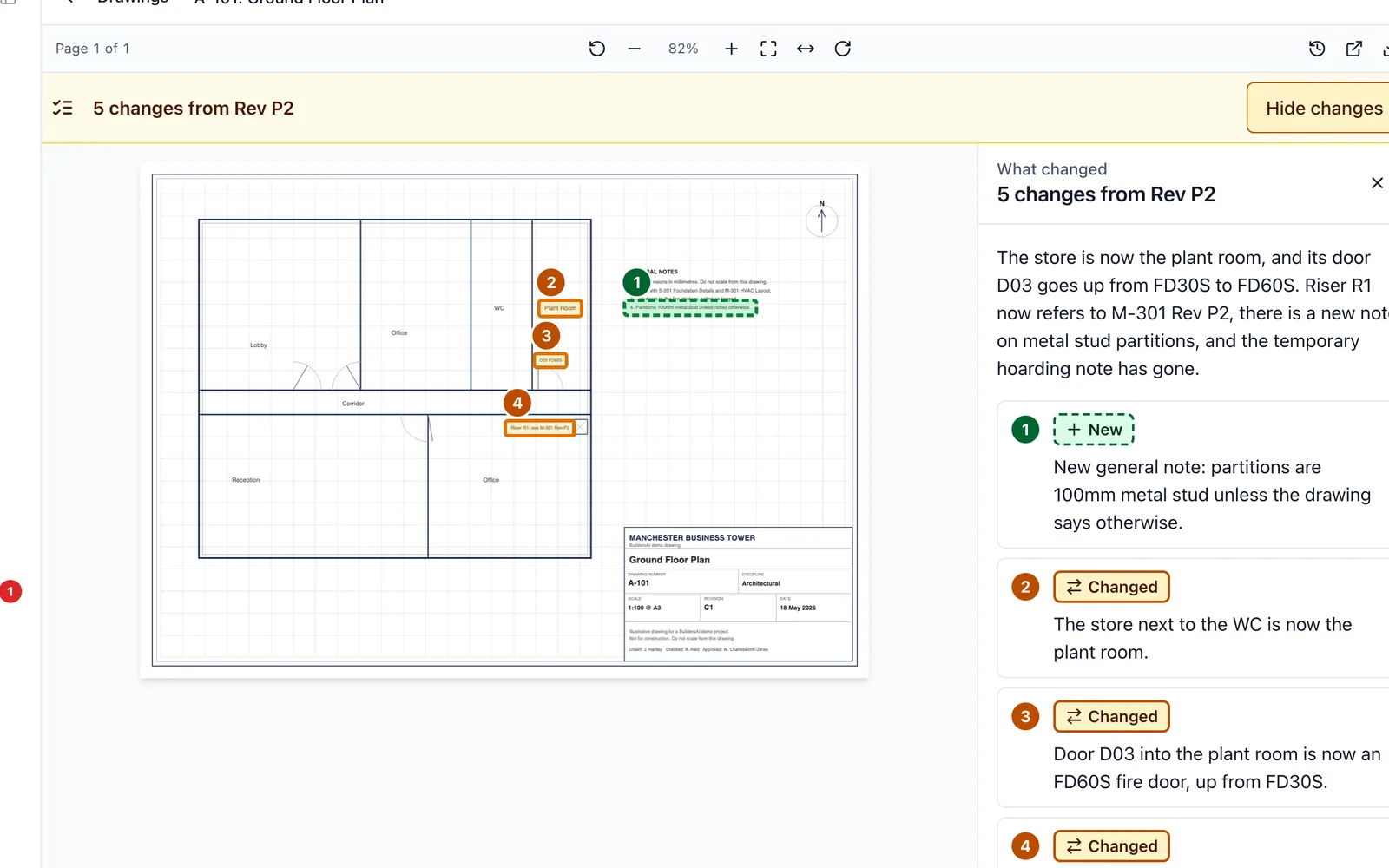
A drawing comes back as Rev C and the cloud is missing, or there is no cloud at all. Somebody has to sit with both sheets and find what moved. BuildersAI does that comparison the moment the new revision is added.
What it does
- Lists the words on the sheet that are new, changed or removed since the last issue
- Marks each change on the drawing, and boxes the places where the lines look different, with before and after pictures
- Says which open tasks and people the reissue affects
- Puts a line on Home for the people who have not looked at the new revision yet
- Lets you mark anything that is not a real change, so it drops off the list for everybody
- SiteBot can tell you what changed on a drawing when you ask
What to know
It compares the words on the sheet and the drawn lines, so a scan or a schedule cannot be compared. It always says when something could not be compared, rather than saying nothing changed.
Which plan
This is included in every plan, from £149 a month. Plans differ by how many people they seat, not by what the software does. See pricing.
How to use it
The manual page for this is in the Help Centre, and it is the same guide SiteBot reads inside the app. Read the guide.