
Handover pack
Everything the job holds for one plot, in a single download for the homeowner or the warranty provider.
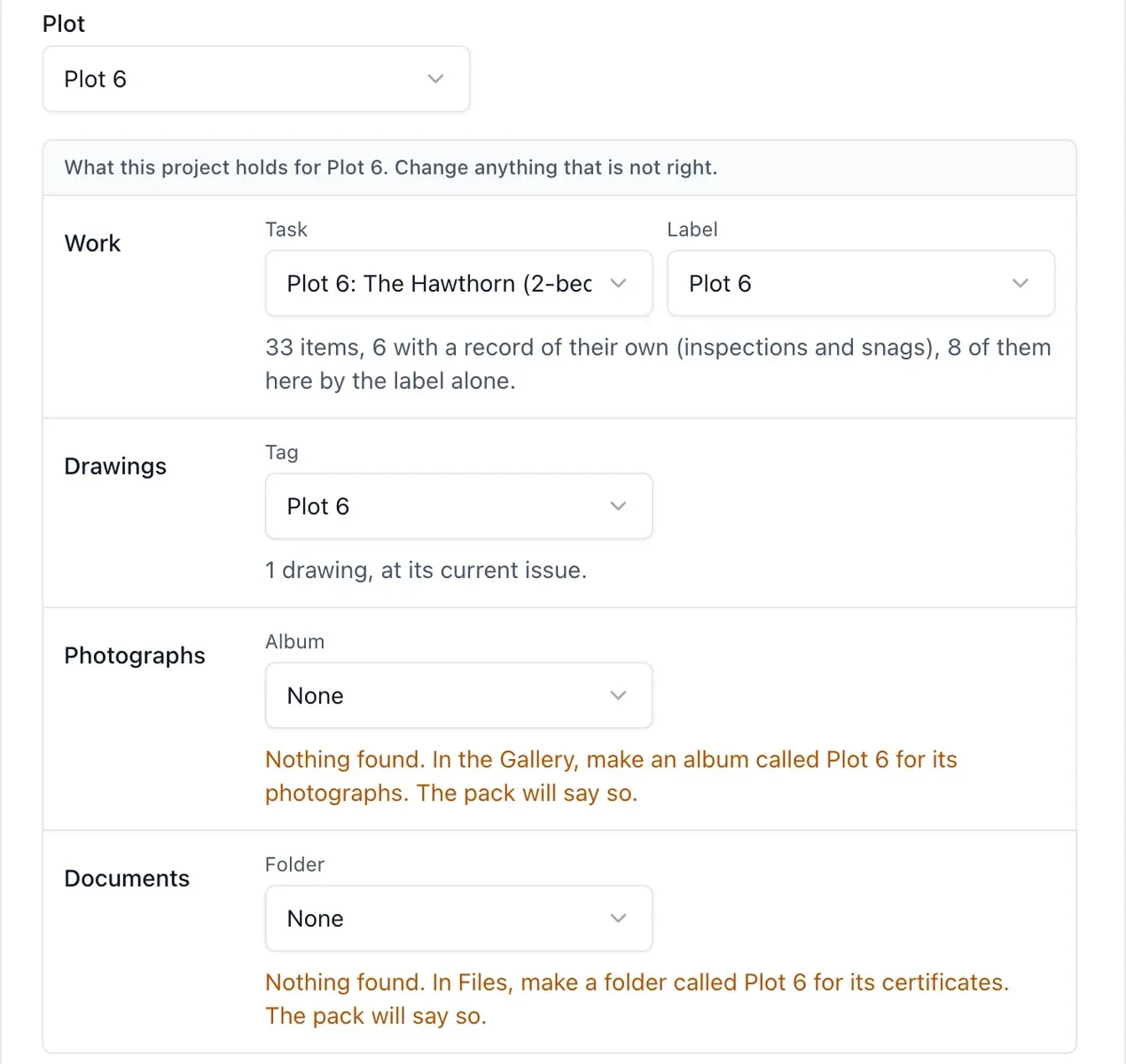
The week before a plot completes is usually spent collecting: drawings from email, certificates from a shared drive, photographs from three different phones. The handover pack gathers what the job already holds for that plot.
What it does
- On Drawings, choose Handover pack and pick the plot
- You get one ZIP with the plot’s drawings at their current revision
- A page for each inspection and snag, with who carried it out, the outcome, its photographs and every change made to it
- The plot’s photographs, and the documents in its folder
- An index page that lists everything with a link to each file, and prints as the contents page
Why it matters on site
There is nothing new to fill in. The pack takes the task named after the plot and everything under it, anything labelled with the plot’s name, the drawings tagged with it, and the album and folder named for it. If something is missing, such as no album for that plot, the pack says so in plain words, so a gap is never read as a plot with no photographs.
What it is not
The pack is a copy of the job’s record. It is not a warranty, a certificate or a signature, and each record page says so. Private items are left out and counted.
Which plan
This is included in every plan, from £149 a month. Plans differ by how many people they seat, not by what the software does. See pricing.
How to use it
The manual page for this is in the Help Centre, and it is the same guide SiteBot reads inside the app. Read the guide.
Also in drawings and documents
- Drawings One current drawing, on every phone, with the old one clearly marked as old.
- What changed on a reissued drawing When a drawing is reissued, see what changed without comparing the sheets by eye.
- Specifications and document search Ask the specification a question instead of scrolling two hundred pages of PDF.