
Announcements
Tell the whole site something and see who has actually read it.
- Area
- On site
- Works on
- Browser, Phone and tablet
- How to use it
- Help Centre guide
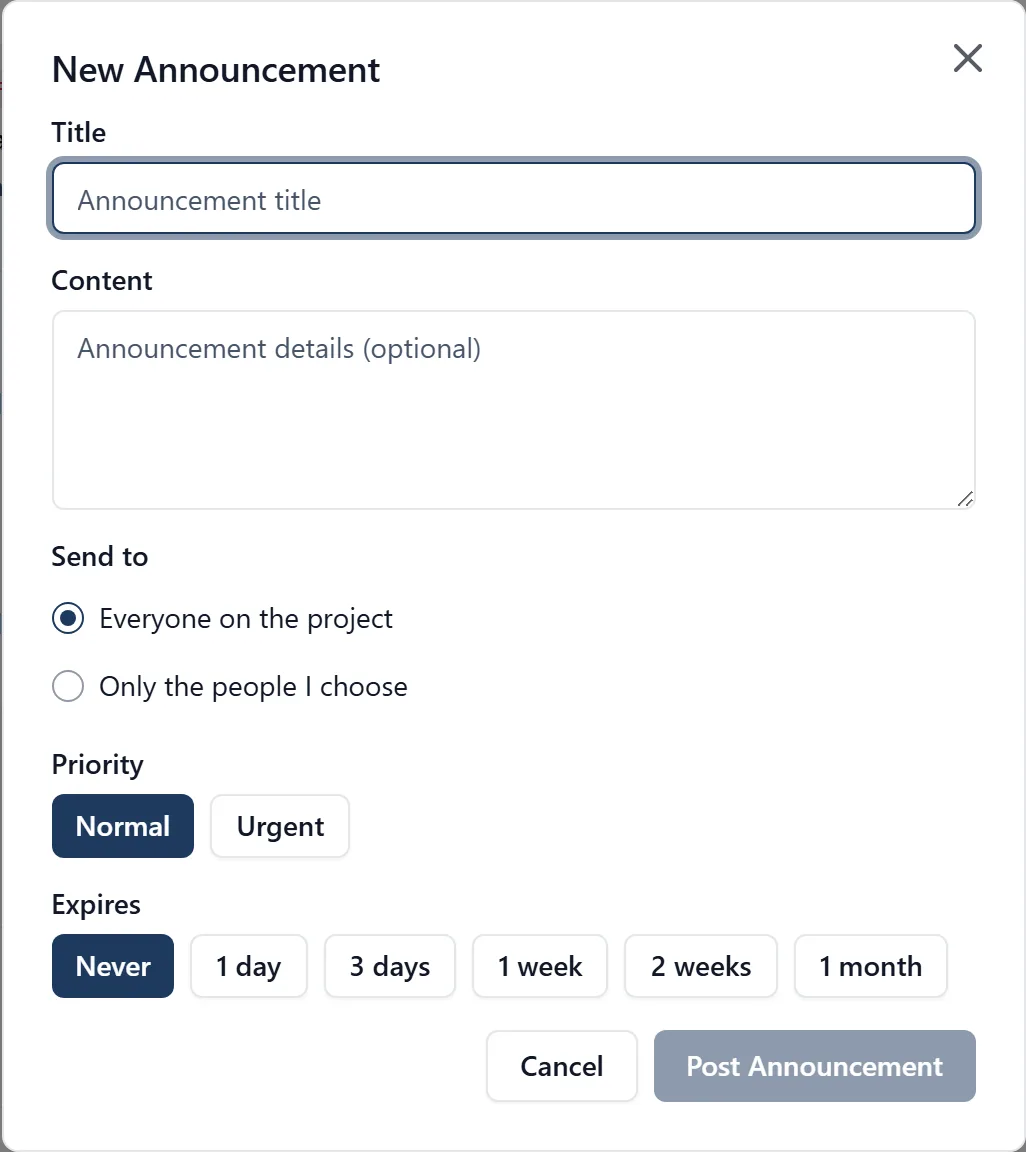
A message in a group chat is read by whoever happened to be looking at their phone. An announcement is addressed to everyone on the job.
What it does
- Post to everybody on a job at once
- See who has read it
- Correct an announcement after posting, and have the correction resurface as unread for anybody who saw the old version
- Arrives as a push notification on the phone
Why it matters on site
The point of correcting an announcement is that the correction has to reach the people who already read the wrong thing. Editing quietly would be worse than not editing at all.
- Which plan
- This is included in every plan, from £149 a month. Plans differ by how many people they seat, not by what the software does. See pricing.
- How to use it
- The manual page for this is in the Help Centre, and it is the same guide SiteBot reads inside the app. Read the guide.
On site 03 more
Also in on site
| Feature |
|---|
| Site photos Every photograph from every phone, tagged automatically and findable months later. |
| Drawing on photos Draw on the photo, point at the problem, and keep the conversation attached to it. |
| Photo albums File thousands of site photographs into something a person can walk through. |