
Change orders
Extra work priced and signed by the client before it starts, so it is agreed before it is built.
- Browser
- Phone and tablet
- For directors and owners
- For site managers
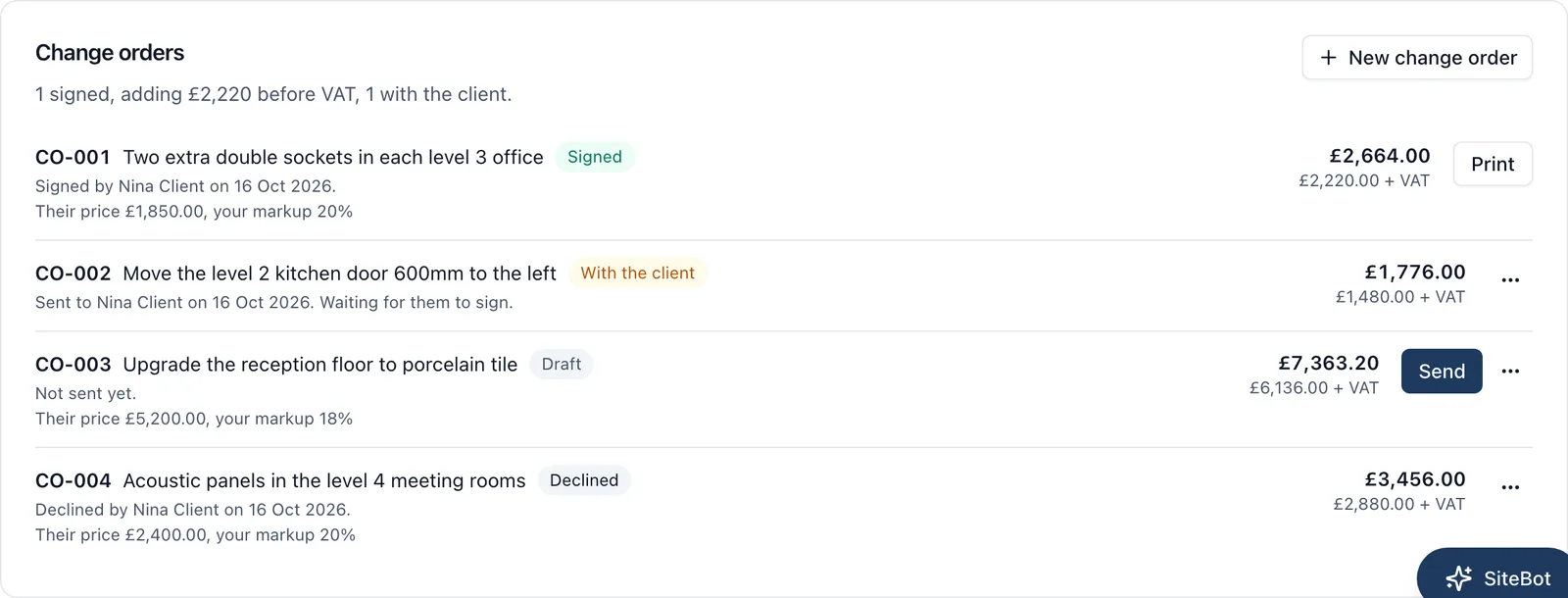
The client asks for two more sockets, or the door moved. On most jobs that is agreed on site, done, and argued about at the final account. A change order puts the price in front of the client before the work starts, and keeps their signature on it.
What it does
- Write the change: what it is, what it involves and why
- Price it from the subcontractor’s figure plus your markup, and the client’s price and VAT are worked out
- Send it to the client by email. They read it and sign it on their phone from the link, with no account and nothing to pay
- They type their name, draw their signature and tick to agree, or decline it
- You are told when the client signs or declines, and every change order shows where it stands: draft, with the client, signed or declined
- A signed change order is locked: nobody can change it, take it back or delete it, and it prints
- Its price is added to what the job is worth, so the Cost Tracker shows the agreed total
The client’s view of the money
Switched off until you switch it on. When you do, the client sees their job’s money in the app: on a fixed price job, the agreed price, what they have paid and what is left; on a cost plus job, each supplier invoice you share and the markup on them. They never see your own costs, what your subcontractors charged you or your markup on a change order. You can hide any invoice.
Who sees it
Only the job’s admins write and send change orders. The client sees only the change orders sent to them. BuildersAI does not raise your invoice to the client or take payments: those stay with your accounts package.
Which plan
This is included in every plan, from £149 a month. Plans differ by how many people they seat, not by what the software does. See pricing.
How to use it
The manual page for this is in the Help Centre, and it is the same guide SiteBot reads inside the app. Read the guide.