
Project dashboard
The state of one job in a glance, without ringing the site manager.
- Browser
- Phone and tablet
- For directors and owners
- For site managers
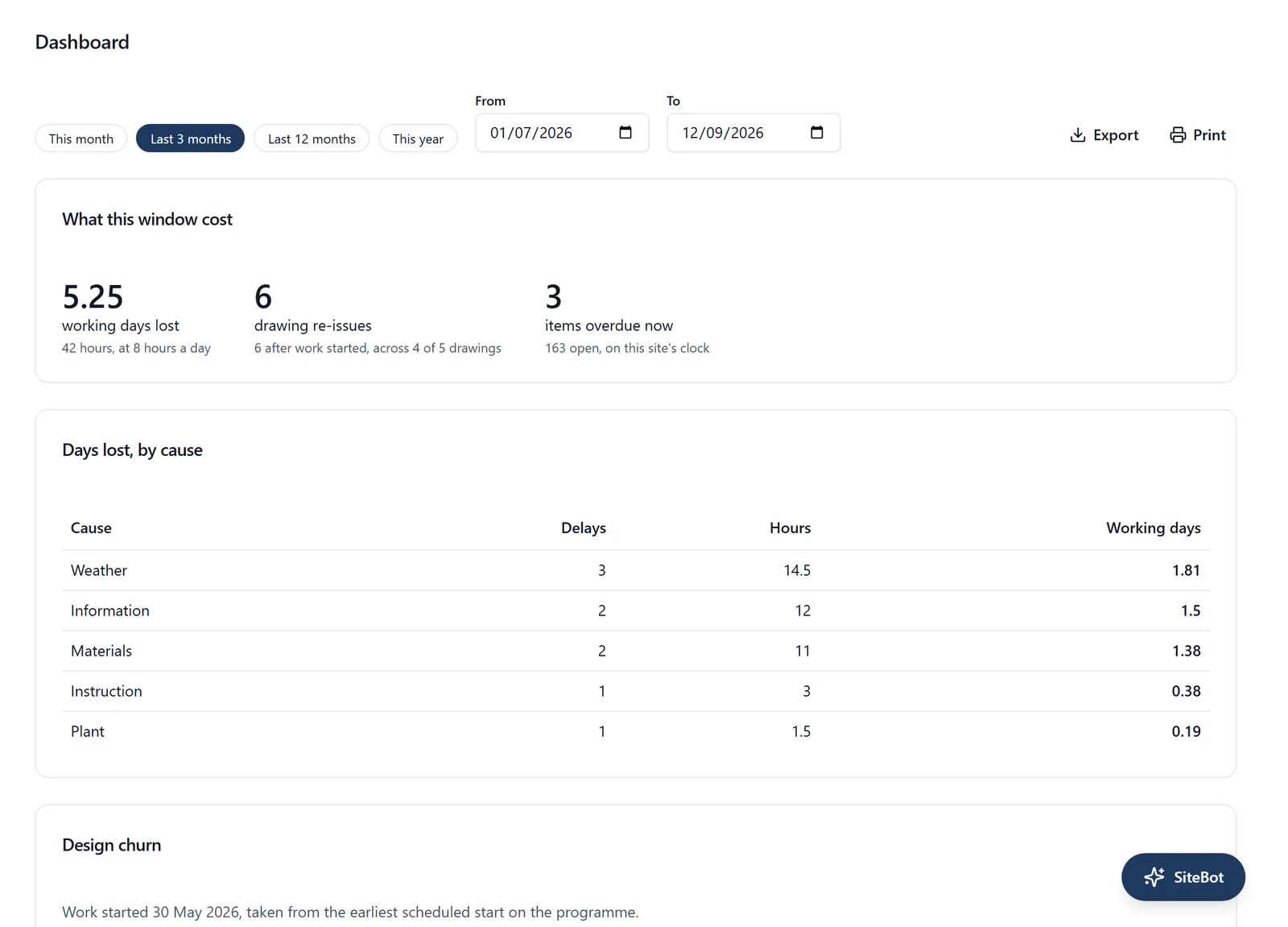
Most of what a director rings a site manager to ask is already recorded somewhere in the job.
What it does
- What is done, what is overdue and what is still to do
- Who is on site
- What needs your attention, such as an expired card or a pile of overdue work
- In a browser, the same figures over any stretch of time: days lost by cause, drawing re-issues and how long work sits waiting
- Built from what the site recorded today, not a report somebody wrote
Why it matters on site
The call that interrupts a site manager to ask how things are going costs more than the answer is worth.
Which plan
This is included in every plan, from £149 a month. Plans differ by how many people they seat, not by what the software does. See pricing.
How to use it
The manual page for this is in the Help Centre, and it is the same guide SiteBot reads inside the app. Read the guide.