
Site weather
The forecast for where the job actually is, not the nearest city.
- Area
- On site
- Works on
- Browser, Phone and tablet
- How to use it
- Help Centre guide
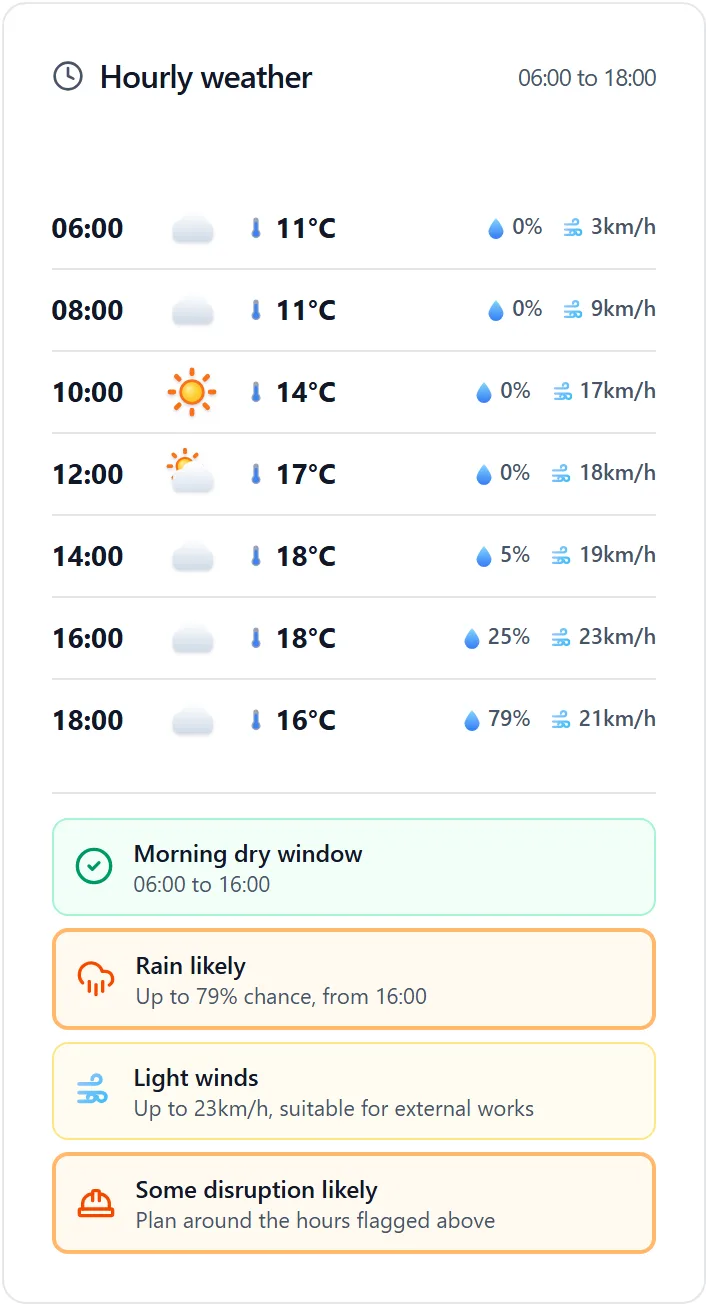
Weather decides what gets poured, what gets covered and what gets stood down. The forecast in the app is for the job’s own location.
What it does
- A forecast tied to the site, not to your phone’s location
- Visible beside the work the weather is going to affect
- Feeds the record when weather is what held the day up
- Mark the work that stops for the weather, with its limit for gusts, rain or cold, and the task shows which of its days the forecast puts over that limit
- The people on the task are told the first time a day goes over, up to a week ahead, and again the afternoon before. It is a warning, never a go or no-go: whether the work goes ahead is decided on site on the day
Why it matters on site
Deciding on Tuesday whether Thursday’s pour happens is a weather question, and looking it up somewhere else means looking up the wrong place half the time.
- Which plan
- This is included in every plan, from £149 a month. Plans differ by how many people they seat, not by what the software does. See pricing.
- How to use it
- The manual page for this is in the Help Centre, and it is the same guide SiteBot reads inside the app. Read the guide.
On site 03 more
Also in on site
| Feature |
|---|
| Site photos Every photograph from every phone, tagged automatically and findable months later. |
| Drawing on photos Draw on the photo, point at the problem, and keep the conversation attached to it. |
| Photo albums File thousands of site photographs into something a person can walk through. |