
A health and safety pack is one ZIP file of a job’s health and safety records, to hand to an auditor or a client’s inspector: its RAMS, site inductions, toolbox talks, cards, visitors and fire door register, and its accident reports and delay register if you choose. Its pages open in any browser and the person you send it to needs no account. It is made in the browser, by a project’s administrators. There is no pack on the phone.
How to make one (app.buildersai.co.uk):
- Open the project and go to Compliance, in the Admin part of the side menu
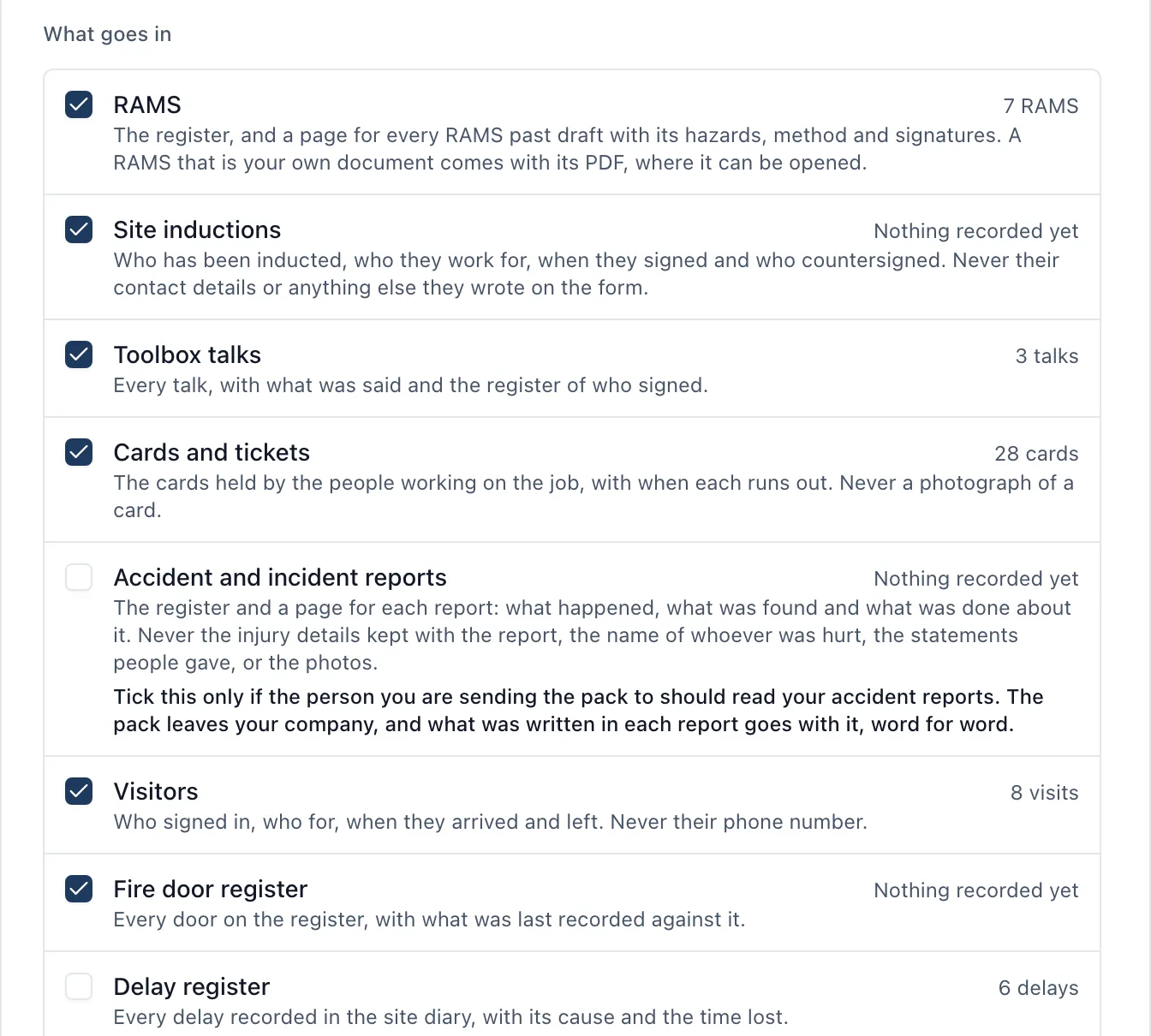
- Click Health and safety pack. The box lists each section with how much the job holds
- Untick anything you do not want to send. Accident and incident reports and the Delay register start unticked: tick them only if the person you are sending the pack to should read them
- Click Make the pack. The ZIP downloads to your computer. Send it however you send files
What each section holds:
- RAMS: the register as a spreadsheet, and a page for every RAMS past draft with its hazards and controls, PPE, method statement, who it was briefed to and every signature. A RAMS that is your own PDF comes with the PDF itself, where it can be opened
- Site inductions: who has been inducted, who they work for, when they signed and who countersigned, and anybody working on the job with no induction on record. The site’s own induction document is included
- Toolbox talks: a register, and a page for each talk with what was said and who signed
- Cards and tickets: the cards held by the people working on the job, with when each was issued and when it runs out. A card is shown as running out within the number of days your company chose
- Accident and incident reports (only when ticked): a register, and a page for each report with what happened, what was found, what was done about it and what your company recorded about reporting to HSE, as written in the report. It says how many signed statements are kept with the report, and who was hurt only as “one of our team”, “a visitor” and so on
- Visitors: who signed in, their company, who they came to see, and when they arrived and left
- Fire door register: every door on the register, as a spreadsheet, where the job has the register switched on
- Delay register (only when ticked): every delay recorded in the site diary, as a spreadsheet
Inside the ZIP:
- index.html: open this first. It lists everything in the pack with a link to each file, and prints as its contents page
- a folder for each section
- manifest.csv, naming every file in the pack with a checksum, and README.txt, saying what the pack is and is not
What is never in a pack:
- The injury and medical details kept with an accident report, the name of whoever was hurt, the statements people gave, and accident photos, whoever makes the pack. Where they have to be shown, print the accident report itself. What was written in the report itself does go in, word for word, so read your reports before you tick them. See the “accident_reporting” topic
- The emergency contacts and phone numbers BuildersAI holds for people
- What somebody wrote on their induction form: their contact details, card details and anything else. The pack says who was inducted, who they work for and when, and no more
- Photographs of cards
- Draft RAMS
- A document that is not a PDF, whatever it is called. The first page names it
- Photographs from the Gallery. For those, make an evidence pack. See the “photo_annotations” topic
What the pack says, and does not:
- It is a copy of your records as they are on the day you make it. BuildersAI does not check them, and the pack does not say whether anything was done correctly. Its first page says so
- A section you did not tick is listed on the first page as “not asked for”, so nobody reads it as a job with none
- A section that holds nothing is listed as holding nothing
- BuildersAI’s own people on your job (support staff, or the demo team) are not listed as workers with no card or no induction
- Somebody whose cards you cannot see yet (they have been added to the job and have not started using it) is listed as “Cards not shown”, never as holding no card
- A RAMS that is not approved, an accident report that is not closed and a toolbox talk nobody has signed each say so at the top of their page
Good to know:
- Only a project administrator can make a pack, because cards, inductions and accident reports are administrators’ records
- BuildersAI keeps a record of who made each pack, when, which sections were in it and a checksum of its manifest, so a pack can be checked against that record later. It is also in the project’s audit trail
- It works on a job that has gone read-only, because you may still be audited
- The pack covers the whole job. There is no date range yet
- Training your company gave through BuildersAI is not in the pack: it belongs to the company, not to one job. Print it from All projects, People, Training. See the “training_modules” topic
- I can explain the pack, but I cannot make one for you: it is made from the Compliance page
- For everything a job holds, as data, use Export data in Project settings. See the “project_settings” topic