
Document versions
Revise a document without anybody ever opening the wrong copy.
- Area
- Drawings and documents
- Works on
- Browser
- How to use it
- Help Centre guide
The folder containing final_v3_ACTUAL_final.pdf is a version control system that has already failed.
What it does
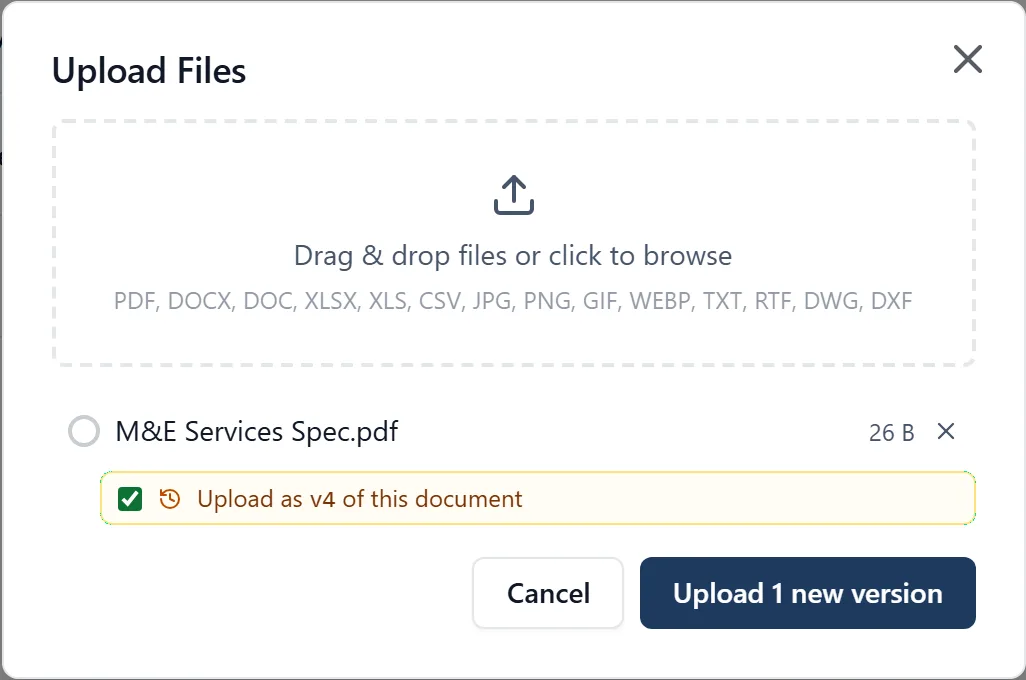
- Upload a revision as a new version of the existing document, not a new file
- The current version is the one everybody opens
- The history is kept, and previous versions are marked superseded
- Links to the document keep working across a revision
Why it matters on site
Everybody wants the history and nobody wants to choose from it. Keeping one document with a past is how you get both.
- Which plan
- This is included in every plan, from £149 a month. Plans differ by how many people they seat, not by what the software does. See pricing.
- How to use it
- The manual page for this is in the Help Centre, and it is the same guide SiteBot reads inside the app. Read the guide.
Drawings and documents 03 more
Also in drawings and documents
| Feature |
|---|
| Drawings One current drawing, on every phone, with the old one clearly marked as old. |
| What changed on a drawing When a drawing is reissued, see what changed without comparing the sheets by eye. |
| Specifications and document search Find the clause without scrolling two hundred pages of PDF. |