
Connected AI
Ask your own Claude to read and update your projects for you, and confirm anything that leaves the company.
- Browser
- Phone and tablet
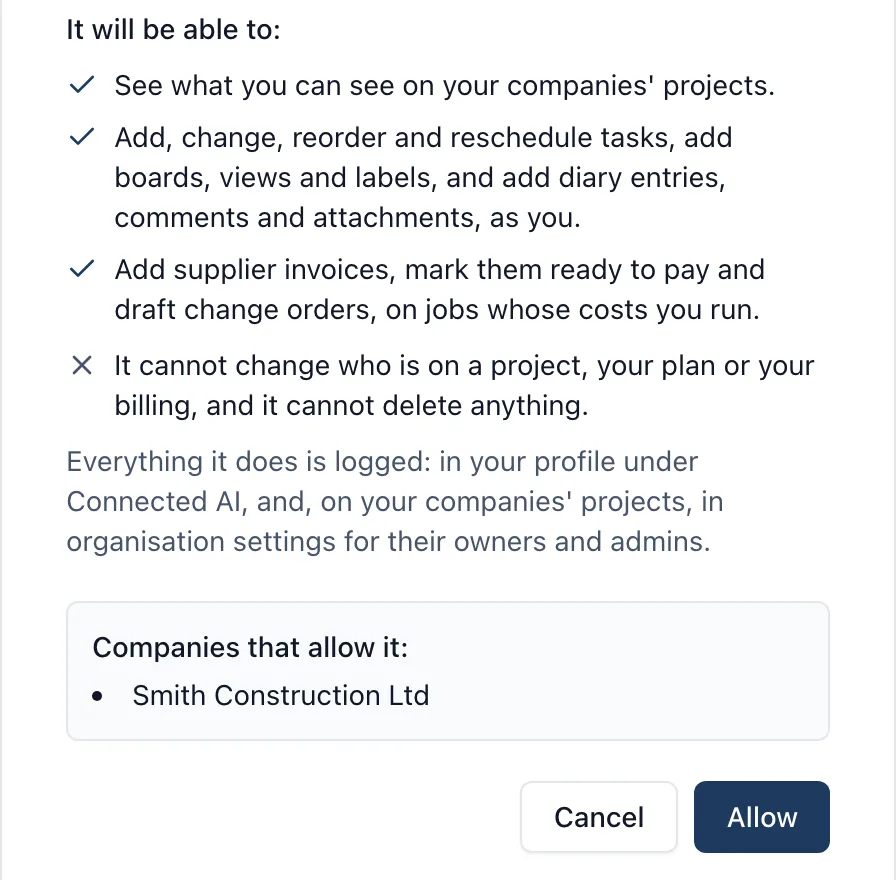
If your company already uses Claude, it can now work in BuildersAI for you: “What is overdue on Plot 4?”, “Add a task to chase the scaffolder on Monday”, “Draft a purchase order for the scaffold”. See the Connected AI page for the whole picture.
What it does
- Works with any AI app that can add a custom connector (the industry name is MCP), including Claude in the browser, the Claude desktop app and Claude Code
- Reads your projects: tasks, drawings and what changed on them, the site diary, who is on site, files, specifications, photos and the weather
- Adds and changes tasks, comments and diary entries, plans the week, books plant and records delays
- On a job whose costs you run, reads the Cost Tracker, purchase orders, estimates and invoices to the client, and drafts purchase orders, estimates and change orders
- Anything that sends, signs off or announces waits under Waiting for you to confirm, on the web and on the phone, until you press Confirm
- Every call is listed in plain words under Activity, and a task’s history says “via Claude”
- Daily limits for each person and the company, with today’s use shown against them
What it does not do
It cannot delete anything, add or remove people, change anybody’s role, or change your plan, seats or billing. It cannot change money unless your company switches that on.
Who sees it
The owners and admins of a company, once one of them has switched it on in organisation settings. It is off until then.
Which plan
This is included in every plan, from £149 a month. Plans differ by how many people they seat, not by what the software does. See pricing.
How to use it
The manual page for this is in the Help Centre, and it is the same guide SiteBot reads inside the app. Read the guide.