Cost Value Reconciliation for UK Builders: How to Do a Monthly CVR
William Charlesworth-Jones10 min read
Quick Answer
A cost value reconciliation (CVR) is a monthly profit and loss for one job. You compare the value of the work actually done to a cut-off date with everything it has cost to the same date, including accruals for work and materials you have received but not yet been invoiced for. That gives you the margin to date. Then you add the cost to complete (committed orders still to draw, work not yet bought and your own labour to finish) to get a forecast final cost, and take it from the agreed price (contract sum plus signed variations) to get the forecast final margin. Any builder above a handful of people running more than one job should do it every month, on the same cut-off date, because it is the only check that catches a job losing money while there is still time to act.
Plenty of builders with 10, 30 or 60 people never do a CVR, and find out what a job made when the final account is settled. This guide shows how to do a CVR properly without a QS department, and it is part of our wider guide to construction cost management.
If you already read a job profitability report every week, think of the CVR as the monthly, more careful version for each job: the weekly report tells you where to look, and the CVR tells you what the job is really worth.
What Is Cost Value Reconciliation in Construction?
The RICS guidance note Commercial management of construction (1st edition, 2016) defines a CVR as “the project’s profit and loss statement, comparing the internal valuation with the costs incurred, including liabilities and accruals for goods and services consumed in the works that have not yet been paid for”. It is also called a cost value comparison (CVC).
Two words in that definition do the work:
Internal valuation. Your own honest view of what the work done is worth, not what you have invoiced the client. The two are often different.
Accruals. Costs you have incurred but not yet been billed for. The scaffold that has been up all month, the timber delivered last week, the groundworker’s work that is done but not yet on an invoice.
The same RICS note describes running a cost to complete alongside the CVR to produce a forecast of where the job will finish. That forecast is the part a director cares about most, so this guide treats the two as one monthly exercise.
Why Should a Builder Do a CVR Every Month?
Because the accounts cannot do it for you. Your accounts package knows what has been invoiced and paid. It does not know what the work done is worth, what you owe for work that has not been invoiced, or what the job still needs to buy. A job can show a healthy profit in the books in month four and a loss at the final account, with nothing wrong in the bookkeeping.
A monthly CVR gives you three things:
An honest margin to date. Not flattered by an invoice that ran ahead of the work, or by a supplier who has not billed yet.
A forecast you can act on. If the forecast margin has fallen since last month, you know which cost code moved, while there is still time to re-price the next package, chase a variation or change how the work is done.
A cash warning. Comparing value earned with what you have invoiced and been paid shows where you are funding the client. Our construction cash flow guide covers what to do about it.
RICS recommends that cost and value are taken to the same cut-off date, usually the month end, and that the team works to a monthly commercial calendar so everyone feeds in on time. For a builder, that can be as simple as “the last Friday of the month, figures in by Monday, CVR done by Wednesday”.
How Do You Do a CVR, Step by Step?
Work in this order every month.
Fix the cut-off date. Cost and value to the same day, and every figure before VAT. A valuation to the 25th and costs to the 31st are not comparable.
Set the agreed price. The contract sum plus variations the client has signed. Keep unsigned variations on a separate line as a possible gain, not in the price. Our guide to variations for builders covers getting them signed before the work.
Value the work done. Go through the job line by line (by stage, trade or cost code) and put a value on what is actually built. Use the same lines as the estimate, so the CVR can be compared with the budget. This is your internal valuation, and it may differ from the application you sent the client. Our guide to valuations and interim payments covers the client side.
Total the costs booked. Every supplier and subcontractor invoice to the cut-off date, plus labour and plant charged to the job.
Add accruals. List everything received or done but not yet invoiced: materials delivered, plant on hire, subcontract work measured but not billed, your own people’s hours not yet costed. Price each one prudently.
Work out the margin to date. Value earned less cost to date, in pounds and as a percentage of value.
Work out the cost to complete. Three parts: what is still to draw on orders you have already placed (taking out anything you have just accrued, so it is not counted twice), your best estimate of work not yet ordered, and your own labour to finish.
Forecast the final margin. Agreed price less (cost to date plus cost to complete).
Compare with last month and with the tender. What moved, and why? Write one line per movement. That note is the most useful part of the whole exercise.
What Does a CVR Look Like on a Real Job?
Here is a pair of semi-detached houses on a fixed price contract, at the end of month five of a nine month programme. The tender was £520,000 with a budget cost of £420,000, a margin of £100,000 (19.2%). Two variations have been signed for £18,500, which the builder expects to cost £14,000.
CVR line
Amount
Notes
Contract sum
£520,000
Signed variations
£18,500
Two signed. A third (£6,000) not yet signed, so left out
Agreed price
£538,500
Value earned to date
£312,000
Internal valuation: superstructure complete, first fix about half done
Invoiced to client to date
£330,000
£18,000 ahead of the work done
Costs booked
£241,600
Supplier and subcontractor invoices, labour, plant
Accruals
£12,300
Scaffold hire this month £2,400, groundworker’s final measure £6,800, timber delivered £3,100
Cost to date
£253,900
Margin to date
£58,100 (18.6%)
Value earned less cost to date
Still to draw on orders
£96,400
After taking out the accrued groundworks
Work not yet ordered
£64,500
Kitchens, flooring, external works
Own labour to complete
£38,000
Second fix, decoration, snagging
Cost to complete
£198,900
Forecast final cost
£452,800
Forecast final margin
£85,700 (15.9%)
Expected £104,500 at tender plus variations
Three things jump out.
The margin has slipped by £18,800. The builder expected £104,500 (the tender margin plus £4,500 on the variations) and is forecasting £85,700. The CVR says where to look: which cost codes are running over their budget.
The second half of the job is weaker than the first. There is £226,500 of value still to earn (£538,500 less £312,000) against £198,900 to spend, a margin of only £27,600 (12.2%) on the remaining work. Either the early work was priced more generously, or the later packages are under-budgeted. That is worth knowing in month five rather than month nine.
The invoice flatters the job. Using what was invoiced (£330,000) instead of value earned would show a margin to date of £76,100 (23.1%). That £18,000 will come back at the final account, as less to invoice at the end, and a director looking only at invoices would think the job was doing better than its tender.
BuildersAI solution:
In BuildersAI, the agreed price, what has been spent (including labour from timesheets), what is still to draw on approved purchase orders and the forecast margin are already on every job’s card on the Overview, and each cost code shows its budget, what is on orders, what is spent and where it is projected to land. Your monthly CVR starts from live figures instead of a day of spreadsheets.
Missing accruals. The most common one. If a subcontractor bills late, the month looks profitable and the next month looks terrible. List what has been delivered and done, not just what has been invoiced.
Valuing ahead of work done. Using the client application, or an optimistic percentage complete, as value earned. Value only what is built. Front-loaded valuations make the early months look good and push the loss to the end.
Ignoring committed costs. Orders already placed are money you have agreed to spend. A cost to complete that leaves them out, or guesses them, is not a forecast. Our guide to purchase orders for builders covers writing commitments down before the work starts.
Counting unsigned variations as income. Extras agreed on site with no signature are a hope, not a price. Show them separately until signed, and keep the cost of the work in your figures either way.
Leaving out labour until the month end. Your own people are often the biggest cost a builder controls directly, and the one most often costed late. Our guide to labour cost per job covers getting it onto the job weekly.
Finally, keep last month’s figures. Without the movement a CVR is a snapshot; with it, you see a job drifting, which is how most cost overruns start.
Is There a Simple CVR Template You Can Copy?
Yes. Copy this table into a spreadsheet, one tab per job, and fill it in on the same date every month. The letters let you write the formulas once.
Ref
Line
How to work it out
This month
Last month
Movement
A
Contract sum
From the contract
B
Signed variations
Total of signed variations
C
Agreed price
A + B
D
Unsigned variations (memo only)
Not added to anything
E
Value earned to date
Your valuation of work done, line by line
F
Invoiced to date
From your invoices
G
Over or under invoiced
F minus E
H
Costs booked
Invoices, labour and plant to the cut-off
I
Accruals
Received or done, not yet invoiced
J
Cost to date
H + I
K
Margin to date
E minus J
L
Margin to date %
K divided by E
M
Still to draw on orders
Committed, less anything accrued in I
N
Work not yet ordered
Your estimate
O
Own labour to complete
Hours left times cost per hour
P
Cost to complete
M + N + O
Q
Forecast final cost
J + P
R
Forecast final margin
C minus Q
S
Forecast final margin %
R divided by C
Under the table, write one line for every movement of more than a few thousand pounds: what moved and why. Then do the same by cost code (budget, cost to date, cost to complete, forecast) for any code that has moved, so you can see which package is causing it.
Your accountant may use similar figures to value work in progress at the year end. If you rely on your CVRs for the accounts, agree the approach with them first.
How BuildersAI Gives You the Numbers for a CVR
BuildersAI is the all-in-one site management app for UK builders, covering the money side of the whole job from the estimate to the final invoice. To be clear, there is no feature called “CVR”. What BuildersAI does is keep the figures a CVR needs live on each job, as they happen, so the monthly reconciliation becomes reading and judging rather than a day of gathering invoices and rebuilding spreadsheets.
CVR line
Where it comes from in BuildersAI
Agreed price
The quote (or an accepted estimate) plus every variation the client has signed on their phone as a change order
Agreed price less spent less still to draw, on the Overview
✓Every job on one page. The Overview shows each live job as a card: tasks done and late, the quote or agreed price, spent, still to draw on orders, the forecast margin, invoiced and paid. It is the first place to look before you sit down to the month’s CVRs.
✓Supplier invoices read and coded. Drop in a PDF or a photo and press Read the invoice: the supplier, number, dates, net and VAT are filled in for you to check, and you give it a cost code. Nothing goes on the job until you have checked it. A PO number on the invoice puts it on that order.
✓Commitments that hold. Suppliers approve purchase orders from a link, every invoice is drawn against one, and an invoice that would take more than is left is refused. So “still to draw” is a real figure, not a guess, and it is the biggest part of your cost to complete.
✓Budgets by cost code. When the quote is an accepted estimate whose trades have cost codes, each code shows its Budget, On orders, Spent and Projected (spent plus on orders, or the budget if that is more). That is the line-by-line comparison a CVR needs, kept on jobs held before VAT.
✓Labour as it happens. Once each employee’s cost per hour is set, each job’s labour is counted from the time put against it, so the biggest accrual most builders forget is already in.
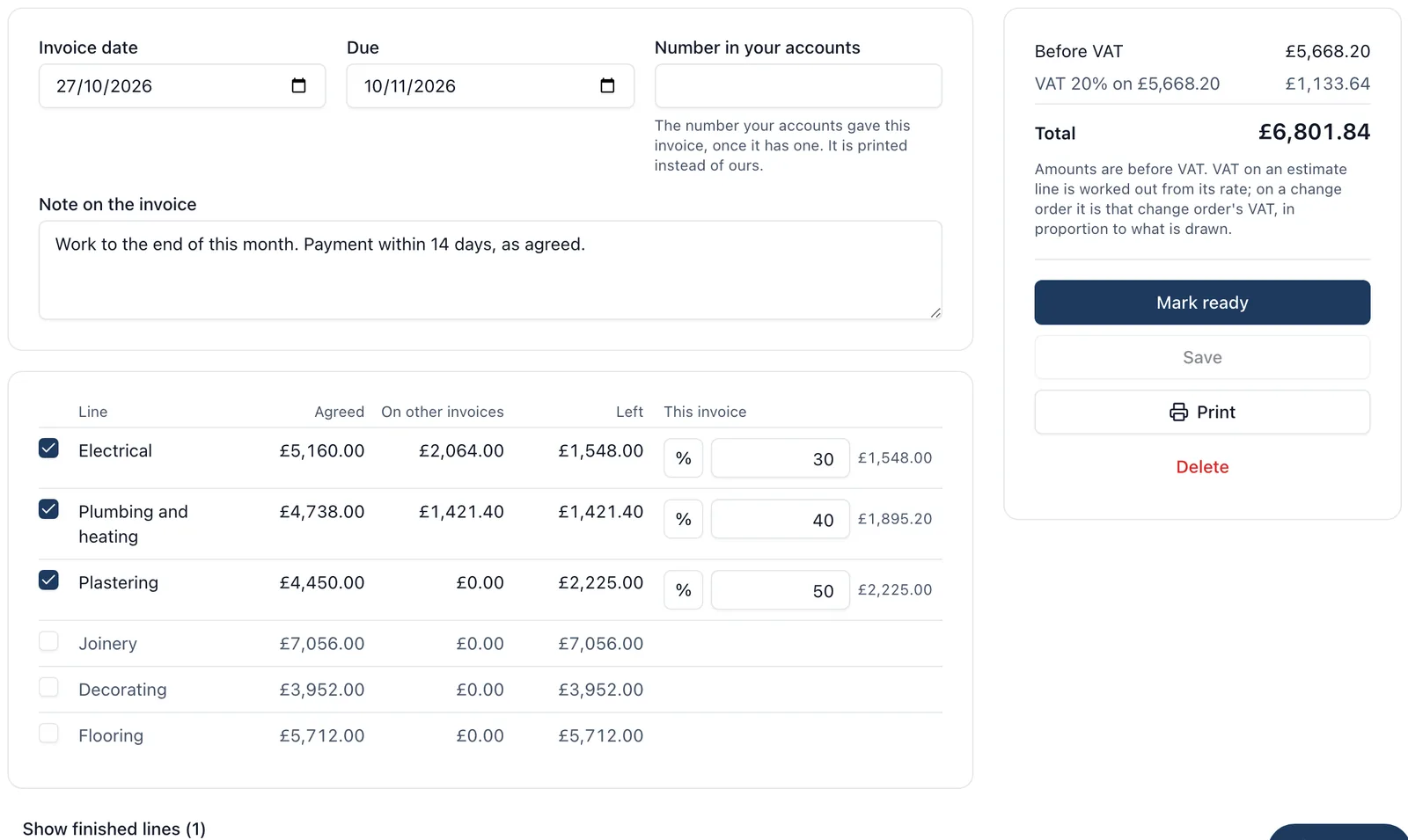
✓Invoices drawn line by line. Client invoices are drawn by percentage or amount from the estimate lines and signed change orders, and no line can be drawn twice. That gives you a clean record of what you have claimed against each line to set beside your valuation of work done.
What stays with you is the judgement: your valuation of the work actually done, accruals for anything delivered but not yet invoiced (which you can add as a cost on the job), and your estimate of work not yet ordered. BuildersAI does not value the work for you, and the Overview shows no margin on a cost plus job, a job kept with VAT or a job with no quote. With QuickBooks Online connected, supplier bills and client invoices go across when you press Send and client payments are read back onto the job; Xero takes supplier bills and hours as a file you import. Money is seen only by each job’s admins and the company’s owners and admins.
Pricing is flat, with no per-user fees: Starter is £149 a month for up to 10 people, Professional is £299 a month for 11 to 50, and Business is £599 a month for 51 to 100, all plus VAT, with a 14-day free trial. See the pricing page, or read the rest of our guide to construction cost management, including job costing for builders.
FAQ
What is a CVR in construction?
A cost value reconciliation (CVR) is a monthly profit and loss for one job. It compares the value of the work done to a cut-off date with the cost to the same date, including accruals, and usually adds a cost to complete to forecast the final margin. RICS defines it in its Commercial management of construction guidance note.
How often should a builder do a CVR?
Monthly, on the same cut-off date for every job, so this month can be compared with last month. Weekly is too often for a careful valuation; quarterly is too late to fix a job that is drifting.
What is the difference between value and invoiced in a CVR?
Value is your honest view of what the work actually built is worth. Invoiced is what you have billed the client. If invoiced runs ahead of value, the margin to date is flattered and the difference comes back at the final account.
What are accruals in a CVR?
Costs you have incurred but not yet been invoiced for: materials delivered, plant on hire, subcontract work done but not billed, labour not yet costed. Leaving them out makes the month look better than it is and the next month worse.
What is cost to complete?
The forecast of what the job will still cost to finish from the cut-off date: committed orders still to draw, work not yet ordered and your own labour to finish. Cost to date plus cost to complete gives the forecast final cost.
Do I need a QS to do a CVR?
Not on a typical builder’s job. A director or site manager who knows the job can value the work done, and the rest is arithmetic, provided the costs, commitments and variations are recorded as they happen. A QS helps most on larger or disputed jobs.
Does BuildersAI do a CVR for me?
There is no feature called CVR. BuildersAI keeps the figures a CVR needs live on every job: the agreed price with signed variations (change orders), spent including labour from timesheets, still to draw on purchase orders, budgets by cost code against actual, the forecast margin, invoiced and paid. You add your valuation of work done and any accruals, so the monthly CVR takes minutes rather than a day.
Start Every CVR From Live Figures
See the Overview, budgets by cost code and purchase orders with real job figures on a 30-minute demo.
William grew up in a family that builds houses for a living and has been around construction sites for as long as he can remember. He has seen first hand that eight-figure sites are often run on WhatsApp and spreadsheets, and started BuildersAI to cut the invisible costs that take chunks of margin across a site. His aim is for BuildersAI to be the all-in-one site management platform built in the UK, for UK sites.
Your accounts tell you how the company did last quarter. They cannot tell you which of the jobs on site right now is eating the profit. A one page report, every live job side by side and read every week, can.
Eight cost management tools a UK builder is likely to shortlist, compared on estimates, purchase orders, invoicing the client, the app on site and the price. Every competitor fact is sourced and dated.
A valuation is how a builder gets paid for work done before the job is finished. Done well, it is a short, provable list of what was agreed, what has been claimed and what is claimed now. Done badly, it is a number the client argues with for three weeks while you fund their job.
10 min read
Get started
Ready to bring your whole team onto
one simple app?
14-day free trial with every feature, no card and no contract, and your team can be set up
within a day.