Labour Cost per Job: How UK Builders Work Out the True Cost of Their People
William Charlesworth-Jones10 min read
Quick Answer
The true labour cost per job is the hours each person spent on that job multiplied by what an hour of that person really costs you, not their wage rate. For an employee, the real hourly cost is everything you pay over a year (gross pay, employer’s National Insurance at 15% above £5,000, at least 3% pension on qualifying earnings, and any van, tools or PPE you choose to include) divided by the hours they actually work on jobs, after holiday, sick days and unproductive time. On the worked example below, a bricklayer paid £20 an hour costs about £29.83 for every hour on a job, or £32.58 with a van. For a labour-only subcontractor, the cost is their invoice before VAT, and the CIS deduction you hold back is part of that cost, not a saving.
Labour is usually the cost that drifts quietly. Materials arrive with an invoice and a delivery note. Labour arrives as a WhatsApp message saying “three of us on Tuesday”, a timesheet filled in on Friday from memory, and a payroll run that knows what everyone was paid but not which job they were on. This guide, part of our guide to construction cost management, shows how to put a real figure on it.
What Is the True Labour Cost of a Job?
It is two numbers multiplied together, for each person:
The hours they spent on the job, from a check-in, a timesheet or a site diary.
What an hour of that person costs you, worked out once a year from everything you pay them.
Most builders get the first number roughly right and the second one wrong, because they use the hourly wage. That leaves out the National Insurance, the pension, the weeks of holiday you pay for while nobody is on site, and the hours at the merchant or rained off that no job can carry. Our guide to job costing for builders covers the other three costs on a job (materials, subcontractors and plant); this one is about getting labour right.
What Does an Employee Really Cost a UK Builder?
These are the 2026/27 figures from gov.uk. Rates change every April, so check them again then.
Cost
2026/27 rule
Source
Employer’s National Insurance
15% on pay above the secondary threshold of £5,000 a year (£96 a week)
On top sit the costs you choose: a van, fuel, tools, PPE, CSCS cards and training. They can go in the hourly rate or in overheads, as long as they are counted somewhere. The Employment Allowance is a company-wide reduction, so many builders leave it out of the hourly rate to stay on the safe side. Payroll has edge cases (directors, apprentices under 25, irregular hours), so check your figures with your accountant.
How Do You Work Out a True Hourly Rate? A Worked Example
Take a bricklayer paid £20 an hour for a 40 hour week, 52 weeks a year. The firm pays full pay for up to five sick days a year and we estimate that one hour in ten of the remaining time is unproductive: travel between sites, merchant runs, rain-offs and waiting for the scaffold.
Line
Working
Per year
Gross pay (holiday paid within it)
£20 × 40 hours × 52 weeks
£41,600.00
Employer’s NI
15% × (£41,600 less £5,000)
£5,490.00
Employer’s pension
3% × (£41,600 less £6,240)
£1,060.80
PPE, cards and training (estimate)
Your own figure
£600.00
Total cost, before van
£48,750.80
Van, fuel and tools (optional, estimate)
Your own figure
£4,500.00
Total cost, with van
£53,250.80
Paid hours
40 × 52
2,080
Less holiday
28 days × 8 hours
224
Less sick days
5 days × 8 hours
40
Less unproductive time
10% of 1,816
181.6
Productive hours on jobs
1,634.4
True cost per productive hour
£48,750.80 ÷ 1,634.4
£29.83
True cost with van
£53,250.80 ÷ 1,634.4
£32.58
So £20 an hour on the payslip is £29.83 an hour on the job, nearly 50% more, or 63% more with a van. A job that books 400 bricklaying hours costs £11,932 in labour, not the £8,000 the wage rate suggests, and that gap is often the whole margin on a small job.
The divisor matters more than the add-ons
Builders often add NI and pension and stop there. In this example, dividing by productive hours rather than paid hours adds more to the rate than National Insurance does. Holiday and lost time are real costs; they just never appear on an invoice.
Labour Rate Calculator: A Table You Can Copy
Copy this into a spreadsheet, one column per person or grade. Redo it each April and after any pay rise.
Line
How to work it out
Your figure
A. Hourly wage
From the contract
B. Paid hours a year
Weekly hours × 52
C. Gross pay
A × B (plus any regular overtime or bonus)
D. Employer’s NI
15% × (C less £5,000)
E. Employer’s pension
Your rate (at least 3%) × (C less £6,240, capped at £50,270 less £6,240)
F. Extras you choose to include
Van, fuel, tools, PPE, cards, training
G. Total cost
C + D + E + F
H. Holiday hours
Days of holiday × hours a day
I. Sick hours
Your allowance or last year’s actual
J. Unproductive hours
Your estimate as a % of (B less H less I), checked against timesheets
K. Productive hours
B less H less I less J
L. True cost per hour
G ÷ K
Check line J rather than guess it: if timesheets record yard time, travel and rain-offs against a code, last year’s actual figure is already there.
How Do Labour-Only Subcontractors and CIS Fit In?
A labour-only subcontractor is simpler: their cost to the job is their full invoice before VAT. You do not add NI, pension or holiday, because they carry those themselves.
The trap is the Construction Industry Scheme. When you pay a registered subcontractor, you deduct 20% from the labour part of their invoice (30% if they are not registered, nothing if they have gross payment status) and pay it to HMRC, as set out in what you must do as a CIS contractor. That deduction is their tax paid on their behalf. It is still part of the cost of the job.
Line
Amount
Bricklaying gang’s invoice, labour only, before VAT
£1,800
CIS deduction at 20%, paid to HMRC
£360
Paid to the subcontractor
£1,440
Cost to the job
£1,800
Recording £1,440 as the cost understates the job by 20% of every subcontract invoice. If both of you are VAT registered, the domestic reverse charge usually applies, which changes the VAT but not the cost. Our CIS guide covers verification and the monthly return; check your position with your accountant.
One rule keeps the two kinds of labour apart: count employees by their hours and subcontractors by their invoices. Counting a subcontractor’s hours from a check-in and their invoice as well puts them on the job twice.
How Do You Allocate Labour to Jobs and Cost Codes?
Construction labour allocation means putting every paid hour against the job it was spent on, and ideally the stage or trade within it. Without it, labour sits in one payroll figure and every job’s cost is a guess.
Record time per person per job per day. A check-in on site gives you arrival and departure. A timesheet line per job suits people who move between sites in a day.
Take the agreed break off. A day from 7:30 to 4:30 with a 30 minute break is 8.5 hours, not 9.
Put travel and yard time somewhere on purpose. Travel between two jobs goes on the job it was for, or on an unproductive code. Do not let it fall out of the record, or your line J is wrong.
Multiply by each person’s true cost per hour, not one average rate for the whole firm. A labourer and a site manager on the same job cost very different amounts.
Total it weekly, by job. Monthly is too late to change anything on a job that is running over.
Split by cost code where it earns its keep (groundworks, brickwork, first fix carpentry), mainly on longer jobs where you want to see which trade is over its allowance.
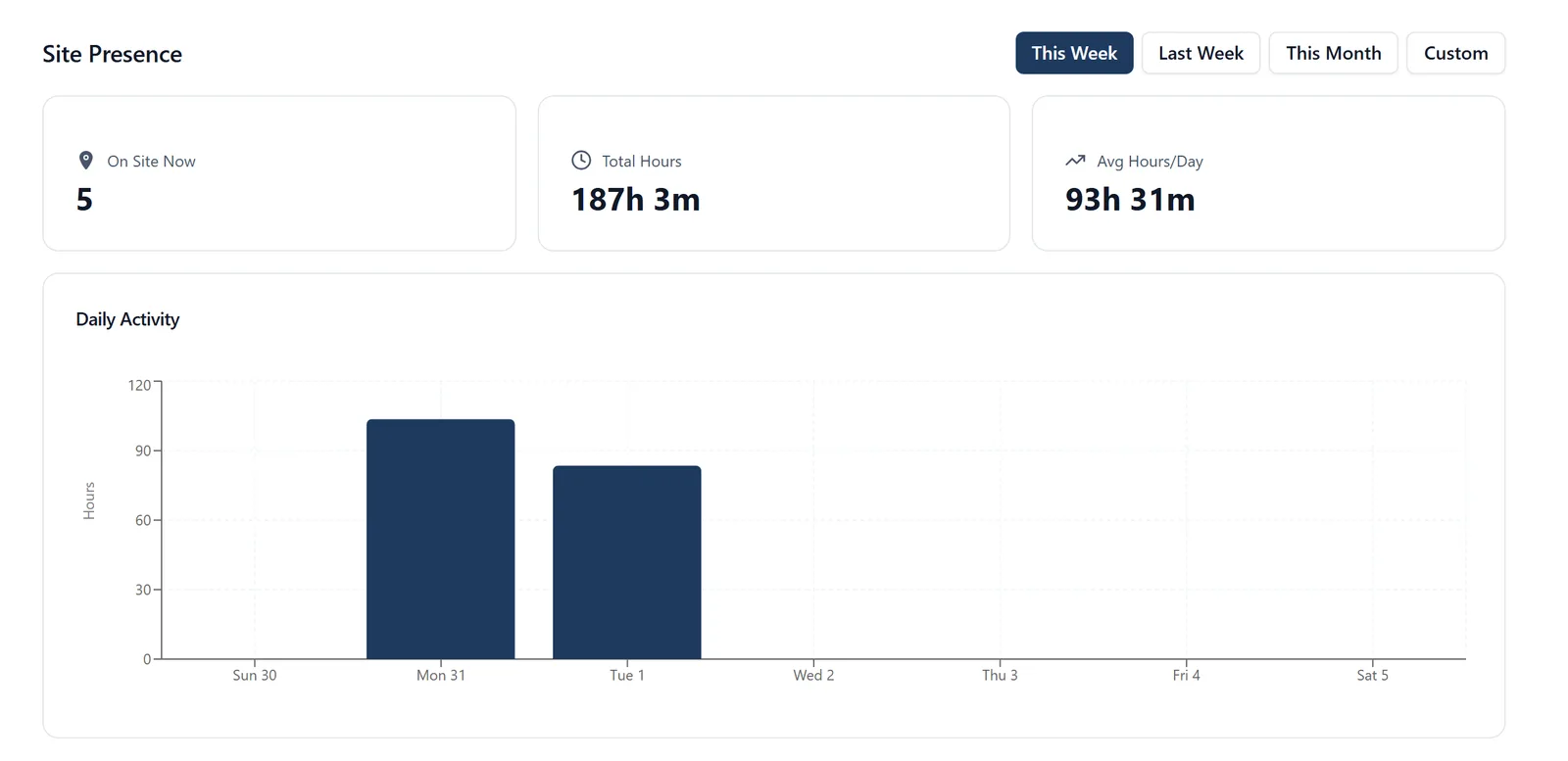
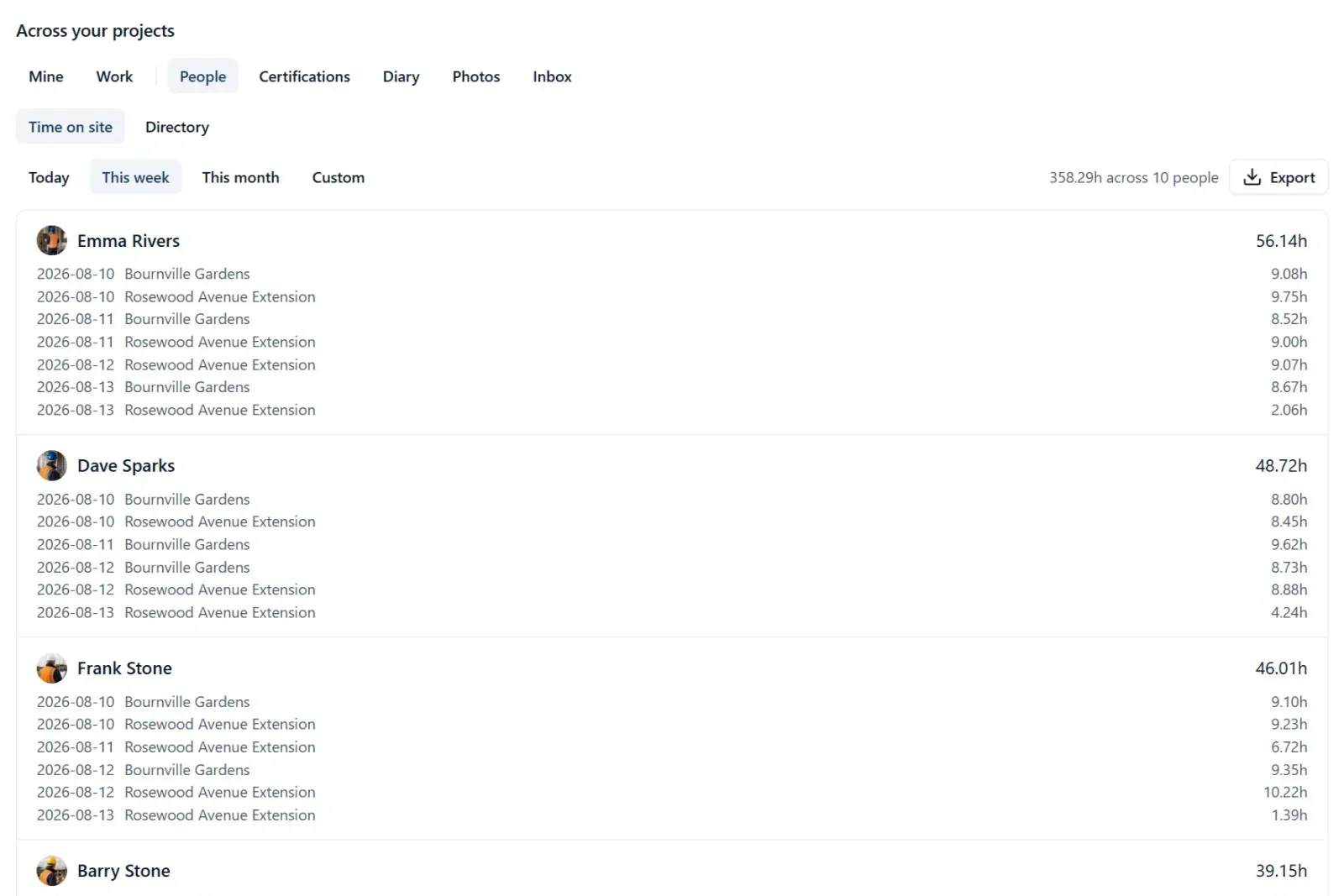
In BuildersAI each person checks in on their phone or keeps a timesheet line per job, and each job works out its own labour week by week at each employee’s cost per hour, so labour is in the job’s figures as it happens. See check in and timesheets.
How Do You Compare the Labour Allowance with Actual?
The labour allowance is what your estimate assumed: hours for each trade multiplied by the rate you priced at. Comparing it with actual labour, weighted by progress, tells you early whether a job is going to land.
Brickwork, plot 3
Amount
Allowance in the estimate: 400 hours × £30
£12,000
Progress on brickwork
55%
Allowance earned so far: 55% × £12,000
£6,600
Actual so far: 260 hours × £29.83
£7,756
Running over by
£1,156
Forecast at this pace: 260 ÷ 0.55 = 473 hours × £29.83
about £14,100
At 55% complete the brickwork is £1,156 over and heading for about £2,100 over. Seeing that in week six leaves time to ask why (a slow gang, an unpriced change, a drawing revision) and to raise a variation if the client changed something. Our guides to construction variations and cost overruns pick up from here.
What Is the Difference Between True Cost and a Charge Out Rate?
True cost is what an hour of a person costs you. A charge out rate is what you bill a client for that hour on day rate or cost plus work, and it has to cover your office overheads and profit as well.
Build it from true cost, plus an hourly share of overheads (office, insurance, accountant, software, your own time off site), plus your markup. With £6 an hour of overheads (an illustrative estimate) and a 15% markup, the bricklayer above becomes (£29.83 + £6) × 1.15, about £41.20 an hour. Charging £30 because “that’s what he costs me” means working for nothing. On cost plus jobs, our guide to cost plus contracts covers how the markup is shown to the client.
What Are the Most Common Labour Costing Mistakes?
Using the wage rate, not the true cost. The most common and the most expensive, worth about a third of every labour figure on the example above.
Dividing by paid hours. Holiday, sick days and lost time are paid but not billed, so the rate must be spread over productive hours.
Unrecorded hours and travel. The Saturday morning, the trip back for a forgotten tool, the drive between sites. If it is not written down against a job or a code, it costs the firm and no job.
One rate for everybody. An average rate makes labour-heavy jobs with junior crews look worse and jobs led by your foreman look better than they are.
Netting CIS off subcontract costs. The cost is the invoice before VAT, not the amount paid to the subcontractor.
Counting labour monthly. By the time the month end figures arrive, the job has moved on.
Never updating the rate. Pay rises, the April changes and a new van all move it.
How BuildersAI Works Out Labour Cost per Job
BuildersAI is the all-in-one site management app for UK builders. Labour is worked out from the time your people actually spend on site, so nobody types hours twice.
✓Check-in and timesheets. Each person checks in and out from their phone. Checking in is a deliberate tap, never something the app does on its own, and each check-in records how far from the site it was made, marking one made well away rather than refusing it. People who move between jobs can keep a timesheet instead, a line per job per day, on the phone with or without signal. Time not on a job (holiday, the yard) goes against your own timesheet codes.
✓Each person’s cost per hour. Owners and administrators set what each employee costs an hour (All projects, Time, Labour costs). This is where the true cost from the calculator above goes, not the wage.
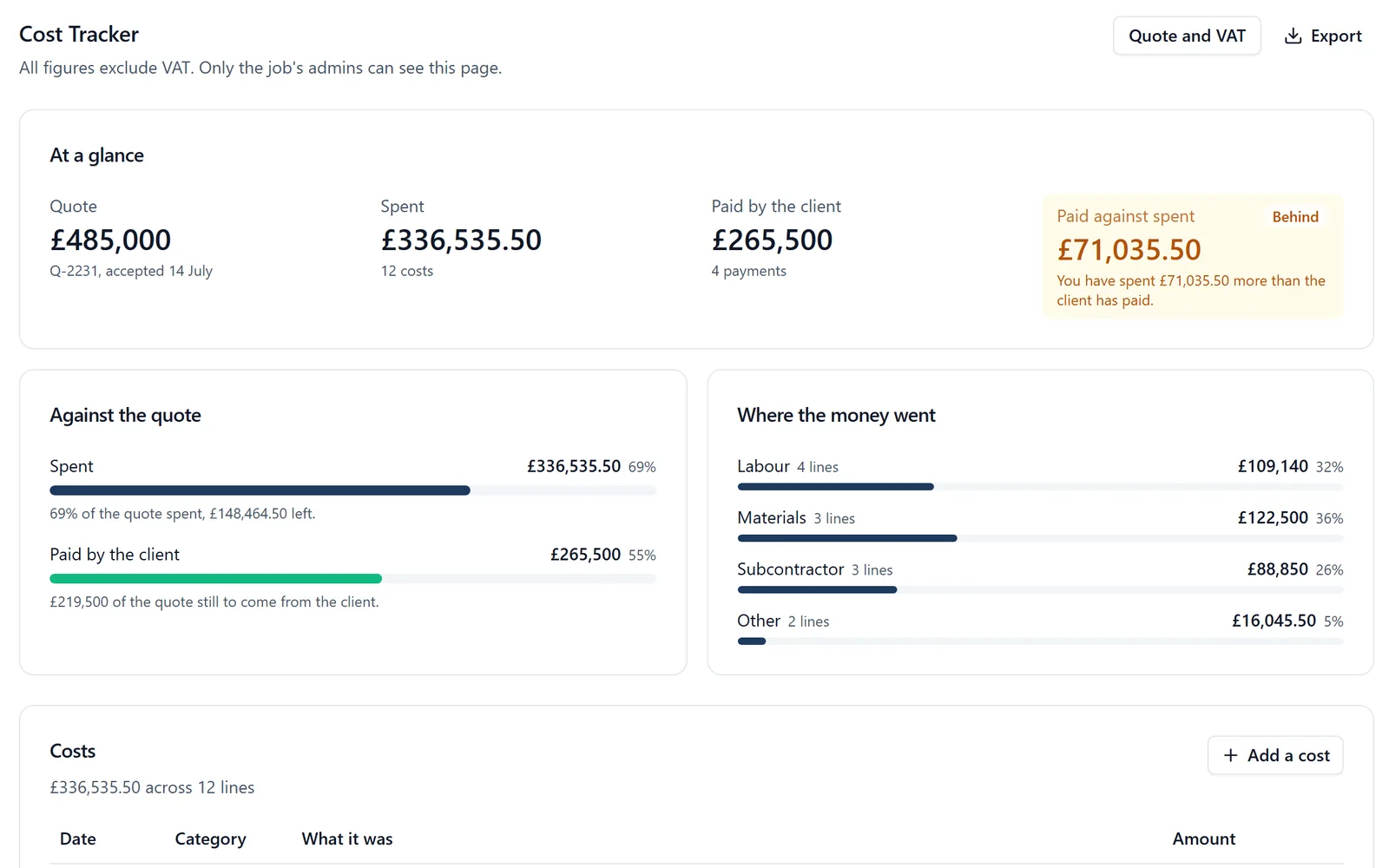
✓Labour on every job, week by week. For each person and day, the job counts the time they put against it on their timesheet, or otherwise their time on site after any break, at their cost per hour. It goes into the Cost Tracker’s Spent and its Labour line, and it moves if a check-in or timesheet is put right. Subcontractors are counted by their supplier invoices, with the net, VAT, reverse charge, CIS deduction and cost code recorded, so nobody is counted twice.
✓Budgets by cost code and margin. When the job’s quote is an accepted estimate, each cost code shows its budget, what is on orders, what is spent and where it is projected to land. Labour from time on site counts in the job’s total spend and in the forecast margin on the Overview of every job, so a job whose hours are running ahead shows it in the margin that week.
✓Pay stays private. Only the company’s owners and administrators see what labour costs; a job’s other administrators see the hours. People on site never see a figure, and the client never sees your labour.
✓Hours to your accounts. Recorded hours, after breaks, export as a file for Xero and QuickBooks, so nobody retypes a timesheet.
One thing to know: timesheet labour is counted per job rather than split by cost code, so the brickwork-against-allowance check above is still a comparison you make by trade. Pricing is flat with no per-user fees: £149 a month for up to 10 people, £299 for 11 to 50 and £599 for 51 to 100, plus VAT, with a 14-day free trial. See the pricing page.
BuildersAI solution:
See labour from check-ins and timesheets land on a job’s costs and margin, on a live demo project. Request a demo.
How do I calculate the true hourly cost of an employee in construction?
Add up everything you pay them in a year: gross pay, employer’s National Insurance (15% above £5,000 in 2026/27), employer’s pension (at least 3% of qualifying earnings) and any van, tools or PPE you choose to include. Divide by the hours they actually work on jobs after holiday, sick days and unproductive time.
How much more than their wage does an employee cost a UK builder?
It depends on the person and what you include, but on our worked example a bricklayer on £20 an hour costs about £29.83 per productive hour, nearly 50% more, or £32.58 with a van. Work out your own with the calculator table above.
Is the CIS deduction part of the labour cost?
Yes. The cost of a subcontractor is their invoice before VAT. The CIS deduction is their tax, which you pay to HMRC on their behalf, so recording only the amount you paid them understates the job.
What is construction labour allocation?
Putting every paid hour against the job, and ideally the stage or cost code, it was spent on, then multiplying by each person’s true cost per hour. It turns one payroll figure into a labour cost per job you can act on.
What is a charge out rate for a builder?
The hourly rate you bill a client on day rate or cost plus work. It is the true cost per hour plus a share of overheads plus your markup, so it is always well above the wage and above the true cost.
Does BuildersAI check people in automatically?
No. Checking in is a deliberate tap on the phone, and each check-in records how far from the site it was made. Anyone who moves between jobs can keep a timesheet instead.
Ready to fix this on your site?
Stop losing hours to coordination chaos
BuildersAI puts drawings, tasks, and updates on every phone on site. 14-day free trial, every feature, no card needed.
William grew up in a family that builds houses for a living and has been around construction sites for as long as he can remember. He has seen first hand that eight-figure sites are often run on WhatsApp and spreadsheets, and started BuildersAI to cut the invisible costs that take chunks of margin across a site. His aim is for BuildersAI to be the all-in-one site management platform built in the UK, for UK sites.
Eight cost management tools a UK builder is likely to shortlist, compared on estimates, purchase orders, invoicing the client, the app on site and the price. Every competitor fact is sourced and dated.
A spreadsheet per job tells you what you spent. It rarely tells you whether you are ahead of the client or carrying the job. Four numbers, kept weekly, do.
Hours totted up from memory, argued about on a Monday, retyped into payroll. Here is how timesheet software built for construction removes the whole Friday scramble.
7 min read
Get started
Ready to bring your whole team onto
one simple app?
14-day free trial with every feature, no card and no contract, and your team can be set up
within a day.