
Purchase orders
Agree the price with the supplier first, so no invoice can take more than was agreed.
- Browser
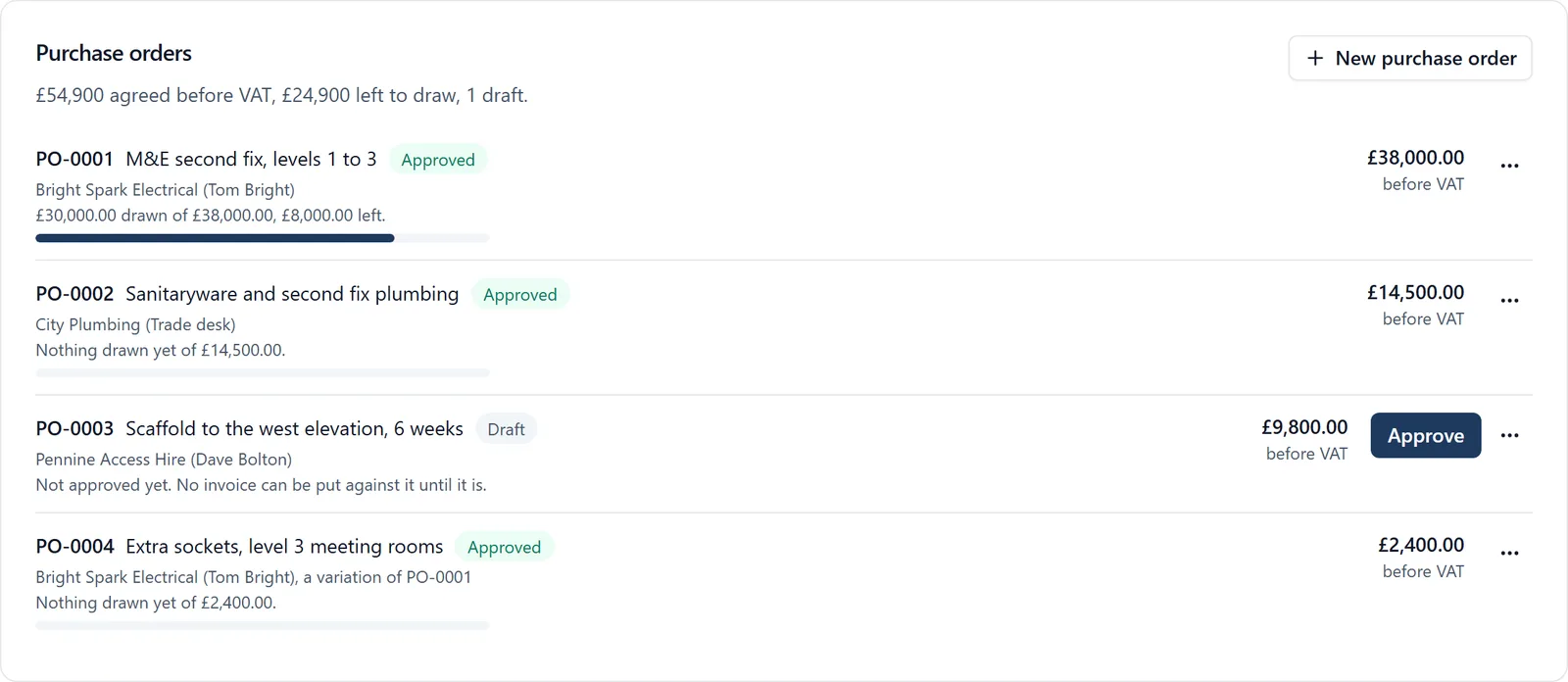
A supplier’s invoice that is more than was agreed usually gets paid, because nobody can find what was agreed. A purchase order on the job is the agreement, and every invoice is held to it.
For how purchase orders work on a building job, see our guide to construction purchase order software.
What it does
- Raise a purchase order on the job: the supplier, what it is for, the agreed price and the cost code, with their quotation attached
- Send to supplier emails them a link. They approve it or decline it with no account, or you approve it yourself
- Each supplier invoice is put against a purchase order, and the order shows what has been drawn and what is left
- An invoice that would take more than is left, or that is from another supplier, is refused
- The PO number printed on an invoice puts it on that order when the invoice is read
- A variation can be raised as a new order linked to the first
- See every job’s purchase orders in one list under Orders on All projects, and download it as a spreadsheet
- What is still to draw on approved orders counts towards each job’s forecast margin on the Overview
Who sees it
The job’s admins, and the owners and admins of the company. The supplier sees only the order sent to them.
Which plan
This is included in every plan, from £149 a month. Plans differ by how many people they seat, not by what the software does. See pricing.
How to use it
The manual page for this is in the Help Centre, and it is the same guide SiteBot reads inside the app. Read the guide.