
Estimates
Price a job from your own rates, send it on your letterhead, and once the client accepts it is the job's quote.
- Browser
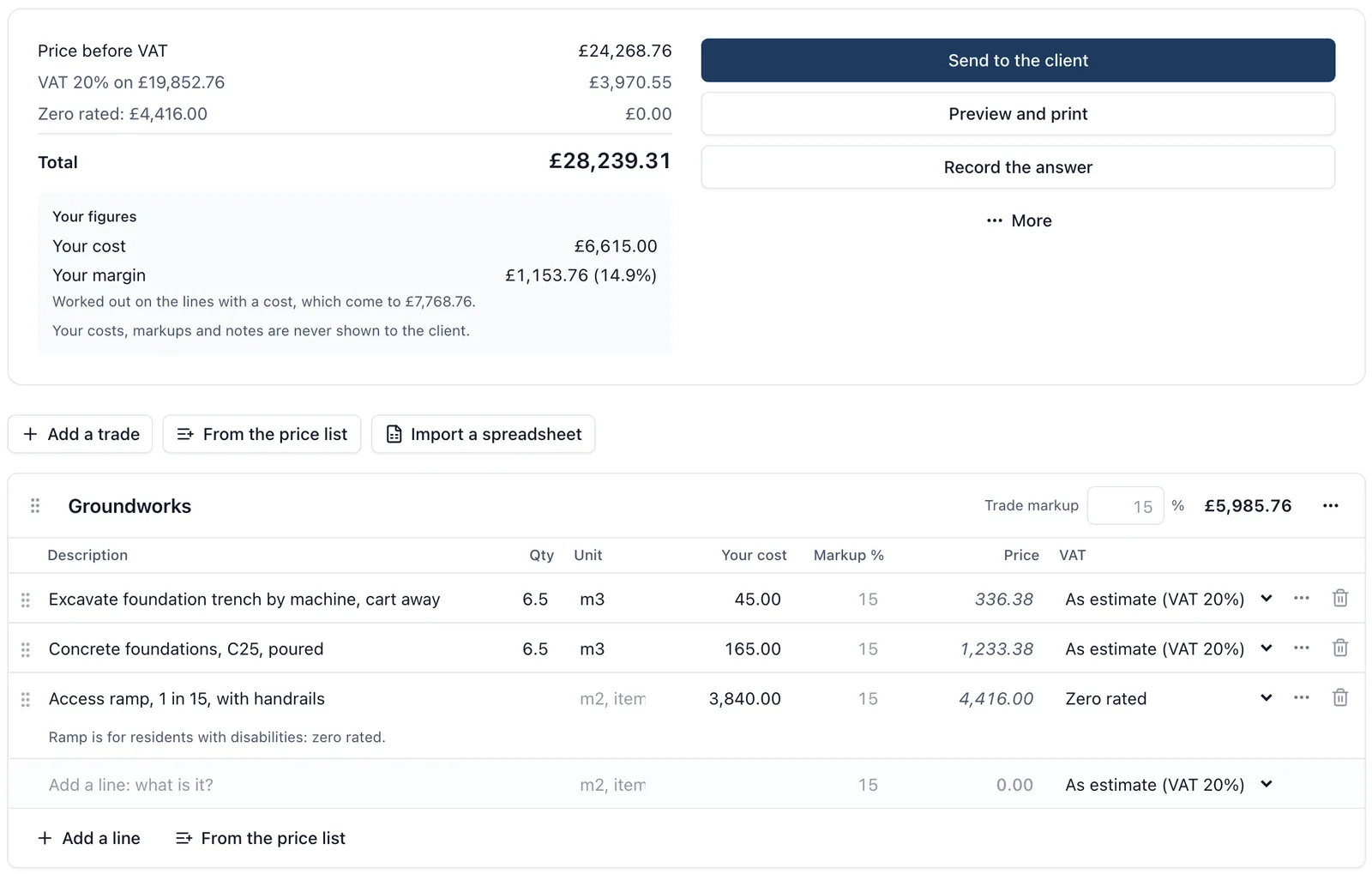
Most estimates are built in a spreadsheet, retyped into a quote, and never seen again once the job starts. Here the estimate is on the job, and it becomes the figure the job is measured against.
For what to look for in a tool, see our guide to construction estimating software.
What it does
- An estimate is a list of trades, each with its lines. A line is one figure, or a quantity with your cost for one and a markup
- A markup can sit on the line, the trade or the whole estimate, so a subcontract can carry 10% while your own labour carries 30%
- VAT is set per line, so a zero rated item sits beside standard rated ones, and the totals show your margin as you go
- Keep your rates once for every job in a price list, or import the list you already keep in Excel
- Import a QS’s priced bill from a spreadsheet: BuildersAI guesses which column is which and shows you before anything is added
- Draft with SiteBot: it works out the quantities from your drawings and what you tell it, then each rate comes from your price list, then your past estimates, then your day rates. Anything it cannot price says Needs a rate, and it warns when a trade is well off what it usually costs a square metre
- Bring in your past jobs so the drafts price from what you actually charged
- The client sees your letterhead, each trade’s total or every line, and your terms. Your costs, markups and notes are never on it
- Send to the client emails them a link. They accept with their name and signature, or decline with a reason, and you are told either way
- An accepted estimate is locked and becomes the job’s quote on the Cost Tracker, and each cost code’s budget comes from it
What it does not do
SiteBot’s quantities from drawings are a starting point to check, not a take-off, and lines read from drawings start unticked. BuildersAI does not take payments.
Who sees it
The job’s admins, and the owners and admins of the company. The client sees only what was sent to them.
Which plan
This is included in every plan, from £149 a month. Plans differ by how many people they seat, not by what the software does. See pricing.
How to use it
The manual page for this is in the Help Centre, and it is the same guide SiteBot reads inside the app. Read the guide.