
Invoices to the client
Bill the client month by month from the lines they agreed, so nothing is billed twice or forgotten.
- Browser
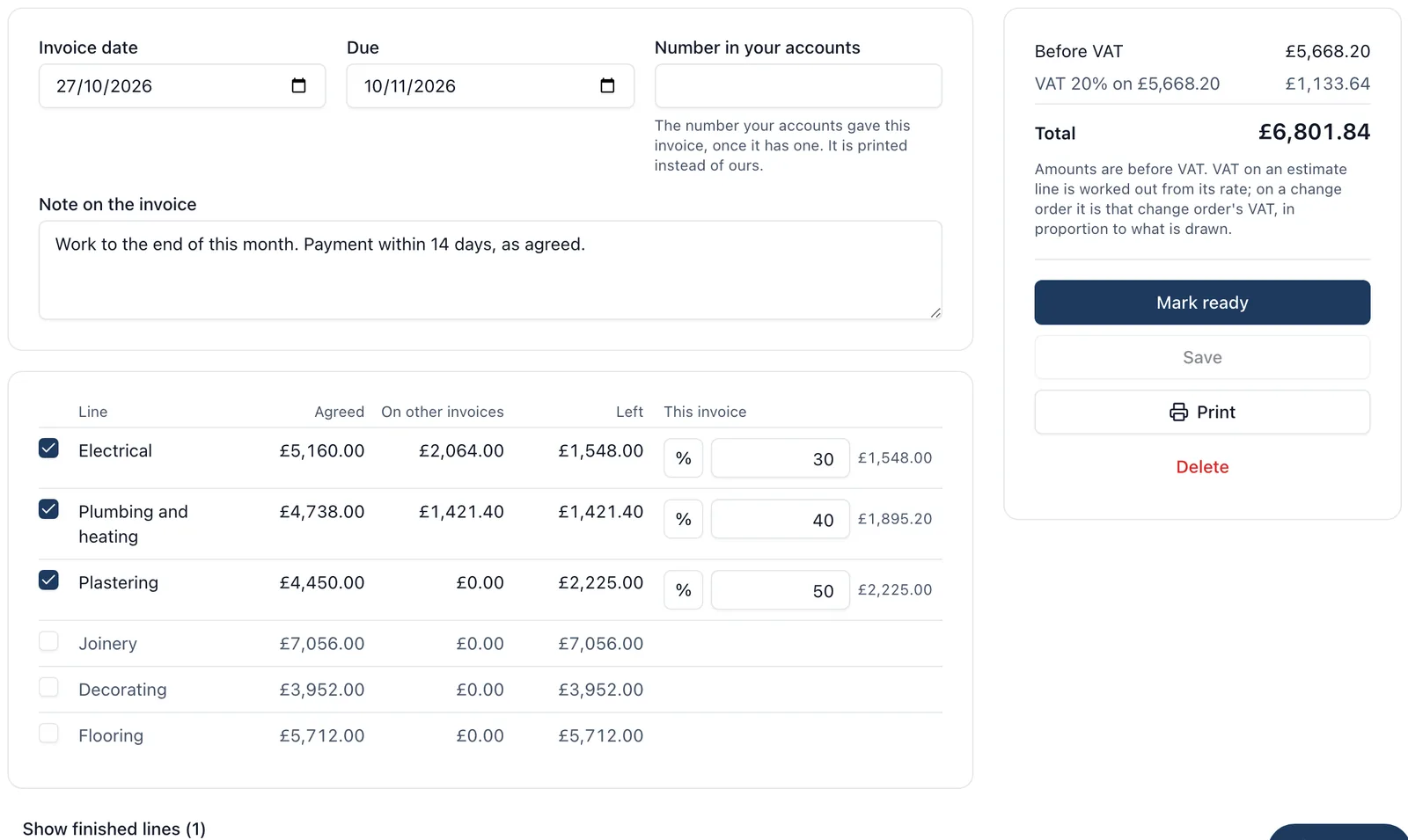
A monthly valuation usually means a spreadsheet of what was agreed, what has been billed and what is left, rebuilt every month. Here it is worked out from the estimate the client accepted.
Our guides cover invoicing a client month by month and how billing works on cost plus contracts.
What it does
- Start an invoice on the job and tick the lines of the accepted estimate and the signed change orders it covers
- Draw a percentage or an amount from each line. Each shows what was agreed, what is on other invoices and what is left
- You cannot draw more than is left on a line, so nothing is billed twice
- VAT is worked out from each line’s own rate
- Print it on your letterhead, with the number your accounts gave it if it has one
- Mark it ready, and it counts as invoiced on the Cost Tracker and the Overview
- With QuickBooks Online connected, a ready invoice goes to your books when you press Send, and the client’s payments are read back
What it does not do
BuildersAI does not email the invoice to your client and does not take payments.
Who sees it
The job’s admins, and the owners and admins of the company.
Which plan
This is included in every plan, from £149 a month. Plans differ by how many people they seat, not by what the software does. See pricing.
How to use it
The manual page for this is in the Help Centre, and it is the same guide SiteBot reads inside the app. Read the guide.