
Talk it in
Say what happened on site and it is written up as a diary note, a task, a snag or an update.
- Browser
- Phone and tablet
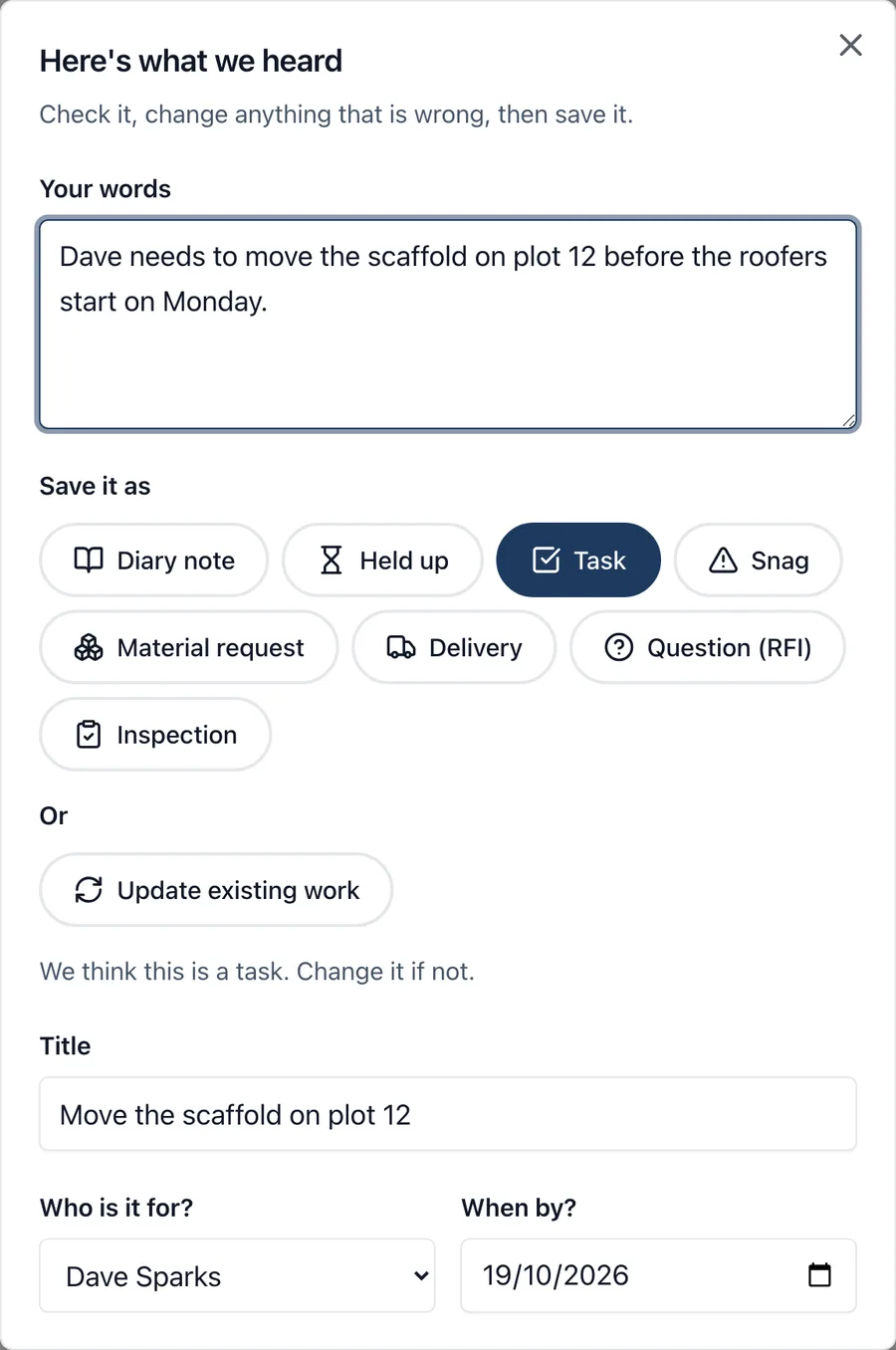
Nobody types a site diary with gloves on. Talk it in lets you say what happened, read back what was heard, and save it where it belongs.
What it does
- Press Talk it in and say it as you would to the site manager, for up to two minutes
- Read back what was heard and correct anything it got wrong
- It suggests what it is, and you can pick another: a line in the site diary, a held-up note, a task, a snag, a material request, a delivery, a question (RFI) or an inspection
- It picks up who a task is for and when it is due, when you say them
- Update work already on the job: “task 14 is done”, “the bricks have come, all there”, “building control passed the drainage”
- What you said is kept as a comment on the work it updated, and on the phone the recording is kept too
- It works with no signal and sends when the phone is back online
- It listens in British English and knows site words such as snagging, DPC and noggins
Who uses it
Members and admins of a project, on the phone and in the web app. Nothing is saved until you press Save.
Which plan
This is included in every plan, from £149 a month. Plans differ by how many people they seat, not by what the software does. See pricing.
How to use it
The manual page for this is in the Help Centre, and it is the same guide SiteBot reads inside the app. Read the guide.