
Subcontractor firms
Keep each subcontractor as a firm, with its people and its insurance, and see in red what has run out.
- Browser
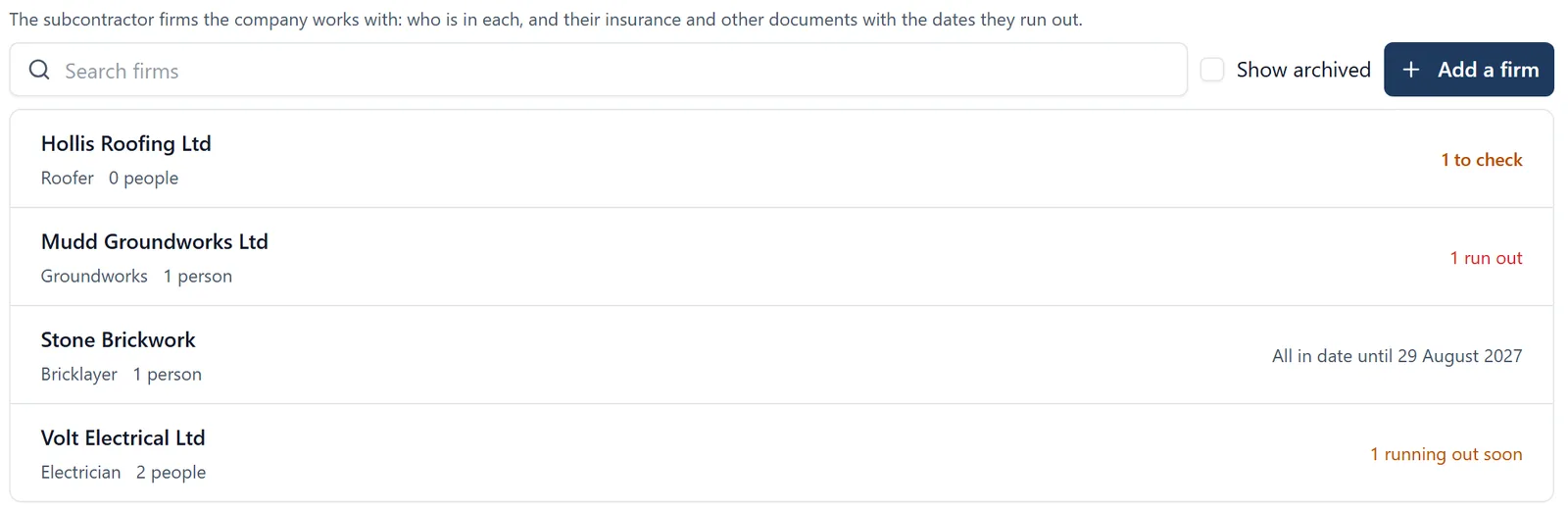
Chasing a subcontractor’s insurance usually starts the week an inspector asks for it. Here each firm’s documents are kept with the dates they run out.
What it does
- Keep each subcontractor as a firm: its trade, its people and its documents
- Each document has the date it runs out, and the firm shows in red when one has, amber when one is running out
- Ask a firm for a document by email, and they send it from a link with no account
- Brief a RAMS to a whole firm, rather than person by person
- On a job’s People page, see and set which firm somebody works for, and the induction asks who they work for
Who sees it
The owners and admins of the company change firms. A job’s administrators can read them.
Which plan
This is included in every plan, from £149 a month. Plans differ by how many people they seat, not by what the software does. See pricing.
How to use it
The manual page for this is in the Help Centre, and it is the same guide SiteBot reads inside the app. Read the guide.