
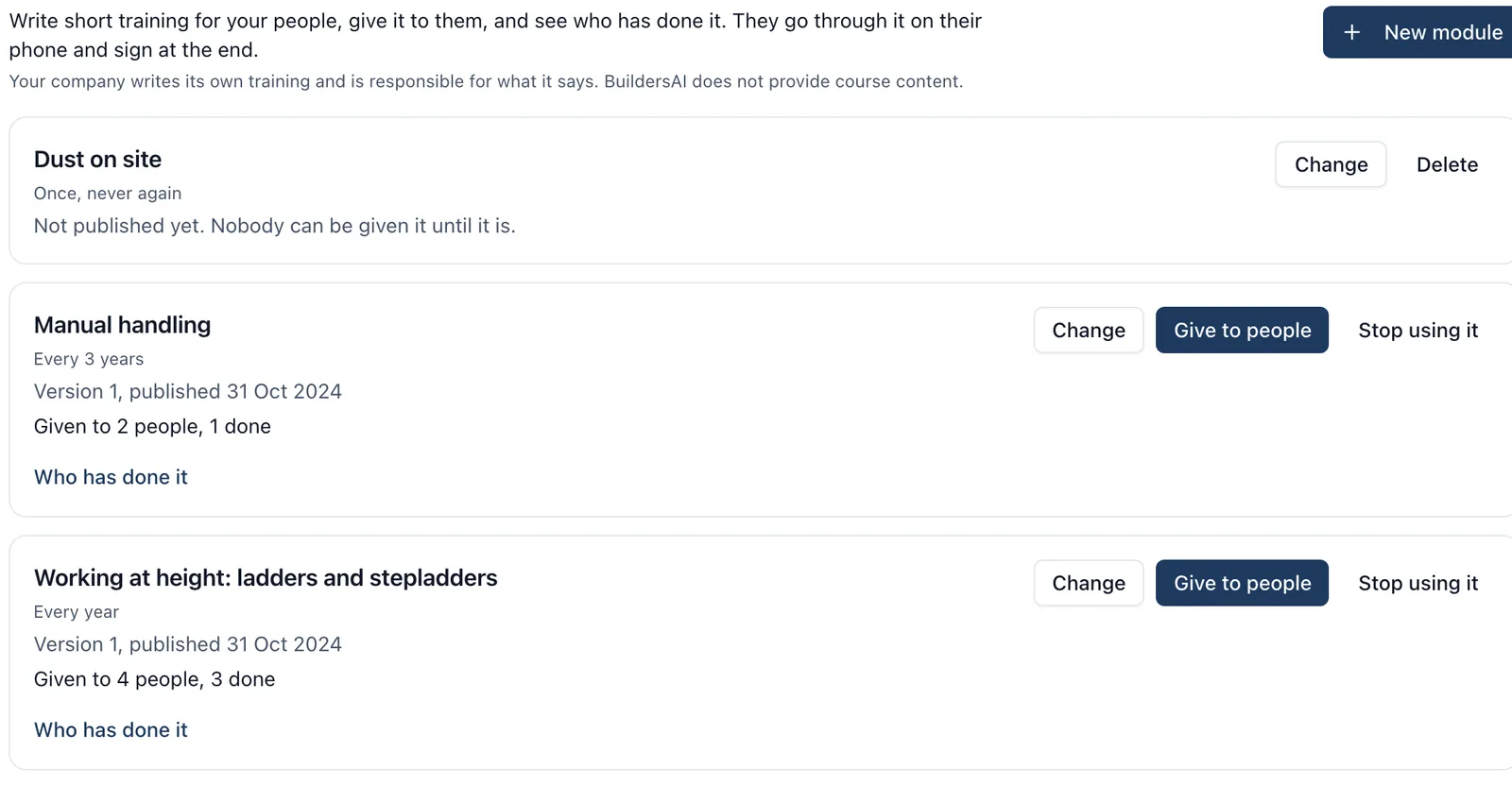
Training lets your company write short courses of its own, such as using a stepladder or manual handling, give them to your people, and keep a record of who has done each one. People go through the slides on their phone or in the browser and sign at the end. Each signed record can be printed, and the training matrix shows who has done what.
Your company writes its own training and is responsible for what it says. BuildersAI does not provide course content. A training record says that somebody went through your company’s course and signed for it. It is not a qualification or an accreditation.
Who can do what:
- The company’s owners and admins write modules, publish them, give them to people and see everybody’s records
- Anybody given a module goes through it and signs. They can be on your company’s list, or an admin or member of one of your jobs. A follower, such as a client, cannot be given training
- Each person sees only their own training and records
Writing a module
How to get there (app.buildersai.co.uk):
- Click the BuildersAI logo in the top-left corner to reach All projects
- Check the company name beside the logo. Training belongs to that company
- Click People, then Training
To write one:
- Click New module
- Give it a Title, for example “Working at height: ladders and stepladders”
- What it covers is a line or two shown on the first slide
- Do it again says whether people need to repeat it: every 6 months, every year, every 2 years, every 3 years, or once and never again
- Add the slides. Each has a title and up to eight points, one per line. Keep them short: people read them on a phone, on site
- Click Preview to go through it as your people will, then Save
The first slide (your company’s name and logo, the title and what it covers) and the last slide (what signing means) are added for you.
Publishing: nobody can be given a module until it is published. Click Publish. Publishing again after a change makes a new version: anybody who did an earlier version keeps their record of it, and nobody has to do it again until it is due.
A module that has never been published can be deleted. Once published it can only be stopped: Stop using it means nobody new can be given it, and everybody keeps their records.
Giving it to people
- On the module’s row, click Give to people
- Tick the people who need to do it, then click Give to people at the foot
Only people who can be given training are offered, so a client following one of your jobs is not. Under Who has done it each person shows To do, Done with the date, Due again soon or Due again now. “Due again soon” follows the same warning time your company set for cards and tickets (organisation settings, Details). Take it away stops asking somebody to do it; anything they already signed stays on record.
Doing your training
In the browser: click your avatar at the top right, then My BuildersAI, then Your training. On the phone: open the side menu, tap My BuildersAI, and scroll to Your training.
- Tap Go through it beside a module
- Read every slide. You cannot sign until you have reached the last one
- Check your name, tick that you have been through it and understood it, and sign with your finger or mouse
- Tap Sign and record it
On the phone this works with no signal once the training has reached your phone: it is saved there and sent when you have signal. If the training was taken away from you in the meantime, the phone says so and nothing is recorded.
Records, the matrix and CHAS
- Print the record (on your own training, or on anybody’s under Who has done it) prints a Record of training on your company’s name: what they did, which version, when, their signature, and when it is due again
- People, then Matrix shows a column for each published module beside everybody’s cards: green when done, amber when due again soon, red when due again now, To do when it has been given and not done yet, and empty when it was not given. A module you have stopped using keeps its column while anybody has a record of it
- Download on the matrix gives a spreadsheet of all of it, which is what most accreditation bodies, CHAS among them, ask to see