Job Costing for Small Builders: How to Tell if a Job Is Making Money
William Charlesworth-Jones7 min read
Quick Answer
A job is making money if what you have spent on it, plus what it will still cost to finish, comes to less than the quote. Job costing is how you find that out while the job is still running. For each job you keep four numbers: the quote, what has been spent, what the client has paid, and the gap between the last two. Spent against the quote tells you whether there is any margin left. Paid against spent tells you whether you are ahead of the client or carrying the job with your own money. Update all four once a week, on one VAT basis, and you know where the job stands long before the final account.
Most small building firms already keep a spreadsheet per job, with the labour hours, the merchants’ invoices, what the subbies charged and what the client has paid. What it usually cannot tell you without half an hour of adding up is the thing you want to know on a Friday: is this job ahead, or am I paying for it out of my own pocket? That is a layout problem more than a discipline problem, and this guide fixes the layout first.
What Is Job Costing?
Job costing means recording every pound spent and every pound received against the job it belongs to. Your accounts tell you whether the business made money last quarter. Job costing tells you which jobs made it, while there is still time to act. Running several jobs at once? Our job profitability report guide puts every job side by side.
The Four Numbers That Tell You If a Job Is Making Money
The quote. What the job was priced at. Everything else is measured against it.
What has been spent. Every cost on the job added together: your own labour, materials, subbies, and anything else such as skips, plant hire and building control fees.
What the client has paid. The deposit, stage payments and paid invoices. Money invoiced but not yet received does not count.
The gap between the last two. If the client has paid more than you have spent, you are ahead. If you have spent more, you are behind: you are carrying the job and it is probably time to invoice.
Take a rear extension quoted at £84,000 before VAT. Eight weeks in, first fix is done and the figures look like this.
Worked Example: Rear Extension, Week 8 (All Figures Exclude VAT)
Quote£84,000
Spent£36,400 (labour £14,200, materials £11,650, subbies £9,400, other £1,150)
Paid by the client£29,400 (deposit £8,400, one stage payment of £21,000)
Paid against spentBehind by £7,000
Left of the quote£47,600, with 43% spent
The job is £7,000 behind, so the next stage payment wants chasing this week. That is the cash question. Whether the job will make money is a separate question, and you answer it by comparing the share of the quote that is spent with how far through the job you are. If the extension is about half built and 43% of the quote has gone, there is still margin in it. If it is a third built, the job is heading for a loss, and you have found out in week 8, not at the final account.
What to Record, and When
Pick one day a week and bring every live job up to date. Friday afternoon suits most firms because the week’s hours are known.
Labour: the days your own people spent on the job, multiplied by what they cost you. For employed staff that is more than the wage, because employer’s National Insurance and pension come on top.
Materials: when the merchants’ invoice or the till receipt arrives, not when the monthly statement does.
Subbies: when they invoice you, at the full value of the work.
Other costs: skips, plant hire, scaffold and fees, on the day they are paid.
Client payments: the day the money lands in the bank, with the invoice number it was paid against.
Five Mistakes That Make the Numbers Lie
Mixing VAT bases. If you are VAT registered, record the quote and every cost before VAT. The trap is the client’s payment. On the extension above, a stage payment of £21,000 arrives in the bank as £25,200 at 20% VAT. Type in £25,200 next to costs recorded before VAT and the job looks £4,200 better than it is. If you are not VAT registered, record everything as it was paid. Either way, use one basis for every figure on the job.
Forgetting materials taken from the yard. The plasterboard left over from the last job and the timber off the rack still cost you money. If they go to site unrecorded, the job looks cheaper than it was and your next price for similar work will be too low.
Costing only at the end. Adding everything up after snagging tells you what happened, when it is too late to change it.
Leaving out your own time. If you are on the tools three days a week, put yourself in at a day rate, even if you do not draw it that way.
Not moving the quote when extras are agreed. If the client agrees £3,500 of extra work in writing, you are now measuring against £87,500. Leave it at £84,000 and the job will look as if it is overrunning when it is not.
How to Do Job Costing in a Spreadsheet
Use one sheet per job. At the top, put the job name, the quote, and the words “All figures exclude VAT” or “All figures include VAT”. Underneath, one row per line of money, oldest first:
Date
Cost or payment
Category
Description or reference
Money out
Money in
02/09/2026
Payment
Deposit
INV-0041
£8,400
05/09/2026
Cost
Labour
Groundworks gang, week 1
£2,150
Money out and money in are separate columns so that each sums on its own. Keep to four cost categories: Labour, Materials, Subcontractor and Other. Then four cells at the top do the work:
Spent is the total of the Money out column.
Paid by the client is the total of the Money in column.
Paid against spent is Paid minus Spent. Positive means ahead, negative means behind.
Left of the quote is the Quote minus Spent.
That is the whole system. Its weak points are the usual spreadsheet ones: a total that stops a row short, or a copy on somebody’s laptop that is two weeks out of date. We go further on budgets in our guide to construction cost tracking, and on timing your invoices in construction cash flow management.
How the BuildersAI Cost Tracker Does It
BuildersAI is the all-in-one site management app for UK builders, and the Cost Tracker is the part of it that replaces the spreadsheet per job. It keeps the same four numbers for each job, in the web app.
✓One VAT basis per job. Under Quote and VAT you choose whether the job’s figures exclude VAT or include it, then enter the quote, or let an accepted estimate become it. Every figure on the job is on that basis and the page says which.
✓Costs and client payments, added as they happen. A cost has a category (Labour, Materials, Subcontractor or Other), the day it was spent, what it was and the amount. A payment is a deposit, a stage payment or a paid invoice, with the day and the reference.
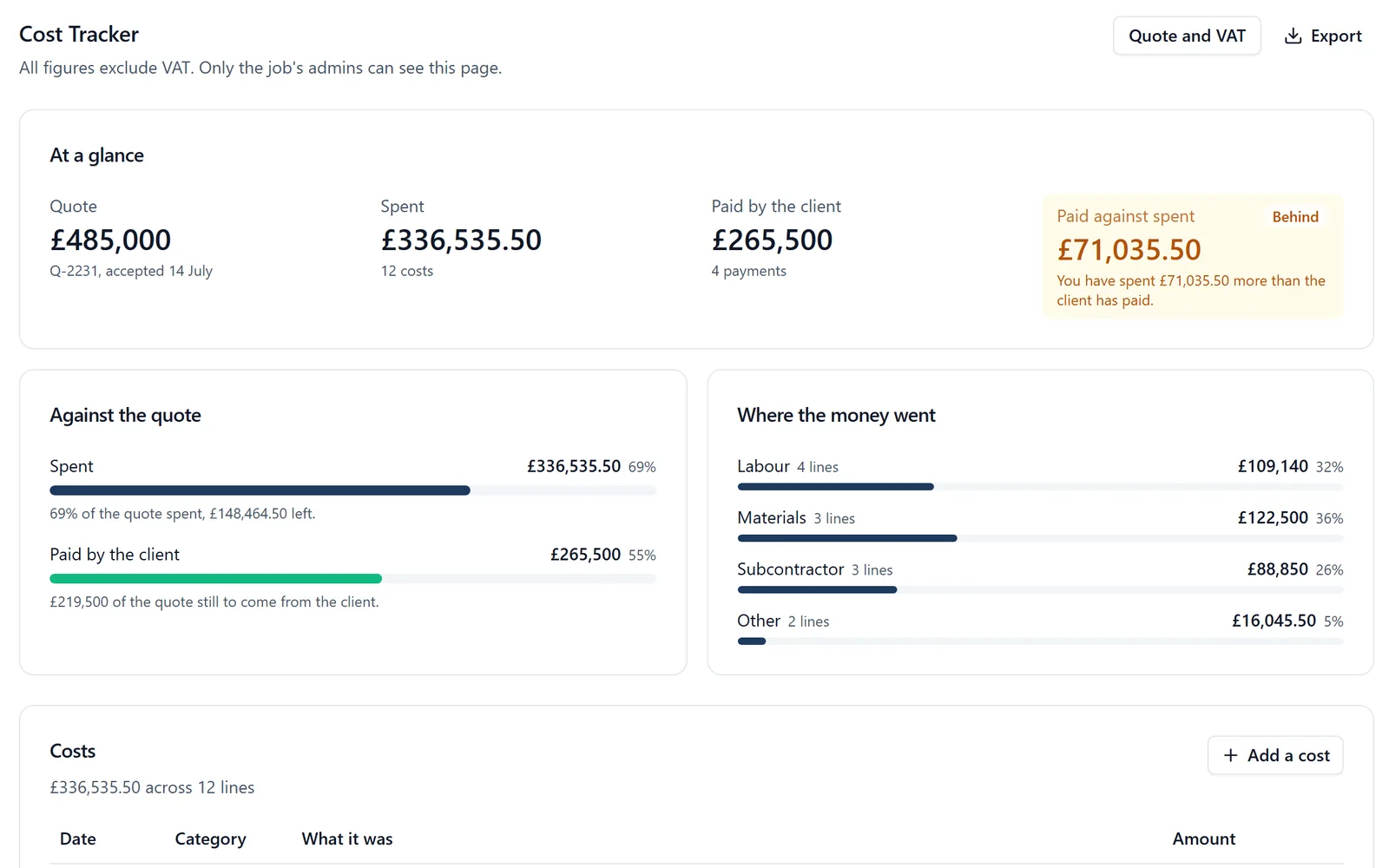
✓Ahead or Behind. The top of the page shows the quote, what has been spent, what the client has paid and the difference between the last two, marked Ahead in green or Behind in amber, with a sentence saying who is out of pocket.
✓Labour from time on site. Labour cost is worked out from time on site and timesheets at each person’s cost per hour, and budgets by cost code come from the estimate.
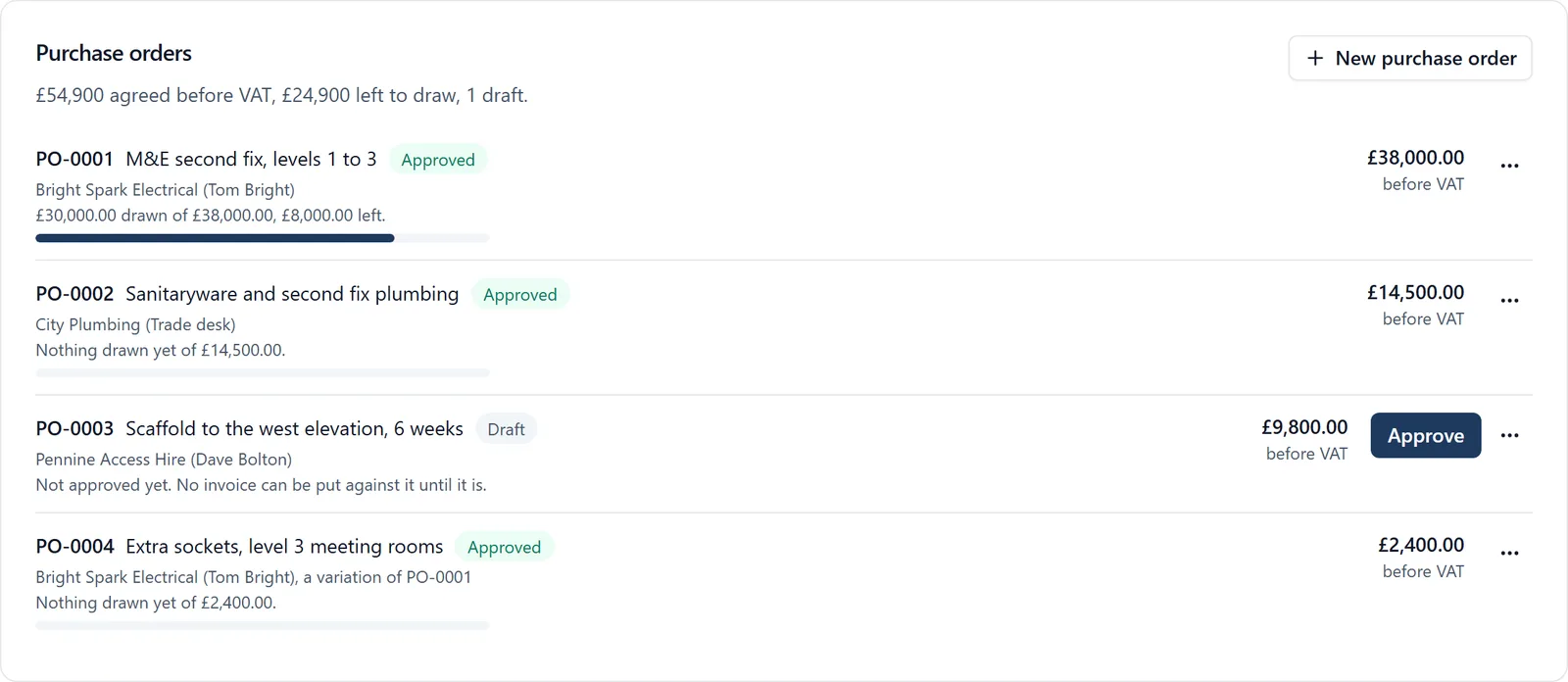
✓Supplier invoices with cost codes. Drop in a week of supplier or subcontractor invoices at once. Each is read for you (supplier, invoice number, net, VAT, reverse charge and any CIS deduction) for you to check, given a cost code and marked ready to pay, and can draw down a purchase order. It counts as a cost on the job, and the page shows what has been spent under each code. See supplier invoices.
✓Change orders signed by the client. Extra work is priced from the subcontractor’s figure plus your markup and signed by the client on their phone. A signed change order is locked and added to the job’s agreed total. See change orders.
✓Spend against the quote. How much of the quote is left, and how much is still to come from the client. A job that has gone over its quote says by how much, in red.
✓Only the job’s admins see the money. Members never see a figure, in the browser, on the phone, in an export or through SiteBot. The client sees nothing unless you switch on their view, and then only the agreed price, what they have paid and, on a cost plus job, the invoices you choose to share.
✓Corrections are kept, and it exports. Any line can be changed or removed, with every change kept in the project’s audit trail. Export downloads the job as a spreadsheet, with money out and money in in separate columns, and supplier invoices export as bills for QuickBooks or Xero.
It does not take payments or send the client’s invoice for you. The quote is written as an estimate and invoices to the client are drawn down from it month by month, but BuildersAI does not email the invoice or collect the money.
It does not replace Xero, Sage or QuickBooks. It sits beside your accounts package: with QuickBooks Online connected, bills and client invoices go across when you press Send and payments are read back; for Xero, supplier bills and hours go as a file you import. It records CIS deductions but does not file your CIS return.
It is a browser page. There is no Cost Tracker on the phone, though a client can sign an estimate or a change order there.
SiteBot cannot read the figures out, even for an admin. It can explain how the Cost Tracker works.
If your spreadsheet works and only you ever open it, keep it. The case for moving is when more than one person needs the same current figures, or when the money has to be kept away from everybody who does not need to see it.
FAQ
How do I know if a building job is making money?
Compare the share of the quote you have spent with how far through the job you are. If the job is half built and less than half the quote has gone, there is margin left. Separately, compare what the client has paid with what you have spent: if you have spent more, you are carrying the job and should invoice.
Should job costs include VAT or exclude it?
If your business is VAT registered, record the quote, every cost and every client payment before VAT. If it is not, record every figure as it was paid. A payment recorded with VAT next to costs recorded without it makes the job look better than it is.
Does the BuildersAI Cost Tracker pull costs in from timesheets or invoices?
Both. Supplier invoices go on the job with their PDF and a cost code, read from the PDF or a photo for you to check, and labour is worked out from time on site and timesheets at each person’s cost per hour. It keeps one job’s money in one place, shows whether you are Ahead or Behind, and sends bills to QuickBooks Online when you press Send, or exports them as a file for Xero.
What does BuildersAI cost?
Flat monthly pricing with no per-user fees: Starter is £149 a month for up to 10 users, Professional is £299 a month for 11 to 50, and Business is £599 a month for 51 to 100. Prices exclude VAT. Every plan starts with a 14-day free trial and no card is needed. See the pricing page.
See Whether Your Jobs Are Ahead or Behind
See the Cost Tracker on a 30-minute demo, then try it on one of your own jobs.
William grew up in a family that builds houses for a living and has been around construction sites for as long as he can remember. He has seen first hand that eight-figure sites are often run on WhatsApp and spreadsheets, and started BuildersAI to cut the invisible costs that take chunks of margin across a site. His aim is for BuildersAI to be the all-in-one site management platform built in the UK, for UK sites.
Your accounts tell you how the company did last quarter. They cannot tell you which of the jobs on site right now is eating the profit. A one page report, every live job side by side and read every week, can.
By the time a supplier's invoice arrives, the money is already spent. A purchase order is the point where you can still say no, and it is the only way to know what a job will really cost before the invoices catch up.
Cash flow problems kill more construction businesses than bad workmanship ever will. This guide breaks down practical cash flow management strategies for UK builders, from payment terms that actually protect you, to forecasting methods that prevent nasty surprises.
14 min read
Get started
Ready to bring your whole team onto
one simple app?
14-day free trial with every feature, no card and no contract, and your team can be set up
within a day.