
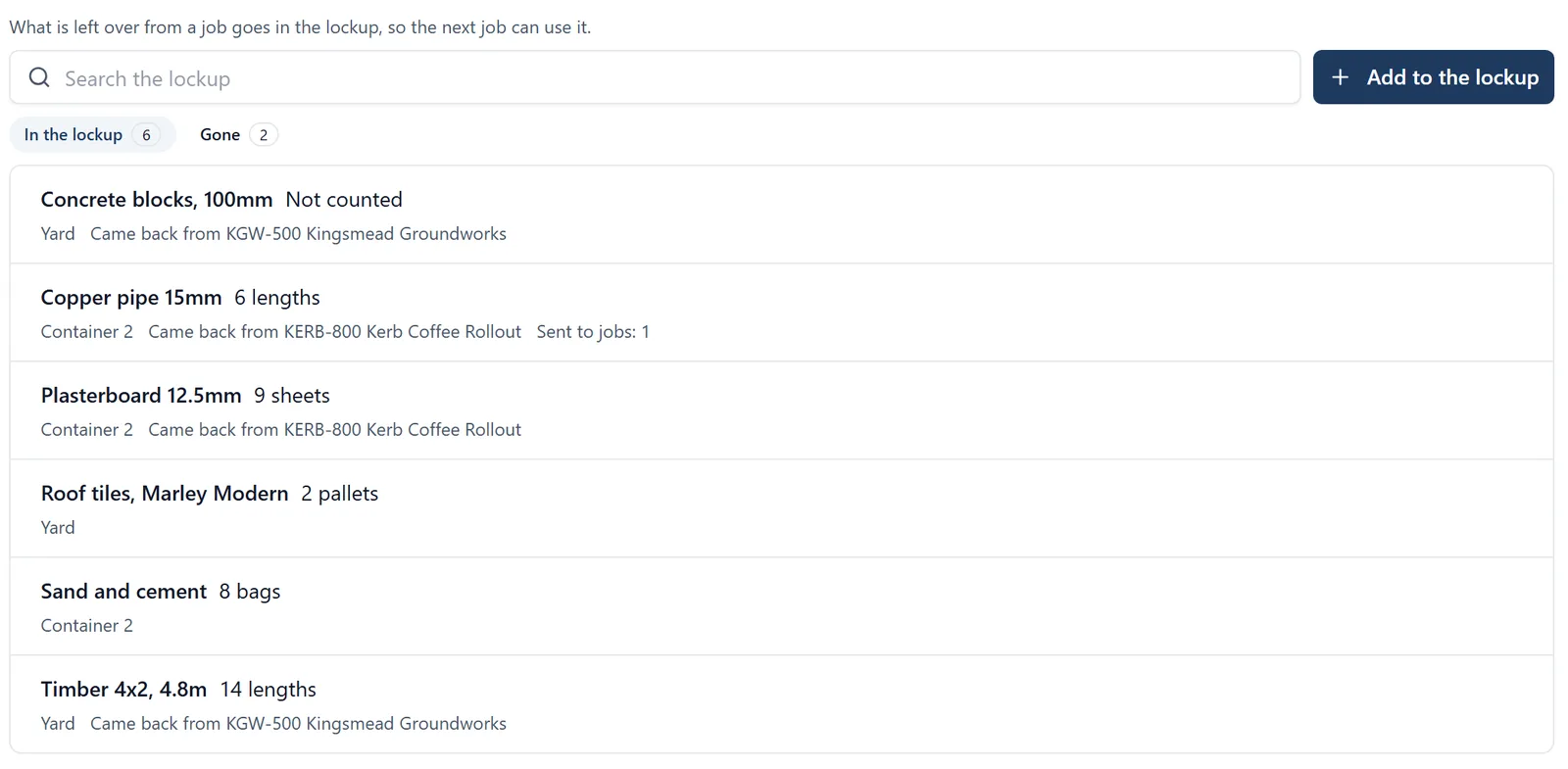
The Lockup tab is your company’s list of what is sitting in the yard: timber, blocks, plasterboard, pipe and anything else left over when a job finishes. Write it down when it comes back, and the next job can find it and use it instead of buying it again. It is money you have already spent, and without a list it tends to end up in a pile and then in a skip.
How to get there (app.buildersai.co.uk):
- Click the BuildersAI logo in the top-left corner to reach All projects
- If you work for more than one company, check the organisation name beside the logo. The lockup belongs to that company
- Click Lockup in the row of tabs
Reading the list:
- In the lockup shows what is there now, A to Z. Each line says how much (or Not counted), where it is, and which job it came back from
- Gone shows what has left, latest first, and why: Sent to jobs (its sends took the last of it), Used, Thrown away or Gone another way
- Type in the search box to find something by its name, where it is, its notes, or the job it came from
- Click a line to see everything about it, including Sent to jobs: each time some of it went to a job, how much, and the material line it went out on
Putting something in the lockup:
- Click Add to the lockup
- Say What is it, for example “Timber 4x2, 4.8m”
- How many and the Unit are optional. Leave them empty for a pile nobody has counted
- Where is it is your own word for the place: “Yard”, “Container 2”. The places you have already used are offered, so the same place is not written two ways
- Came back from names the job it was left over from, finished jobs included
- Click Save
From a material line: on the Materials tab, a line that has gone to site offers Return to the lockup (on the phone, open the line first). It fills in the name, the amount and the job for you. Change the amount to what actually came back, which is rarely all of what went.
Sending it to a job:
- Open the item and click Send to a job
- Choose Which job. You can send to the live jobs you are an administrator of. A company’s owners and admins are administrators of all its jobs, unless they have been kept off one
- Under For, choose A new material line, or one already asked for on that job, such as a request a site sent in
- For something counted, say how many are going. All of it goes unless you change it, and you cannot send more than is there. For a pile that was not counted, tick Some of it is still in the lockup after this if you are only taking part of it
- For a new line, set the day it is Needed on site
- Click Send to a job
The job gets an ordinary material line whose From says Lockup (and where, if you said). It shows on the job’s list, in the site diary and on the Materials tab like any other line, and its charge is handled there in the usual way. When the last of something is sent, it comes off the list as used.
From a request on the Materials tab: a line still waiting to go to site offers Take from the lockup (on the phone, on the line’s own page). Pick what is in the lockup, and the same send opens with that job and that line already chosen.
Undoing a send: in Sent to jobs, click Put back beside it. The amount goes back in the lockup. The material line on the job stays as it is, because it belongs to the job: change or cancel it there if it is wrong.
Taking something off the list: open it and click Take off the list, then say why: Used (used on a job without being sent from here), Thrown away (damaged or no good) or Gone another way (sold, given away, or nobody can find it). It moves to Gone, and Put back on the list brings it back if it turns up.
Deleting is only for something added by mistake. Anything that has been sent to a job keeps its history, so take it off the list instead.
What you see of other jobs: if something came back from, or went to, a job you are not on, it says Another job and does not name it.
On the phone (administrators): open All projects and tap Lockup. You can search, add what has just come back, send to a job and take things off the list. A material line’s page under Materials offers Return to the lockup or Take from the lockup too. It needs a connection.
Who can do what:
- The Lockup tab is for the company’s owners and admins, and for anybody who administers one of the company’s jobs. Members and followers do not get it
- Everybody who sees the lockup can add to it, change it and take things off it. It is the company’s shared pile
- Sending to a job is for that job’s administrators. A company’s owners and admins are administrators of all its jobs, unless they have been kept off one. A finished job, a demo, or a job whose subscription has lapsed cannot be sent to. Somebody who cannot send to a job is not shown the lines asked for there either
- A project that is not in a company has no lockup
The lockup keeps no prices: what something cost is on the supplier invoice in the job’s Cost Tracker. SiteBot cannot read the lockup yet, so the tab itself is the place to look.