
Project email
Email a merchant, the client or building control from the job, and their reply comes back to it.
The email that settles an argument is always in somebody else’s inbox. Every job has a Mail page for writing to people who will never use BuildersAI, and what they send back is kept where the job is.
What it does
- Email anybody from the job: a merchant, the client, building control, the scaffolder
- It goes out with your name and your company’s name on it, and a copy lands in your own inbox
- Their reply comes back to the thread on the job, with who said what and when
- Attachments they send become files on the job, so nothing has to be saved and dragged across
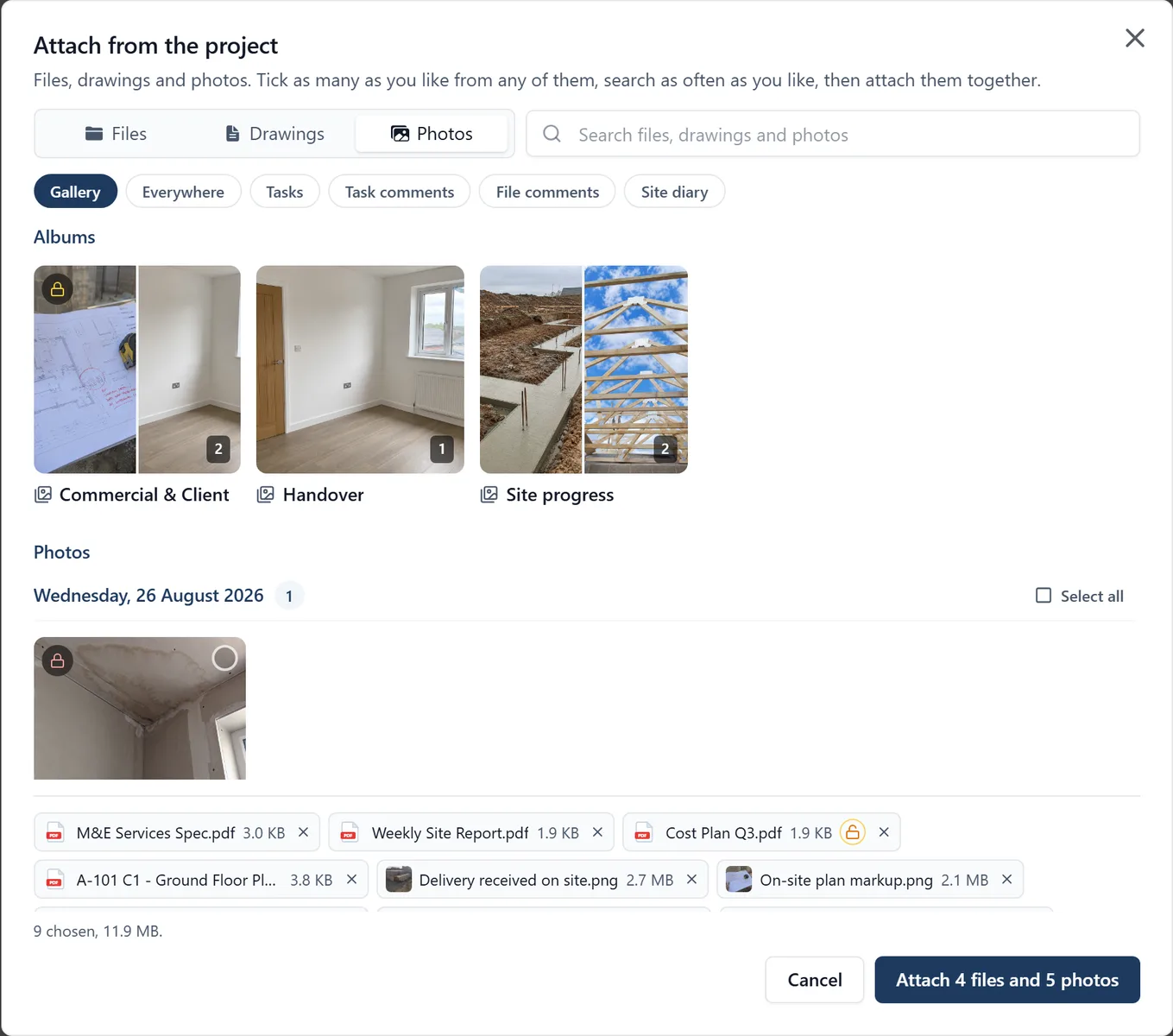
- Attach drawings, files and photos from the job in one go: tick them across folders, the drawing register and the Gallery, then attach the lot
- One search finds files by name and by the words inside them, drawings by number or title, and photos by what is in them
- Colleagues on the job are kept in the loop on every reply, whichever button the other person presses
- Each message says what became of it: sent, delivered, or bounced with the reason
- Email somebody from a task and the thread is filed against that task
Why it matters on site
Months later, when a client says they never agreed to something, the whole exchange is on the job, dated. “We emailed them” and “it bounced” are different facts, and the thread says which it was.
Who sees it
Admins and members of the job. Followers do not. When you write an email you choose whether members and admins can see the thread, or admins only for anything with prices in it, and whatever comes back follows that choice.
There is nothing to connect and nothing to set up. It is a browser job: the phone has no Mail screen.
Which plan
This is included in every plan, from £149 a month. Plans differ by how many people they seat, not by what the software does. See pricing.
How to use it
The manual page for this is in the Help Centre, and it is the same guide SiteBot reads inside the app. Read the guide.