
Availability and time off
Record who is off once, and be warned when a task is given to somebody who will not be there.
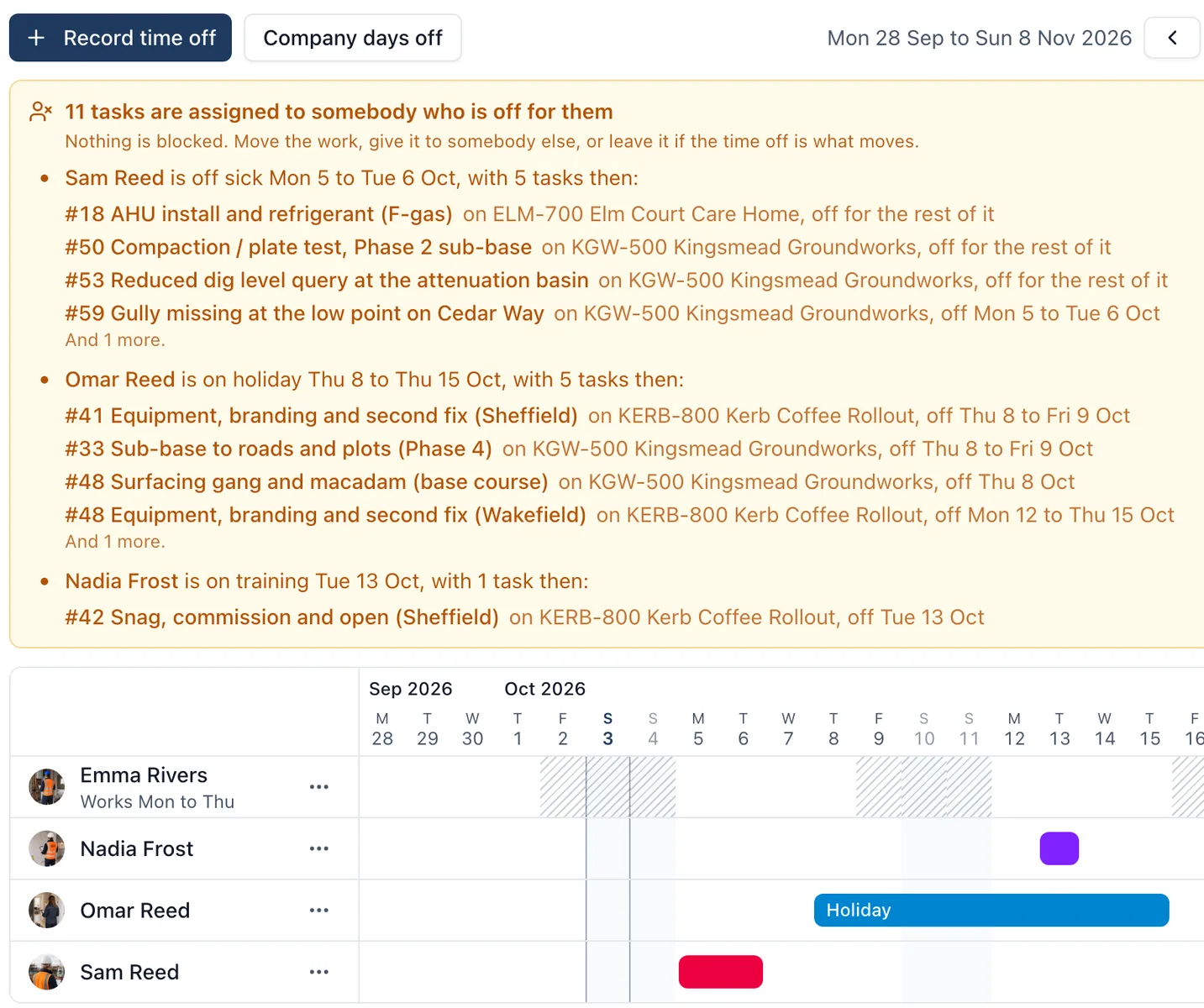
The holiday was on the wall planner in the office. The task was given out on site. Nobody put the two together until the morning the work did not start.
What it does
- Record time off once: who, the first and last day, and whether it is holiday, sickness, training or something else
- A board shows people down the side and the days across, six weeks at a time, with each stretch of time off as a bar
- A box above the board names every task given to somebody who is off for it, across all your jobs at once
- Open a task and anybody on it who is off for its dates is marked, with when and how much of the task that covers
- The people picker says somebody is off before you choose them
- On the Programme, a task with somebody off for it carries a mark, and dragging a bar tells you before you let go if it is heading for somebody’s time off
- Company days off, such as bank holidays and a Christmas shutdown, are entered once and can be marked as non-working on every live job
- Set working days for somebody whose week is their own, such as a part-timer who never works Fridays
Why it matters on site
It warns and never blocks. Nothing here stops you giving anybody anything, because sometimes the right answer is to move the time off, not the work. One holiday that lands on two jobs reads as one thing to sort out.
Who sees it
Only owners and admins of the company record time off, and only they see the reason and any note, because a sickness absence is private. Everybody else who schedules work, a site administrator included, is told the dates and nothing more. The warning on a task and on the Programme is shown to that job’s admins and members.
It is a browser job: the phone has no Availability screen yet.
Which plan
This is included in every plan, from £149 a month. Plans differ by how many people they seat, not by what the software does. See pricing.
How to use it
The manual page for this is in the Help Centre, and it is the same guide SiteBot reads inside the app. Read the guide.