
BuildersAI is a construction project management app. It works even without internet: everything you do is saved on your phone and uploads automatically when you’re back online.
Getting started:
- Install the app from the App Store or Google Play, or open app.buildersai.co.uk in a browser. It is the same account either way
- Create an account with your email address, then type in the 6-digit code we email you to verify it. The “account” topic has the full steps
- Say what kind of sites you run (extensions and one-off houses, housing developments plot by plot, or commercial and public jobs for a client) and the demo project that matches opens, with drawings, photos, tasks and a team already in it. Or create a project of your own instead. The other demos are there later, from Try a demo project. The “creating_a_project” topic covers both routes If a colleague has already added you to a project, you do not need to create one: sign up with the same email address they used and the project is simply there. Where to find things:
The app has two ways to get around:
-
Bottom bar. Five icons always visible at the bottom of the screen:
- Home (house icon): Your dashboard with a summary of what’s happening
- Drawings (document icon): Construction drawings and plans
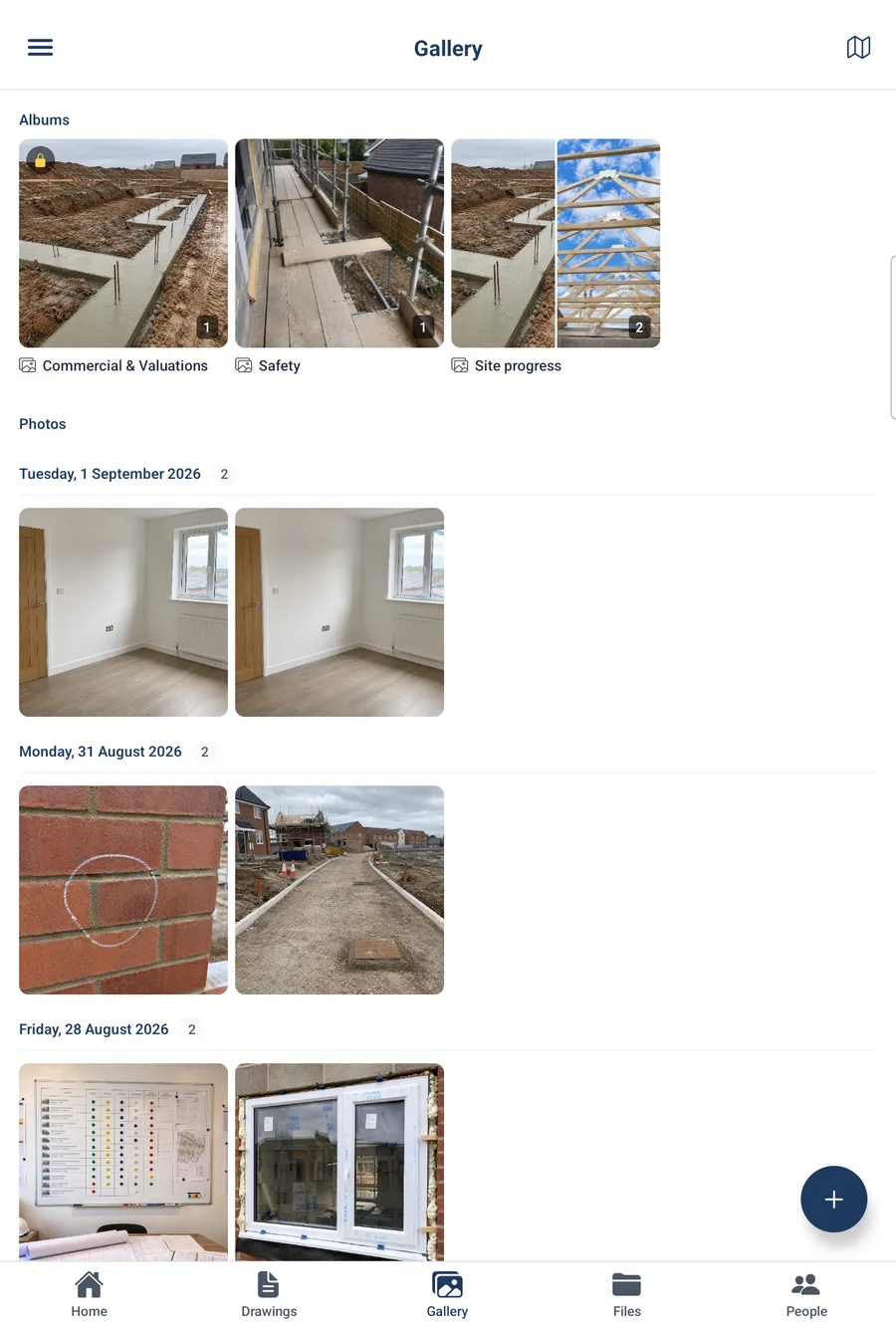
- Gallery (images icon): Site photos
- Files (folder icon): Project documents
- People (person icon): Your team members
-
Side menu. Tap the three-line icon (☰) in the top-left corner of any screen to open the side menu. This gives you access to:
- Notifications: announcements, drawing updates and mentions
- Boards: the project’s tasks, issues and other work, organised onto boards and their saved views (with any pinned views listed underneath)
- My Tasks: everything you are involved in, across the project
- My Reminders: Your personal reminders
- Site Diary (members and admins): the project’s day-by-day record, to read and write up
- Project Dashboard (admins only): the job’s numbers on one screen, headed “Site Intelligence” when it opens
- Team Compliance (admins only): Certification tracking for the whole team
- Site Presence (admins only): Attendance history and reports
- Specifications (admins only): Extracted specs from uploaded documents
- Project Settings (admins only)
- Profile: Your details, certifications, and notification preferences
- App Settings: Site check-in, privacy, and offline file management
- Contact Support, Help Center, About
What you can do:
- Create and manage tasks, issues, reminders, and notes
- Take and search site photos (AI automatically tags them)
- View construction drawings and plans
- Upload and organise project files
- Check yourself in and out of site, and see who is currently on site
- Read and write up the site diary, the day-by-day record of what happened on site
- Track worker certifications and CSCS cards
- Read project announcements from admins
- Check the weather forecast for your site
- Search UK Building Regulations, the Approved Documents, CDM 2015 and the main health and safety regulations
- Ask SiteBot for help with any of the above
Also available in a browser at app.buildersai.co.uk (same login, useful when you’re at your desk).
Need to create a new project? Tap “Create New” on the Projects screen. See the “Creating a project” topic.