Residential Construction Software UK: A Guide for House Builders and Developers
William Charlesworth-Jones8 min read
Quick Answer
Residential construction software organises work by plot and house type rather than by generic task list. For UK developers and house builders running 5 to 70 unit schemes, that means snagging and inspection boards you organise by plot, drawing revisions controlled and available offline, a site diary that builds itself, and a programme the whole team can actually see. BuildersAI is built in the UK for exactly this, with flat pricing from £149/month (no per-user fees) and a 14-day free trial of every feature.
If you run a residential scheme, you know where the time goes. The programme lives in Excel on one laptop and nobody on site has seen it since the pre-start meeting. A trade turns up to second fix plot 9 and plot 9 is not ready. The materials for plot 14 are not on site. Every question about what happened on plot 6 in March means an hour of scrolling through WhatsApp.
This guide is for the owner or contracts manager of a UK residential developer or house builder running schemes of 5 to 70 units. It covers what residential construction software should do differently, how it keeps multiple plots moving, what it does for the handover paper trail, and what it costs.
What should software do differently for residential schemes?
It should treat the plot, not the task, as the organising unit. That is the single biggest difference between residential construction software and generic project management tools.
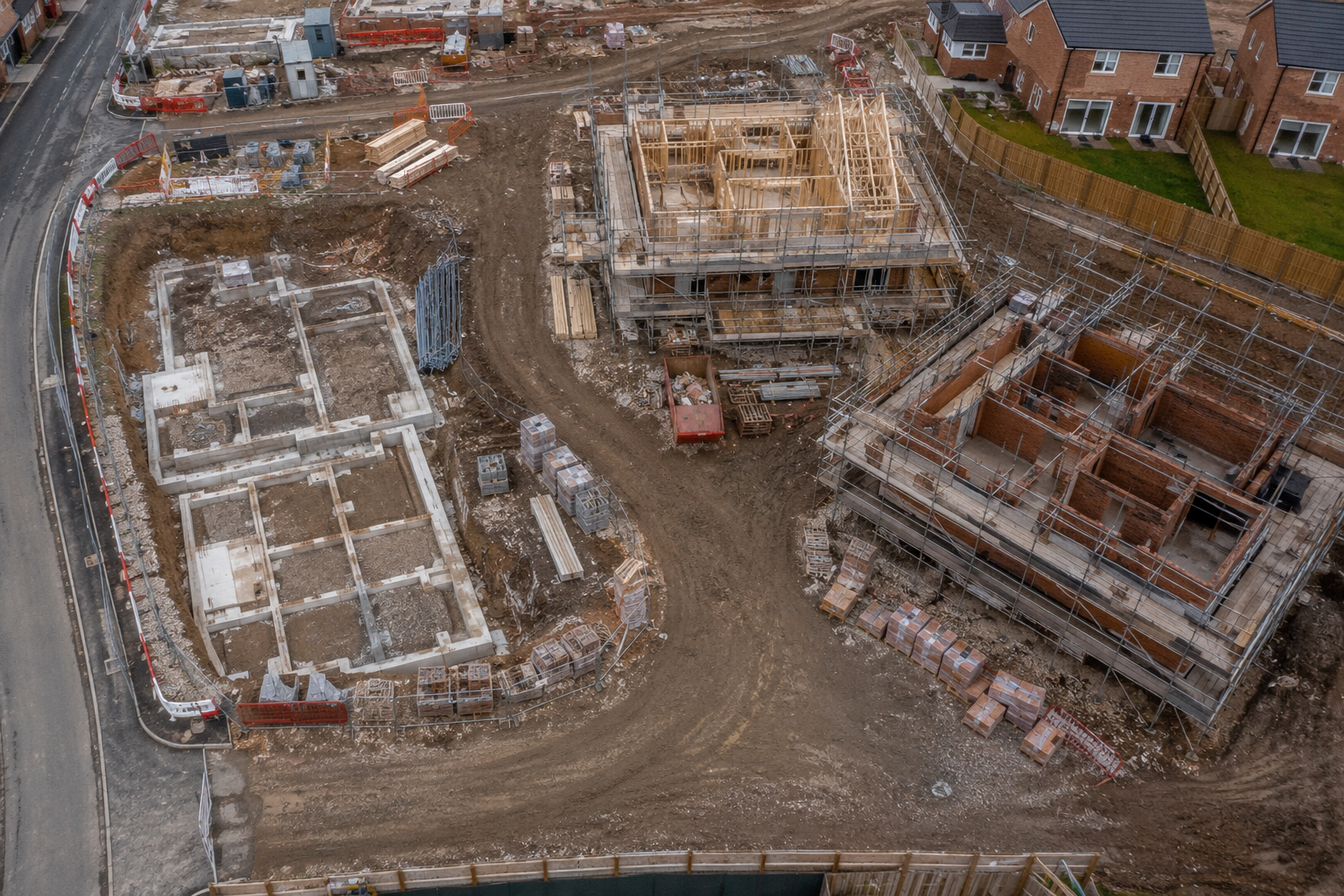
A 24-unit scheme is not one project with 4,000 tasks. It is 24 plots across perhaps six house types, and every plot walks the same sequence: groundworks, brickwork, roof, first fix, second fix, decoration, snagging, handover. When you ask “where are we?”, you think in plots and house types. “The Birch on plot 7, the 2-bed terrace, is through first fix. Plots 12 to 15 are still in brickwork.” Software that cannot answer in those terms makes you do the translation yourself, every day.
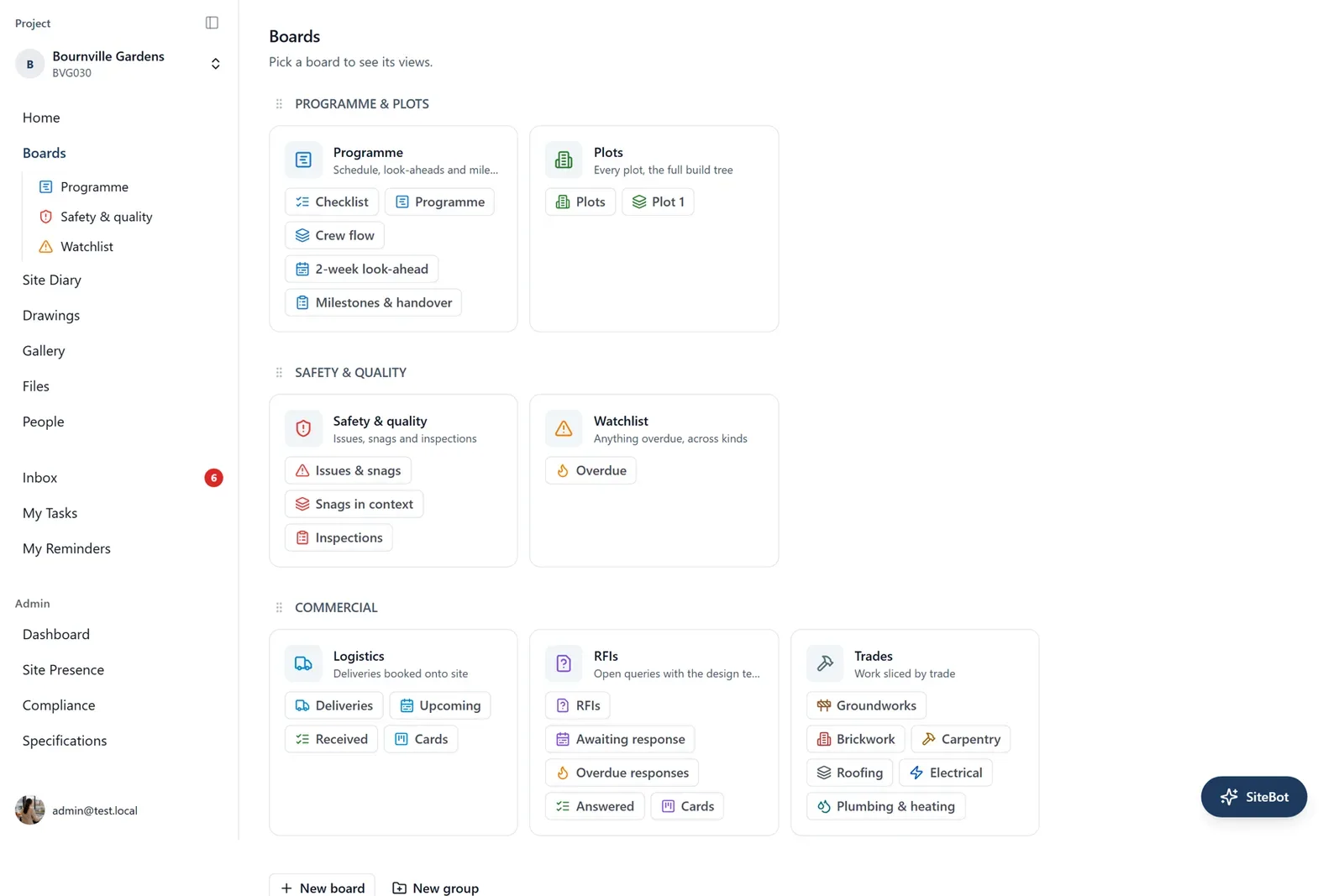
In BuildersAI, project boards for tasks, snagging, inspections, RFIs and deliveries can be organised by plot and by trade. Filter the snagging board to plot 7 and you see everything outstanding on that unit. Filter by trade and your plumber sees only plumbing items, across every plot they touch.
Drawings follow the same logic. A residential scheme carries plot drawings for each house type, plus the section 38 road drawings and section 278 junction works, all being revised as the job runs. BuildersAI holds every drawing under revision control, so the site team always opens the current revision, available offline when the site has no signal, and anyone can mark up a drawing to raise a query instead of describing it over the phone.
By making the programme visible to the people who deliver it, and by knowing plot readiness before a trade travels. Most delays on residential schemes are not caused by bad luck. They are caused by a trade arriving at a plot that is not ready, or ready plots sitting idle because nobody lined up the next trade or the materials.
The Excel programme fails here for a simple reason: it lives on one laptop. The trades never see it, and the file drifts away from what is happening on the ground.
BuildersAI puts the programme in the same place as everything else: a Gantt view with dependencies, so when brickwork on plot 12 slips a week you see the knock-on before it costs you, and a look-ahead that answers the question that matters each Monday: what is due on every plot in the next two weeks, and is each plot genuinely ready for it? We cover this in depth in our guide to construction scheduling software in the UK.
Around the programme, day-to-day coordination lives on the boards. Deliveries get their own board, so “are the plot 14 kitchens on site?” is a ten-second check rather than three phone calls. Site photos are geo-tagged with automatic AI descriptions, so progress evidence is easy to find by location instead of sitting in a camera roll. And SiteBot, the AI assistant, answers questions like “what is outstanding on plot 9 before second fix?” from the project’s own drawings, tasks, files and diary.
If you run more than one scheme at a time, the same problem multiplies across sites. We wrote about that separately in our guide for property developers managing multiple sites.
What about the paper trail for handover?
The record should build itself as the job runs, because nobody has time to write it up afterwards. Handover on a residential scheme is where paperwork pressure peaks: warranty provider inspections, NHBC-style standards to evidence, purchaser demonstrations, and a snagging process that can drag on for months if it is run from a notepad.
BuildersAI approaches this in three layers:
Snagging by plot. Every snag is logged with a photo on a board you organise by plot, assigned to a trade, and tracked to close-out. When the warranty inspector or the purchaser’s snagging company walks plot 3, you can show exactly what was raised, who fixed it, and the photo evidence of the fix. Our UK snagging guide covers the process end to end.
A site diary that builds itself. Photos, tasks, check-ins and weather flow into a daily site diary automatically. That gives you a defensible record of what happened on site, kept for seven years. When a purchaser raises a defect claim in year two, or a subcontractor disputes what was complete when they left, you have a dated, evidenced answer instead of a memory.
Evidence attached to the work. Geo-tagged photos with automatic descriptions mean the pre-plaster photos of plot 7 are findable in seconds, years later. That is the difference between a dispute settled with evidence and one settled with a cheque.
Compliance sits alongside this: CSCS certification tracking with expiry alerts stops a lapsed card becoming a problem mid-scheme, and role-based permissions with organisation-enforced two-factor authentication keep the record trustworthy.
How does it compare with the obvious alternatives?
Your real competitor system is not another software product. It is spreadsheets plus WhatsApp, because that is what most 5 to 70 unit developers actually run on. Here is the fair comparison:
Option
Built for
Pricing
Where it struggles
BuildersAI
UK residential developers, 5 to 70 unit schemes
Flat £149 to £599/month, no per-user fees
Focused on site coordination and records. If you need full accounting or estimating inside one tool, you will pair it with Xero or QuickBooks.
Spreadsheets + WhatsApp
Whatever you make it do
Free (in licence fees)
No plot structure, no drawing control, no searchable record. Paid for in rework, disputes and your evenings.
Buildertrend
US residential builders and remodellers
Priced in dollars, sales-led
Strong product, but US-centric workflows and terminology. UK plot-and-house-type schemes are not its home ground.
Procore
Enterprise and major contractors
Custom annual contracts, typically five figures
Excellent at enterprise scale, heavy for a 30-unit scheme. Long implementation and a cost that assumes a head office team.
The honest summary: if one small scheme is genuinely under control, spreadsheets may hold for now. The switch pays for itself when chasing information and settling disputes without evidence starts costing real money, and for most developers that arrives well before plot 10 completes.
What does it cost for a residential developer?
BuildersAI is flat-priced: Starter at £149/month for up to 10 users, Professional at £299/month for up to 50, and Business at £599/month for up to 100. Each plan begins with a 14-day trial, every feature included, no card needed.
The flat structure matters on a residential scheme because of who needs access. A typical 30-unit site runs a site team of 15 or so: site manager, assistant, groundworkers’ foreman, brickwork gang leader, plumber, sparky, and the rest of the trades. Per-user platforms commonly charge £30 to £70 per user per month. For that 15-person team:
Per-user model: 15 users at £30 to £70 each is £450 to £1,050 every month, and it rises every time a new trade starts.
BuildersAI Professional: £299/month flat, whether 15 people use it or 45 do.
Worse than the headline cost, per-user pricing pushes you to ration licences, and the people cut first are the trades, exactly the people who need the current drawing revision and their snagging list. Software only removes the “trade turned up, plot not ready” problem if the trades are actually on it.
There is a quiet back office saving too. Timesheets build automatically from the check-ins your team makes on their phones, exported formatted for Xero or QuickBooks, which removes the Friday timesheet chase and gives you a dated record to check an invoice against the days worked.
FAQ: Residential Construction Software UK
Is there software for small house builders?
Yes. BuildersAI’s Starter plan is £149/month for up to 10 users, which suits a small house builder delivering a handful of units at a time. It is the same product as the larger plans: boards organised by plot, drawing revision control, the automatic site diary and the programme are all included.
How long does setup take?
You can be set up within a day, and onboarding is free. We help you set up the scheme, organise the boards by plot and house type, upload the current drawing set, and get the site team checked in on their phones. Trades need no training beyond a five-minute walkthrough because they only see their own tasks and drawings.
Does it work without signal on site?
Yes. Drawings are available offline, so the current revision opens in the plot whether or not there is coverage, and work syncs when signal returns. This matters on rural and edge-of-town sites where the cabin has broadband but the plots do not.
Can subcontractors and trades use it?
Yes, and they should, because that is where the value is. Role-based permissions mean a trade sees their tasks, their snags and the drawings they need, and nothing else, with organisation-enforced two-factor authentication keeping access controlled.
Does it handle timesheets and payroll exports?
Yes. Each person checks in and out on their phone, and timesheets build from those check-ins automatically, with any missed check-out flagged for correction. Exports are formatted for Xero or QuickBooks, so your accountant imports the file rather than retyping the hours.
How is BuildersAI different from Buildertrend?
Buildertrend is a capable product built for the US residential market and priced in dollars. BuildersAI is built in the UK for UK schemes: boards and views you organise by plot and house type, section 38 and 278 drawings under the same revision control as plot drawings, UK terminology throughout, and flat GBP pricing with no per-user fees.
Residential construction software UK: the short version
Organise byPlot and house type
PricingFlat £149 to £599/month
Per-user feesNone
Setup with free onboardingWithin a day
Site diary record kept7 years
See it on a real residential scheme
The demo project, Bournville Gardens, is itself a residential scheme with plots and house types: open the snagging boards, the drawing set and the site diary and see how your own scheme would look. The 14-day trial includes every feature and needs no card.
✓Snagging, inspections and handovers organised by plot and trade
✓Drawing revision control, available offline on site
✓A site diary that builds itself, kept for seven years
Founder of BuildersAI with a background in construction and economics. After watching coordination chaos waste hours on every site, he set out to build AI tools that actually work for UK builders.
Most UK property developers manage multiple sites with a combination of WhatsApp, phone calls, and spreadsheets. It works until it doesn't. This article covers what breaks, what good software looks like, and what to look for when choosing a platform.
98% of new UK homes have defects at handover, averaging 100+ snags per dwelling. Learn how to create effective snagging lists, conduct inspections, and reduce callbacks.
Independent comparison of construction PM software for UK contractors. Covers pricing, CIS compliance, offline capability, and feature analysis for firms of all sizes.
10 min read
Get started
Ready to bring your whole team onto
one simple app?
14-day free trial with every feature, no card and no contract, and your team can be set up
within a day.