On-Site Construction Software: The Site Management App That Works Where You Do
William Charlesworth-Jones8 min read
Quick Answer
On-site construction software, often called a site management app, is software designed to be used on the building site itself, by the people doing the work, rather than in the office. It works offline, is simple enough for any trade to use without training, and puts the current drawing, site updates, records and answers one tap away on a phone. BuildersAI is built for exactly this: the person standing in the mud, not the one at a desk.
There is a gap between construction software that demos well in an office and construction software that survives contact with a live site. The office version assumes a desk, a good connection, and someone with time to learn it. The site version has to work in a basement with no signal, in the rain, on a cracked phone screen, used by someone who has thirty seconds between tasks and no patience for a login problem.
On-site construction software is built for the second world. Here is what a real site management app has to do, and why most software falls short of it.
What On-Site Actually Means
Most construction software is built for the office: the quantity surveyor, the project manager, the director. It is powerful, but it assumes the user is sat at a desk with time and training. On site, none of that holds. The people who need the information most, the trades and the site manager, are the ones the software was never really designed for.
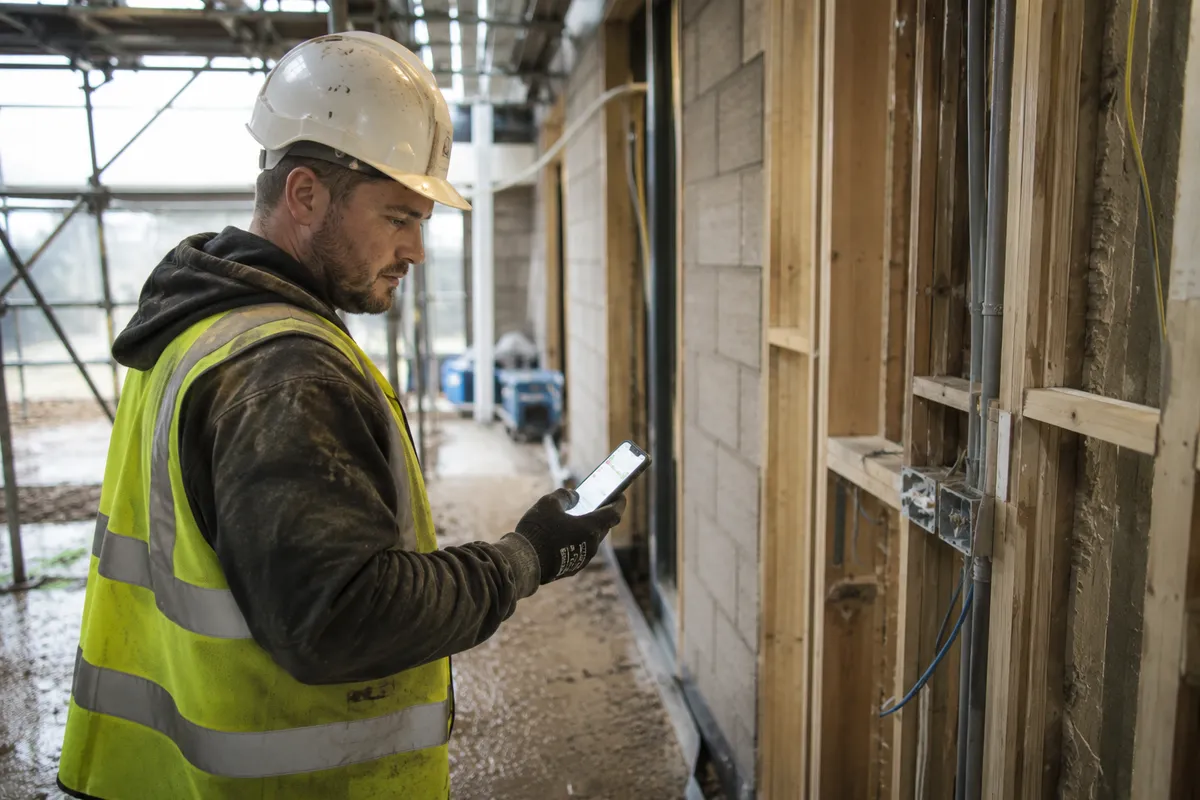
A site management app flips that around. It is built for the person standing in the mud, not the person in the boardroom. That single change drives everything about how it has to work: offline, mobile, and simple enough to use one-handed with gloves on.
On-site, not office-first
The test is simple. Could a plasterer who has never seen the app before open it, find today’s drawing, and get back to work in under a minute, on a phone, with one bar of signal? If not, it is office software, whatever the sales page says.
What a Site Management App Must Do
Strip it back and the on-site job comes down to a short list. A site management app has to:
✓Work offline, because signal fails in basements, plant rooms and rural sites
✓Show the current drawing in a tap or two, never a superseded one
✓Get an important update to every trade, and confirm who has seen it
✓Let people check in and out in a couple of taps, even with no signal
✓Capture a photo that files itself by location and time
✓Answer a question without the trade having to ring the site manager
✓Be usable with no training, in bad light, with gloves on
None of this is exotic. It is just the reality of a working site, which is exactly what office-first software tends to ignore.
Why Most Software Fails on Site
Plenty of construction software can do impressive things. It still fails on site, for reasons that have nothing to do with features:
It needs a connection. The moment a trade walks into a plant room and the app spins on a loading screen, it is dead to them. On site, offline is not a nice-to-have.
It is too complex. Software built for a project manager assumes the user will invest time to learn it. A trade will not, and should not have to. If it needs training, it will not get used.
The trades are not even on it. Per-user pricing pushes firms to buy a few seats for the office and leave the people on site out entirely, which defeats the point.
It was built for a different market. Most of the big platforms are built for US tier-one contractors. The terminology, the workflows and the price are all wrong for a UK SME site.
The quiet failure
Most site software does not fail loudly. It gets bought, half-rolled-out, ignored by the trades, and the site drifts back to WhatsApp within a fortnight. The tool that wins is not the most powerful, it is the one the person on site will actually open tomorrow.
Built for the Boots, Not the Boardroom
BuildersAI is built the other way round: for the site first, the office second. It is mobile-first, works offline, needs no training, and is priced as one flat fee for the organisation so every trade is included rather than left off to save on seats.
That means the value lands where the work happens. The trade on site has the current drawing, the latest update and a way to get an answer, without a signal and without ringing anyone. The director in the office gets the visibility as a by-product, because the record builds itself from what the site is already doing.
See it on a site like yours
We show you exactly how BuildersAI works on your kind of project, on a phone, offline, the way your team would actually use it.
On a site running a good management app, a normal day looks different:
Drawings. Every trade has the full set on their phone, offline. A new revision replaces the old one for everyone, so nobody builds to the wrong version. No phone call to the site manager to check.
Updates. A site-wide announcement reaches every trade at once with a push notification, and the site manager can see who has read it. No more chasing round the groups.
Attendance. People check in on their phone when they arrive and check out when they leave, in a couple of taps and without needing signal. That gives timesheets and health and safety a record made at the time rather than a sheet filled in from memory on Friday, and a missed check-out gets flagged for somebody to put right.
Photos. Every photo is geotagged, timestamped and mapped to the plan, so there is a defensible record of what was built and when, searchable by anyone on the project.
Answers, and the work itself. SiteBot, the AI assistant, knows everything in the project and answers questions instantly, so common questions stop landing on the site manager. Ask it to raise the snag, comment on the task, attach the drawing or write up the diary and it does that too, reading the change back first: nothing is written in the same reply, so you get the chance to stop it.
BuildersAI solution:
SiteBot is in the BuildersAI app, on iOS, Android and the web, so nobody has to learn anything new. They ask the project assistant the same way they would message anyone, get an accurate answer in seconds, and can have the job raised while they are stood there.
An on-site tool is only as good as how quickly it gets onto the site. With BuildersAI, the site manager creates the project, uploads the drawings, and sends the team an invite link. Trades download the app, join automatically, and they are ready. No consultant, no training day, no lengthy rollout.
Most sites are live within a day. The real test comes a week later: are the trades still opening it? Because the software is built for site rather than head office, that is the test it is designed to pass.
FAQ
What is on-site construction software?
On-site construction software is software designed to be used on the building site itself, by the people doing the work, rather than in the office. It is mobile-first, works offline, and is simple enough for any trade to use without training. The focus is the current drawing, site updates, records and answers, all available on a phone at the point of work.
What is a site management app?
A site management app is a mobile app for running the day-to-day of a construction site: drawings, announcements, site attendance, photos and project queries, in one place on a phone. Unlike office-first construction software, it is built around the reality of site, patchy signal, gloves, and users with no time to learn a complex tool.
Does on-site construction software work without signal?
The good ones do. BuildersAI stores the drawing set, records and communication on the device, so they are available with no connection, and syncs automatically when the signal returns. This matters in basements, plant rooms, underground works and rural sites, where relying on a connection means the app is useless exactly when it is needed.
Do trades need training to use a site management app?
They should not. If a tool needs training, the trades will not adopt it and it fails. BuildersAI is designed to be as simple as WhatsApp: a trade downloads the app, joins the project from a link, and can find the current drawing or ask a question straight away. No training day, no manual.
Is a site management app different from project management software?
They overlap, but the emphasis differs. Project management software leans towards the office: programme, cost and reporting. A site management app leans towards the site: getting the right information to the person doing the work, offline, on a phone. BuildersAI covers both, but it is built site-first, which is why the trades actually use it.
What is the best site management app for UK construction?
The best one is the app your team will actually open on site. For UK builders that means offline, mobile-first, simple enough for any trade, built for UK sites, and priced as one flat fee so everyone is included. BuildersAI is designed around exactly those constraints rather than being an office platform with a mobile view bolted on.
How much does on-site construction software cost?
BuildersAI charges one flat monthly fee for your organisation, not per user, so you can include every trade on site without the cost climbing as the team grows. There is a 14-day free trial and paid plans from £149 per month. Per-user pricing, common with office-first platforms, is what pushes firms to leave the site team off in the first place.
Get your site set up this week
See how UK trades and site managers use BuildersAI on site: offline, one tap to the current drawing, and answers without a phone call.
Founder of BuildersAI with a background in construction and economics. After watching coordination chaos waste hours on every site, he set out to build AI tools that actually work for UK builders.
WhatsApp groups are not a communication system. They are a symptom of not having one. Here is how BuildersAI gives every person on site the right information, instantly, without the site manager having to push it manually.
Most construction software fails because trades won't use it. This guide shows site managers how to introduce digital tools in a way that actually sticks, without the training days, the resistance, or the 'back to WhatsApp' retreat.
14 min read
Get started
Ready to bring your whole team onto
one simple app?
14-day free trial with every feature, no card and no contract, and your team can be set up
within a day.